- Install Windows App from the App Store (iPhone, iPad) or Remote Desktop by Microsoft from Google Play (Android).
- Tap + and choose Add PC.
- Enter the Computer address from your server page, with the port if there is one.
- Add the username and password from your server page and tap Save.
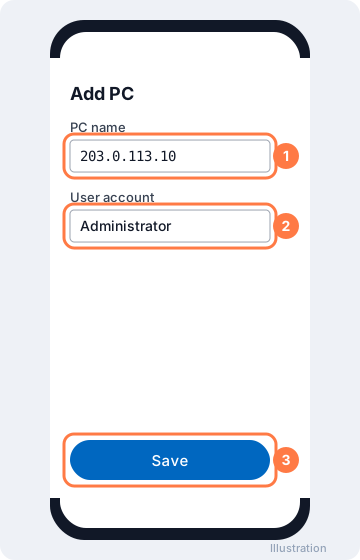
On your phone: PC name, user account, Save - Tap the PC to connect and accept the certificate notice.
Tip: tap the keyboard icon at the top to type, and pinch to zoom. Turn your phone sideways for a bigger screen.
More on our blog
- How Use Smartphone (Android OS) to connect RDP
- Bluestack RDP: The easiest way to connect to your PC from any Android device.
Still stuck? Our team answers 24/7. Open a ticket or use live chat.