In this article, we will discuss "How to Open Port in Windows Firewall". In computing, a firewall is a network security system that monitors and controls the incoming and outgoing network traffic based on predetermined security rules. A firewall typically establishes a barrier between a trusted network and an untrusted network, such as the Internet.
Open Windows Firewall
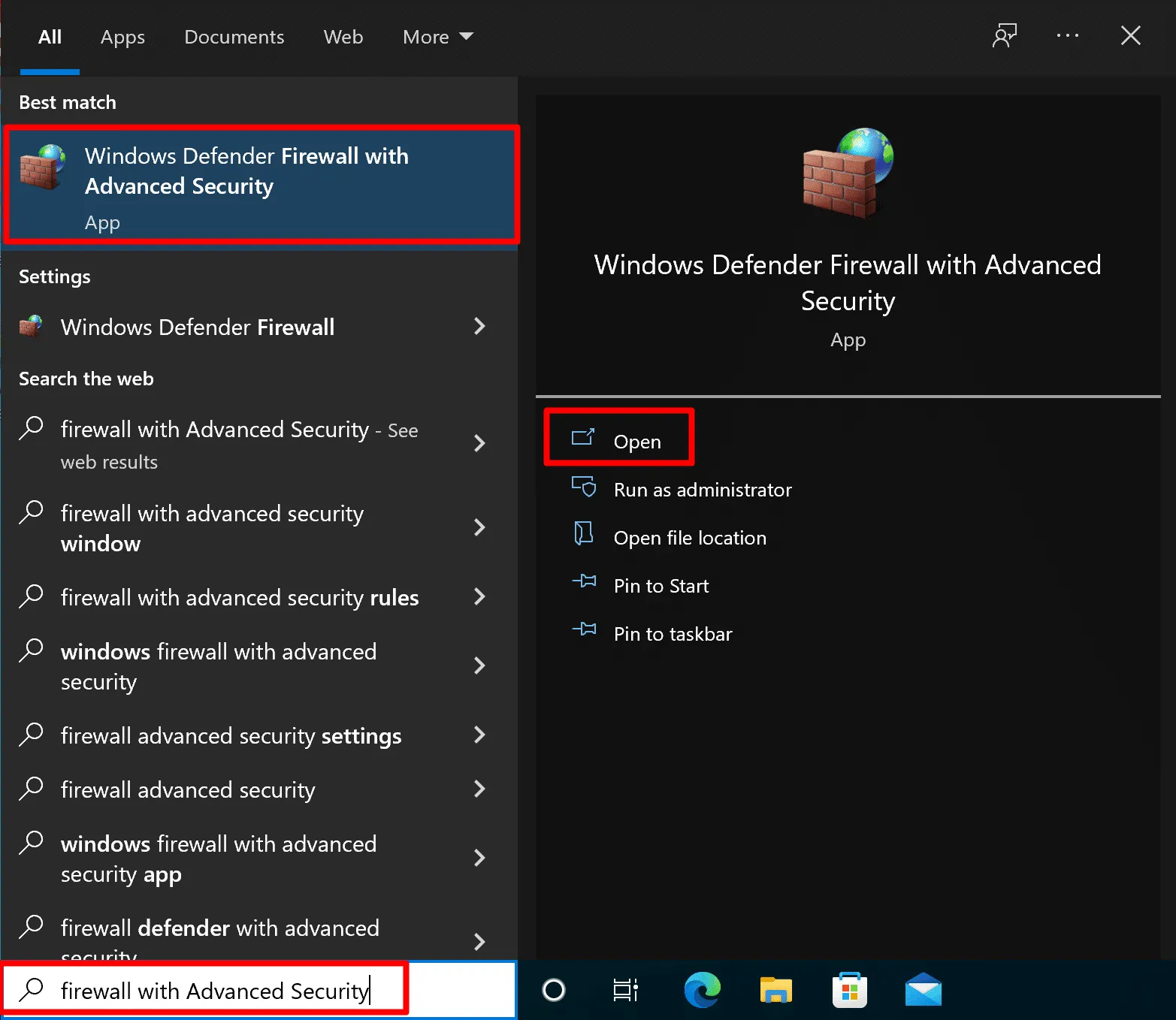
- Hit the Windows key
- Now type “firewall with Advanced Security“
- You will see the settings will appear called "windows firewall with advanced security"
- Now click the app to run it.
Configure Inbound rule
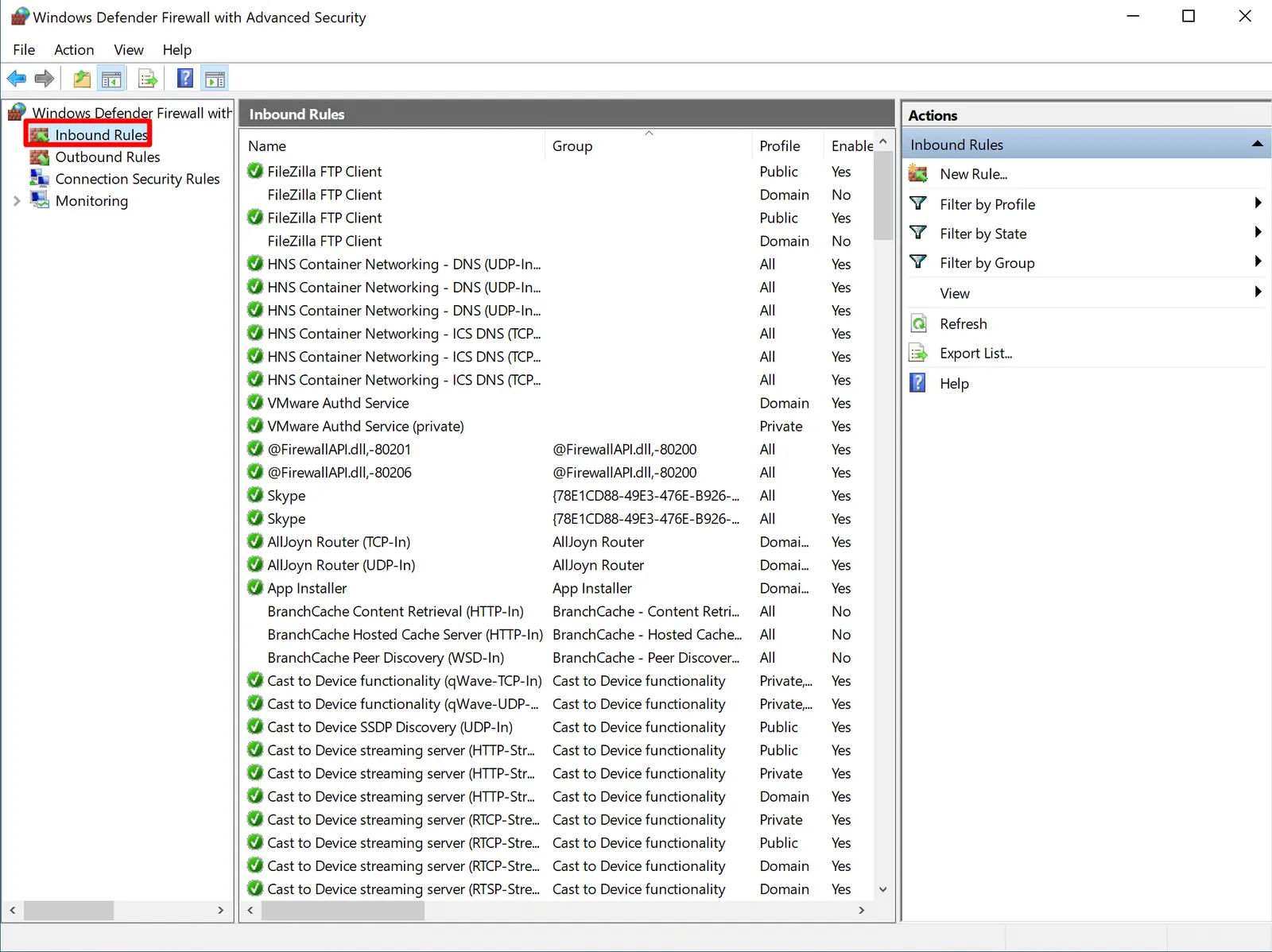
- Click on the “Inbound Rule” button on the top left section.
- Now choose “New Rule” on the top right section of the window.
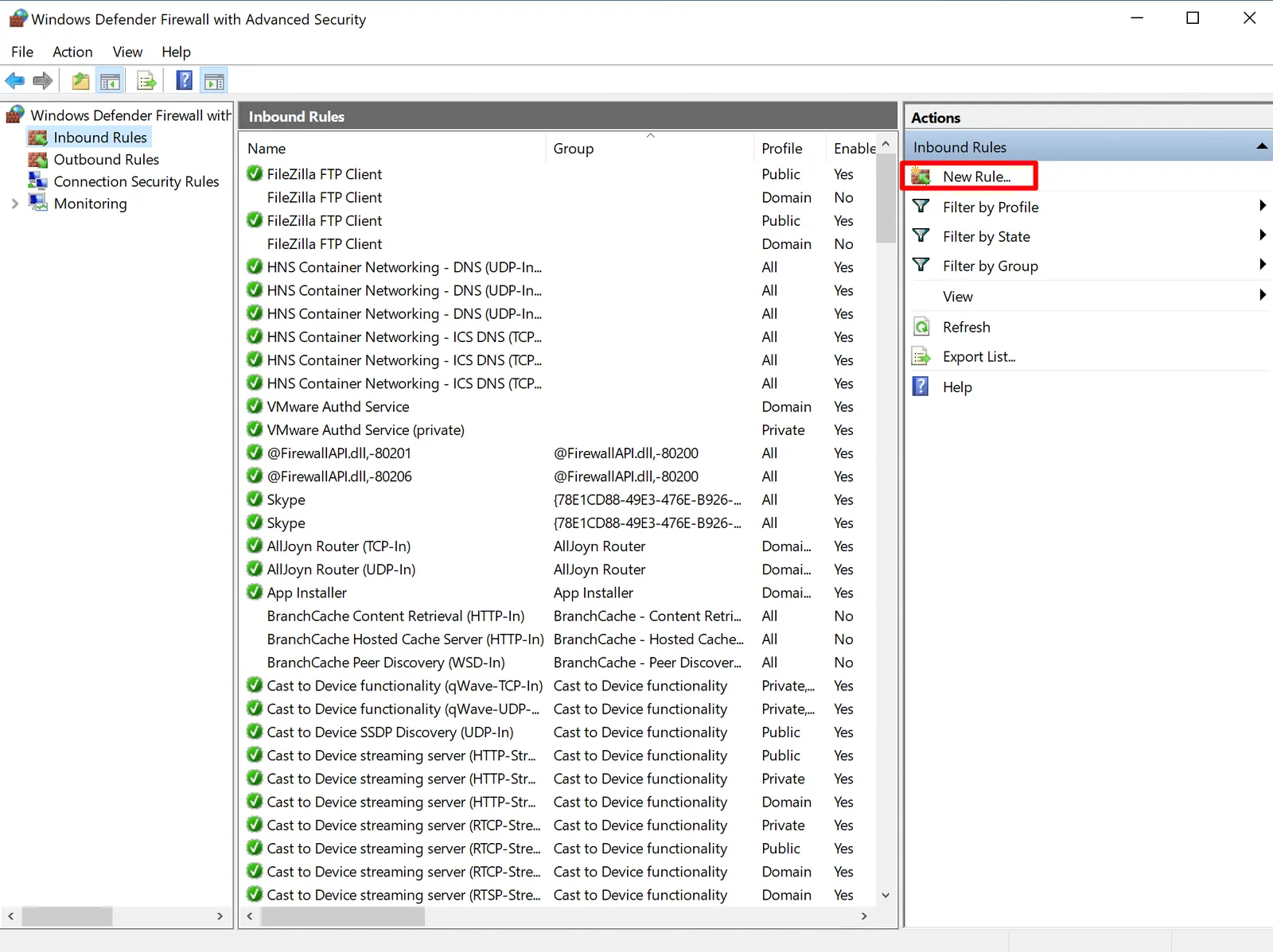
- It will open the “New Inbound Rule Wizard” console.
Configure Open Ports
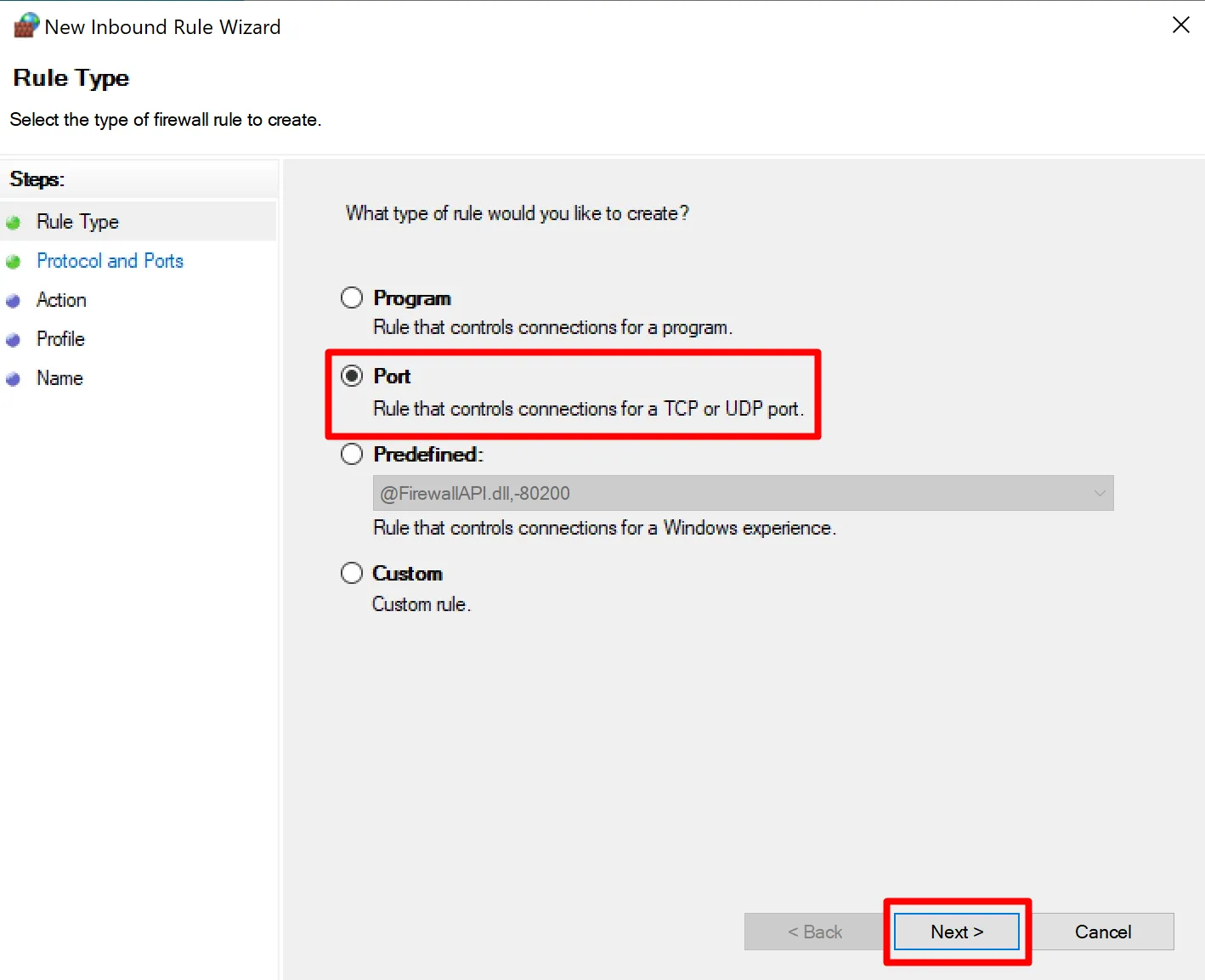
- In the "Rule Type" options choose the port and click the Next button.
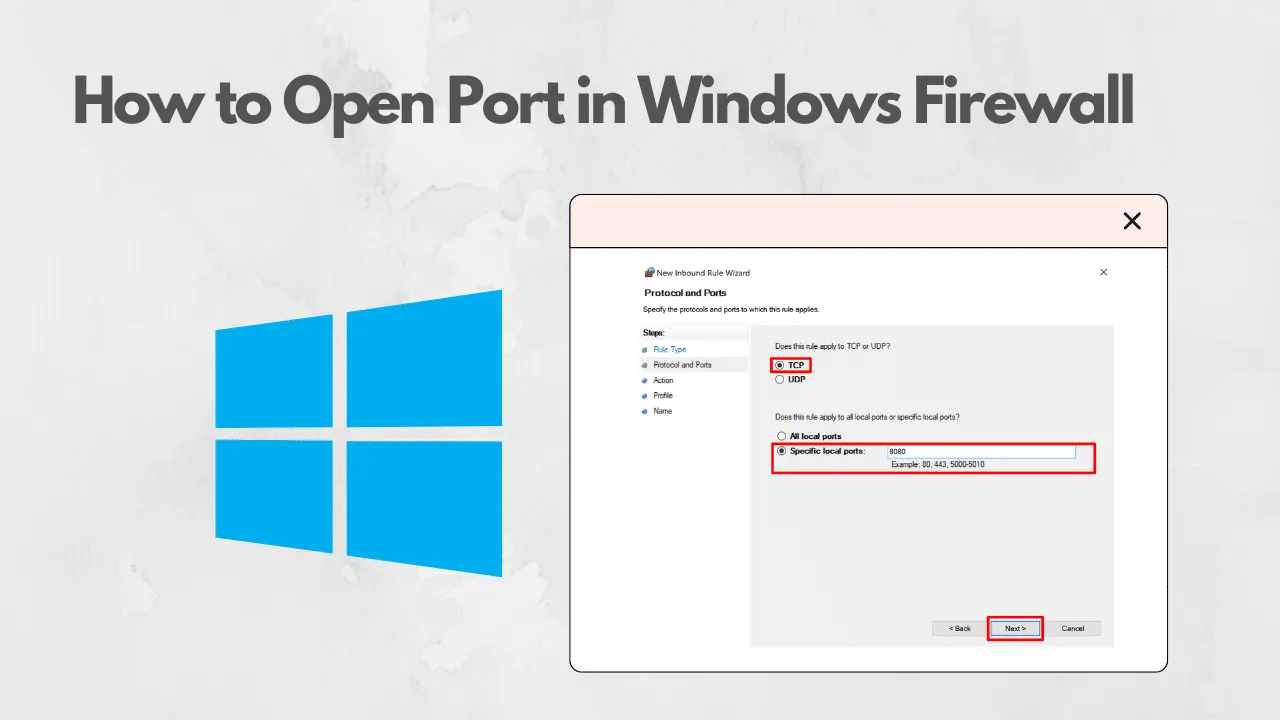
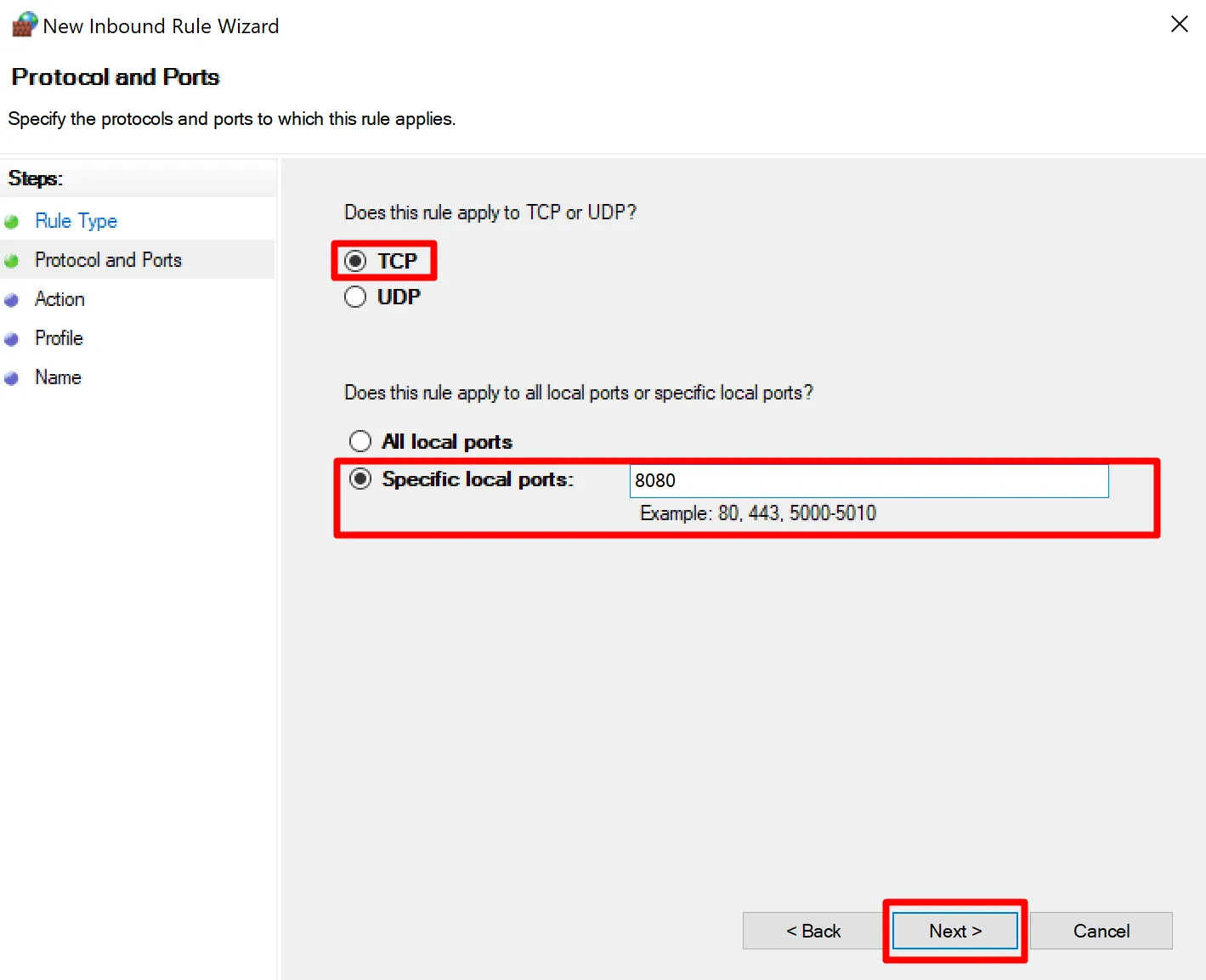
- Next, in the "Protocol and Ports" options choose TCP or UDP.
- After this, in the "Specific Local Ports" options type your Desired port and click the Next button.
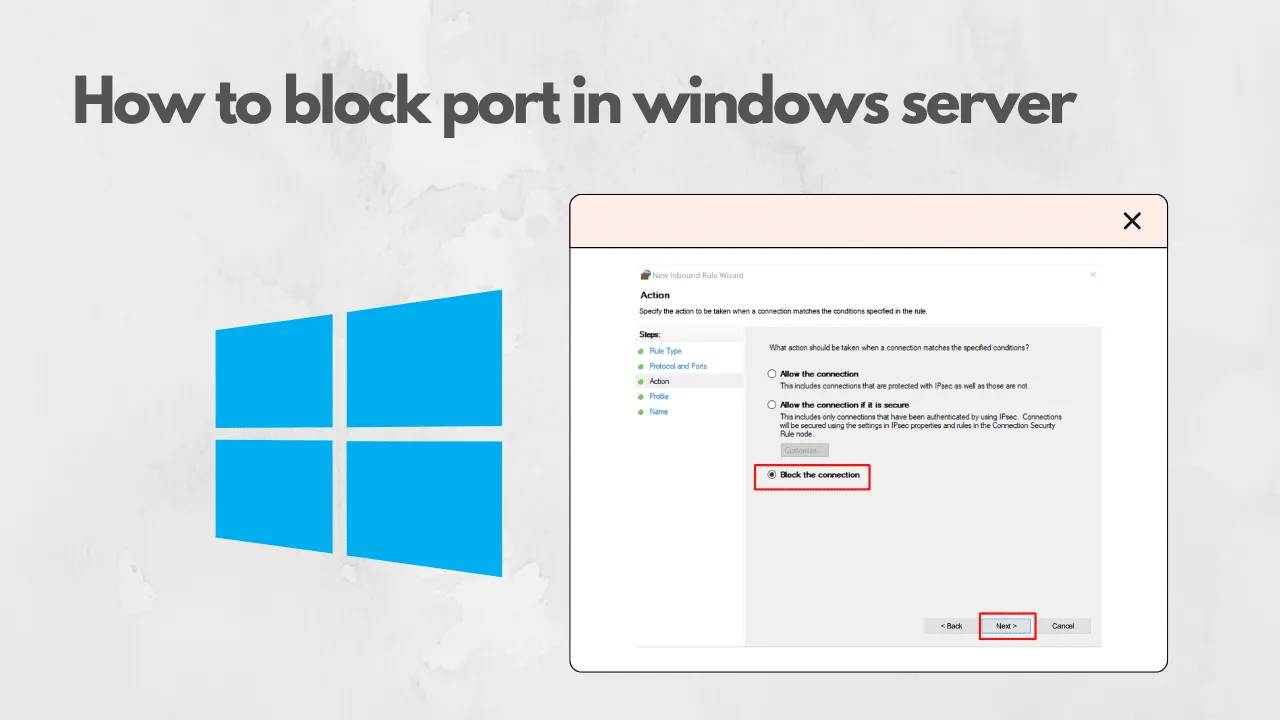
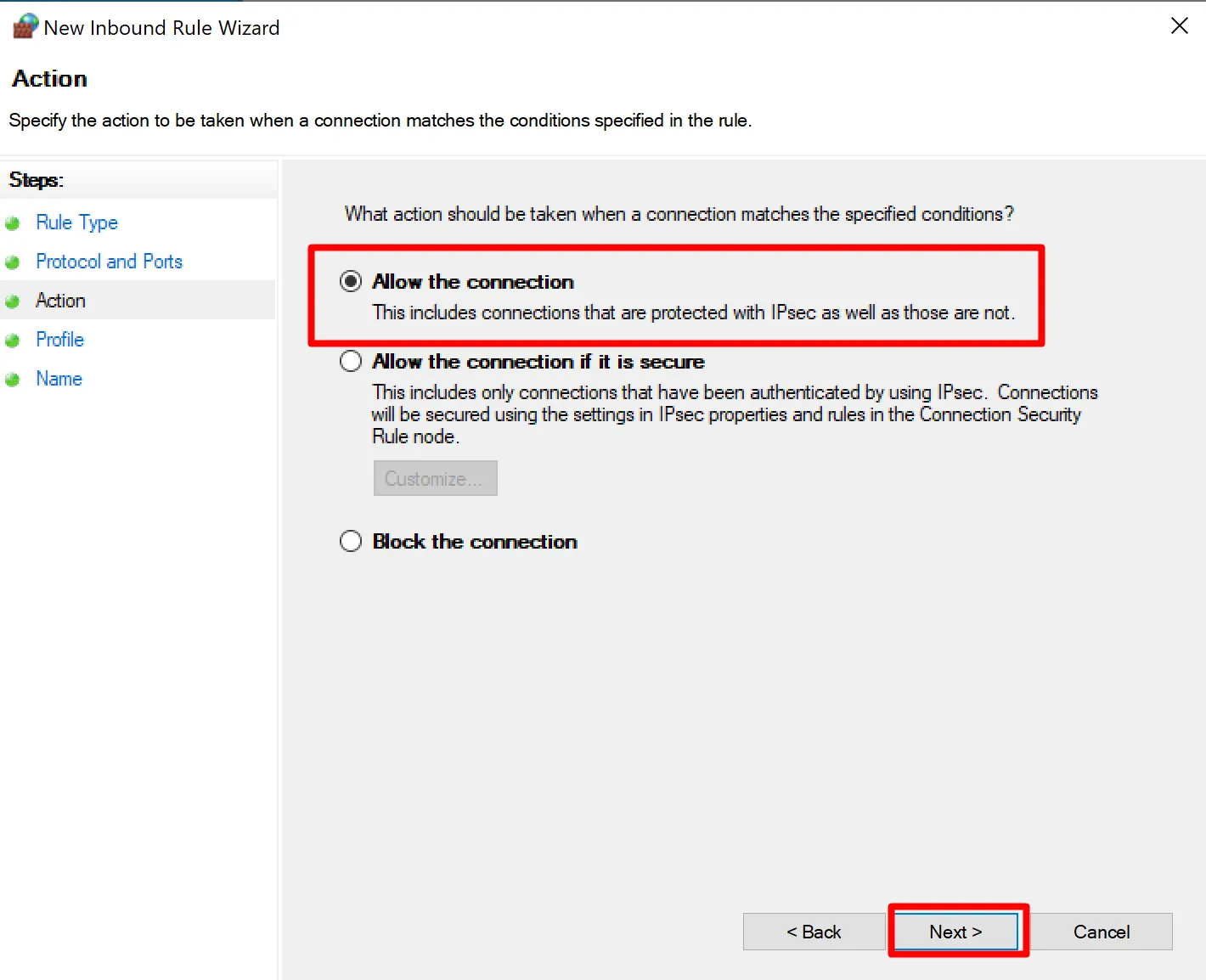
- In the Action window select the "Allow the Connection" option.
- Next, In the profile window choose your desired Rule option “Domain, Private or Public“.
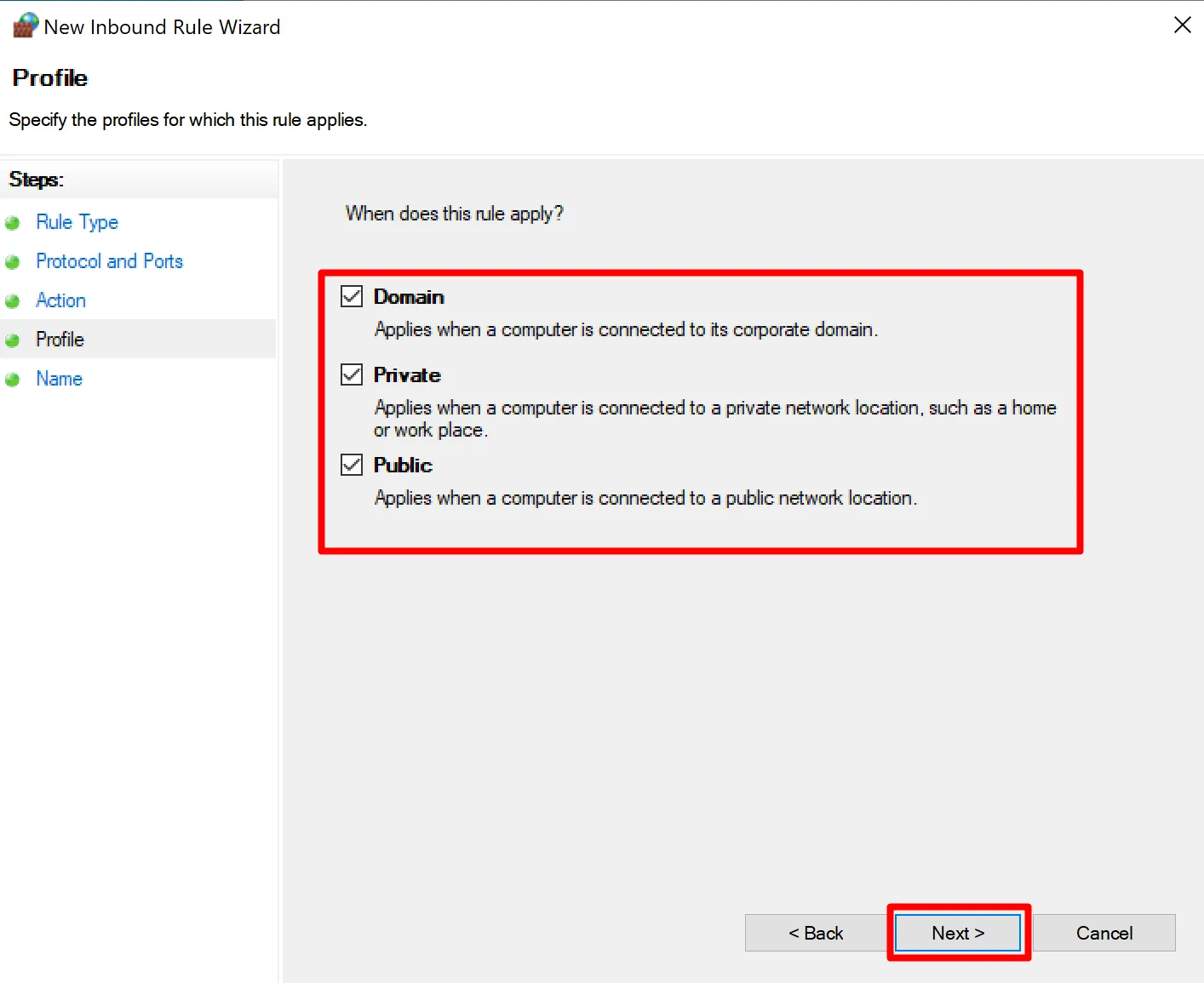
- Now click the Next Button.
- Finally, Place a name for the rule, a description if you like and hit Finish.
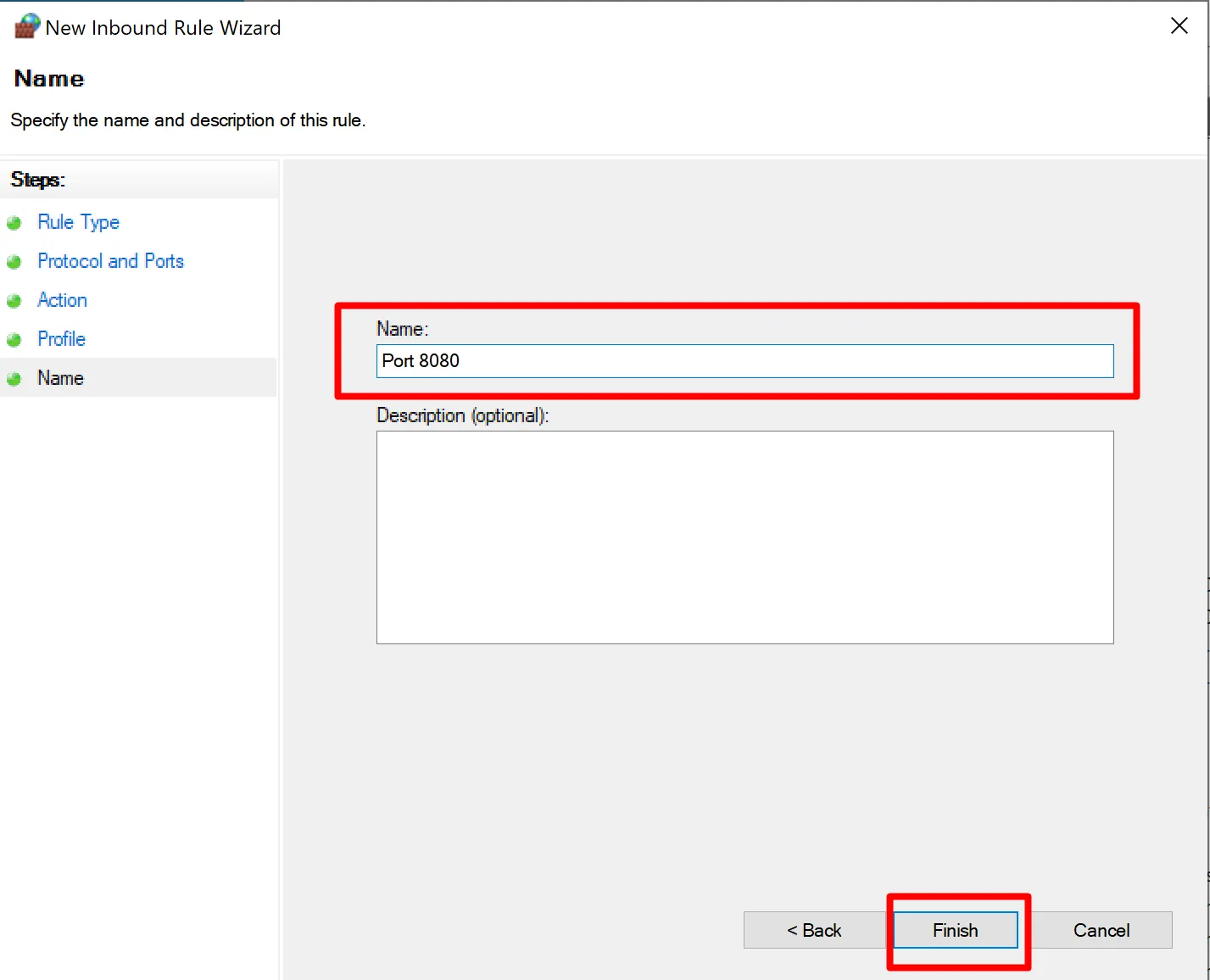
- The port is now open.
Run it on HomeRDP
Windows VPS
Windows Server VPS with admin access and NVMe storage.