

Wayfire 0.11 vs Previous Versions: What’s New and Why It Matters
The Linux desktop landscape has undergone a dramatic transformation over the past decade. As modern hardware has become more powerful and graphical workloads more demanding, the traditional X.Org display server has gradually given way to Wayland, a modern display protocol designed to deliver lower latency, stronger security, smoother rendering, and a cleaner graphics architecture.
While desktop environments like GNOME and KDE Plasma have accelerated Wayland adoption, lightweight compositors have also played a critical role in pushing Linux innovation forward. Among them, Wayfire has steadily earned a reputation for combining impressive visual effects with exceptional performance and flexibility.
The release of Wayfire 0.11 marks one of the project’s most significant milestones. More than a routine update, it introduces new Wayland protocol support, improves compatibility with modern Linux distributions, strengthens security, and enhances overall stability. Most importantly, the developers describe this as the last planned feature release before the long-awaited Wayfire 1.0, signaling that the project has reached a new level of maturity.
For Linux enthusiasts, developers, DevOps engineers, system administrators, and organizations building cloud-based Linux workstations, Wayfire 0.11 is an important release worth understanding.
In this article, we’ll compare Wayfire 0.11 with previous versions, examine its most notable improvements, explore why these changes matter, and discuss why pairing Wayfire with a high-performance HOMERDP Linux VPS creates an efficient, modern remote Linux desktop environment.
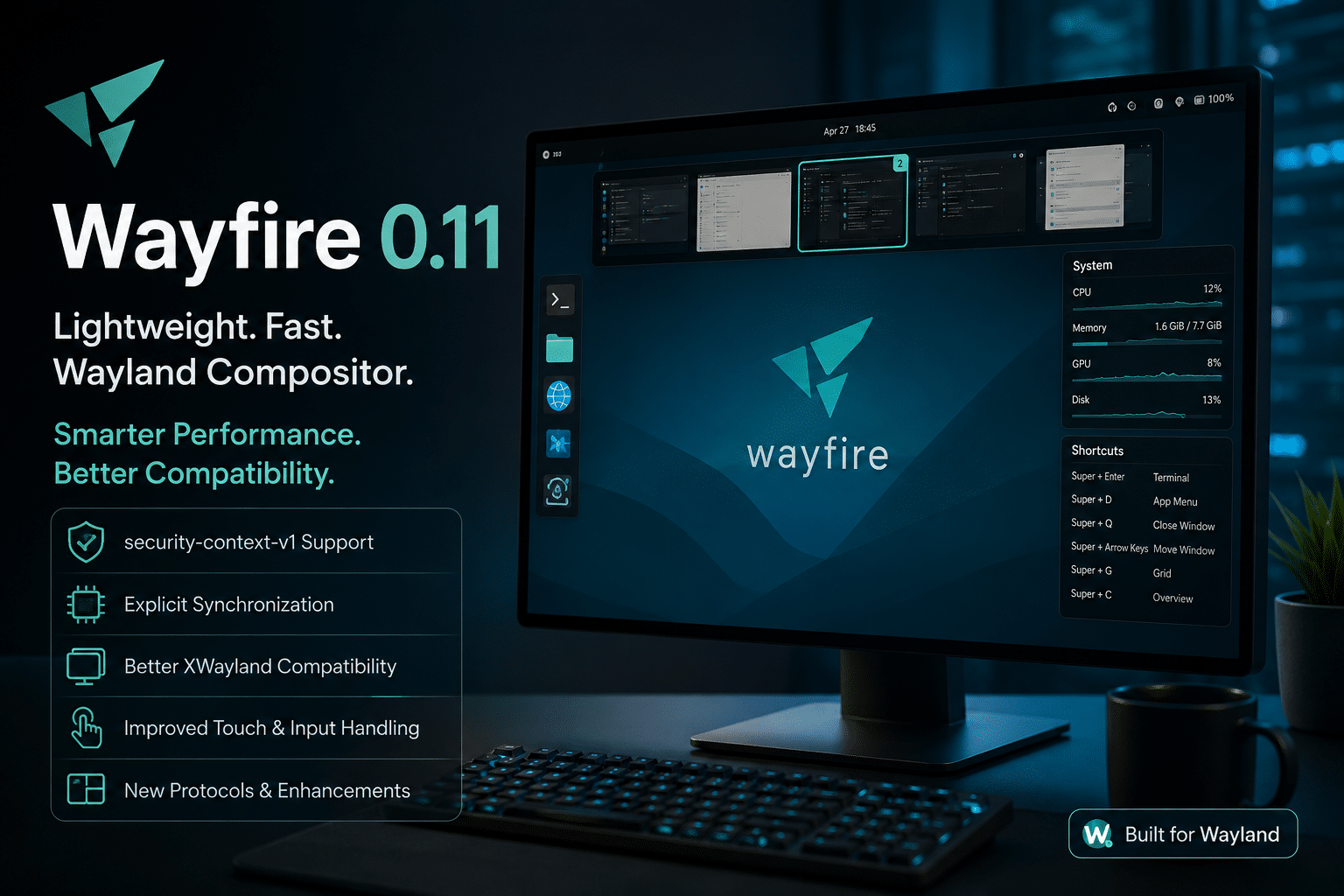
What Is Wayfire?
Wayfire is a 3D Wayland compositor built on the wlroots library. Rather than functioning as a complete desktop environment, it serves as the graphical compositor responsible for rendering windows, managing input devices, handling animations, and communicating directly with Wayland clients.
Its design philosophy differs from traditional desktop environments in several important ways.
Instead of shipping a large collection of integrated applications, Wayfire focuses on providing a lightweight, customizable graphical experience. Users can select their preferred panel, launcher, terminal, notification daemon, file manager, wallpaper utility, and plugins to create a desktop tailored to their workflow.
This modular approach makes Wayfire attractive to developers who value flexibility and minimal resource consumption.
Core Characteristics
Wayfire offers numerous advantages:
- Lightweight architecture
- Hardware-accelerated rendering
- Plugin-based customization
- Smooth window animations
- Modern Wayland protocol support
- Excellent performance on modest hardware
- Active open-source development
Although many users compare Wayfire to the legendary Compiz desktop from the early Linux era, Wayfire is much more than a nostalgic project. It combines modern graphics technologies with contemporary Wayland protocols while avoiding much of the complexity associated with older compositing systems.
The Rise of Wayland
To understand why Wayfire 0.11 matters, it’s important to understand the broader transition from X11 to Wayland.
For decades, X.Org powered nearly every Linux graphical desktop. While it served the Linux community well, X11 was designed during an era when desktop computing looked very different.
Several long-standing limitations became increasingly difficult to ignore:
- Higher input latency
- Complex rendering pipeline
- Large codebase
- Limited security isolation
- Difficult multi-monitor scaling
- Screen tearing issues
- Aging architecture
Wayland addresses many of these limitations by simplifying communication between applications and the compositor.
Instead of relying on multiple layers of legacy compatibility, Wayland enables applications to communicate more directly with the compositor, reducing overhead while improving responsiveness.
The result includes:
- Lower latency
- Better GPU utilization
- Improved battery efficiency
- Better HiDPI support
- Reduced graphical glitches
- Stronger security boundaries
These advantages explain why nearly every major Linux distribution now prioritizes Wayland.
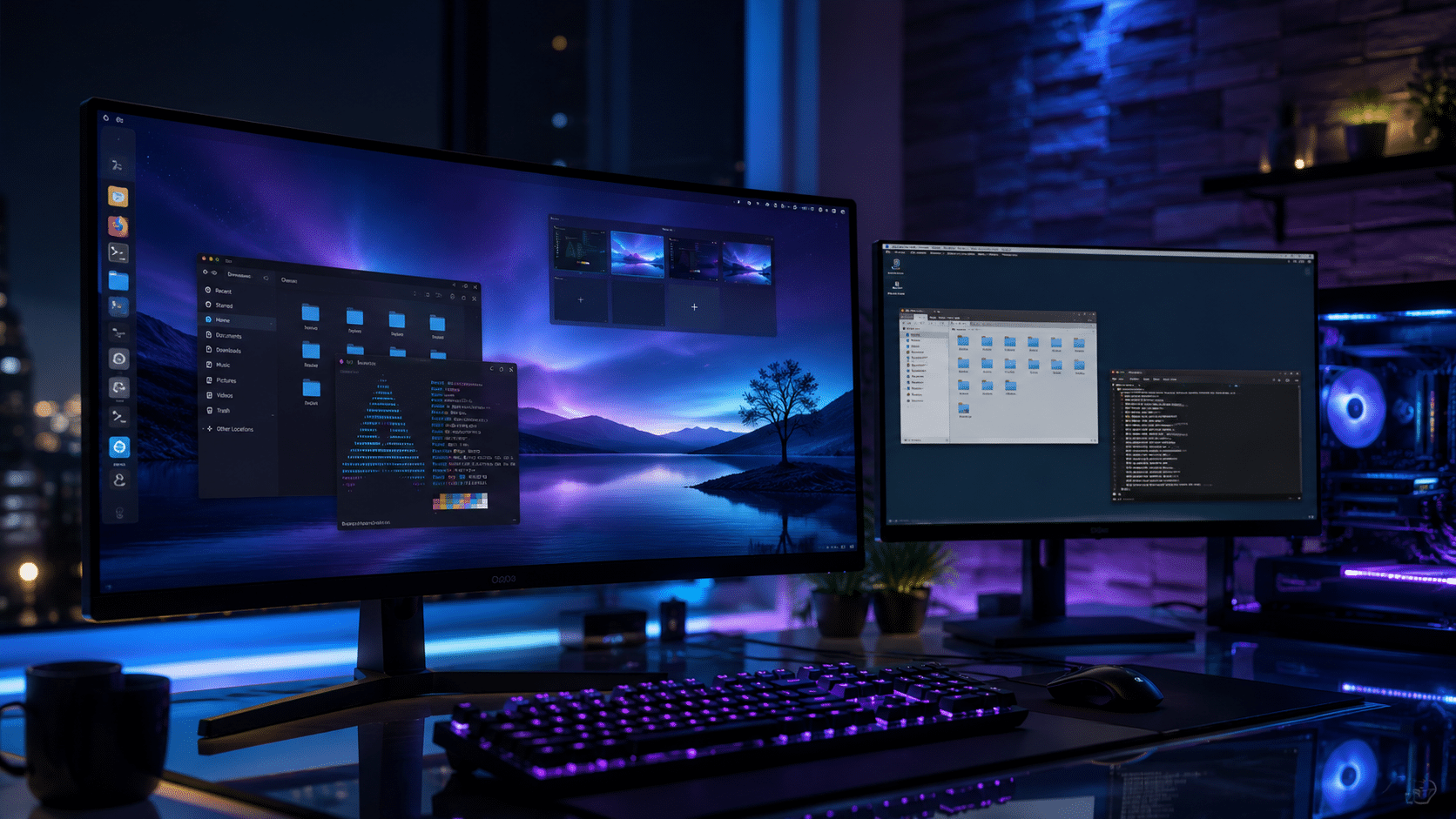
Why Wayfire Stands Out
The Linux ecosystem offers numerous Wayland compositors, including Sway, Hyprland, River, Labwc, and desktop environments such as GNOME and KDE Plasma.
Wayfire distinguishes itself by balancing three priorities:
1. Performance
Wayfire maintains a remarkably small memory footprint while delivering fluid animations and responsive window management.
Users running older hardware, virtual machines, or cloud-hosted Linux desktops often appreciate this efficiency because it leaves more system resources available for applications.
2. Visual Experience
Unlike minimalist tiling compositors, Wayfire includes attractive graphical effects without becoming resource intensive.
Available plugins include:
- Workspace cube
- Window transformations
- Blur effects
- Magic Lamp animation
- Window shadows
- Scale overview
- Expo workspace switcher
- Corner actions
- Grid layouts
These effects remain optional, allowing users to balance aesthetics with performance.
3. Customization
Customization remains one of Wayfire’s strongest advantages.
Almost every component can be configured through plugins, configuration files, and modular utilities.
Developers can enable only the features they need, reducing unnecessary complexity while creating highly personalized workflows.
The Evolution of Wayfire
Wayfire has matured significantly over the past several years.
Earlier releases primarily focused on building a stable Wayland compositor with modern rendering capabilities.
Subsequent versions expanded protocol support, improved plugin stability, refined animations, enhanced input handling, and increased compatibility with modern Linux distributions.
Each release reduced technical debt while bringing the project closer to production readiness.
Version 0.11 represents the culmination of that effort.
Rather than introducing flashy experimental features, the release concentrates on strengthening the foundation that users depend upon every day.
This philosophy reflects a broader trend across open-source software development: mature projects increasingly prioritize stability, compatibility, and maintainability over adding features for their own sake.
Why Version 0.11 Matters
Software projects often reach an inflection point just before a major stable release.
Version 0.11 appears to be that milestone for Wayfire.
Instead of radically changing the user experience, it focuses on areas that matter most for long-term adoption:
- Improved protocol compatibility
- Better graphics synchronization
- Enhanced security
- Greater desktop stability
- More reliable XWayland interoperability
- Better developer tooling
- Stronger plugin ecosystem
- Modern Linux compatibility
These improvements may not immediately stand out during everyday use, but they significantly improve reliability, maintainability, and future compatibility.
For developers building Wayland-native applications, these enhancements reduce friction during testing and deployment.
For Linux enthusiasts, they create a smoother desktop experience.
For organizations deploying Linux desktops in virtual environments, they provide a more dependable platform for production workloads.
This is especially valuable when Wayfire runs on scalable cloud infrastructure such as HOMERDP Linux VPS, where developers can quickly deploy lightweight graphical desktops, test Wayland applications remotely, build custom development environments, and securely access their Linux workspace from anywhere without relying on resource-heavy desktop environments.
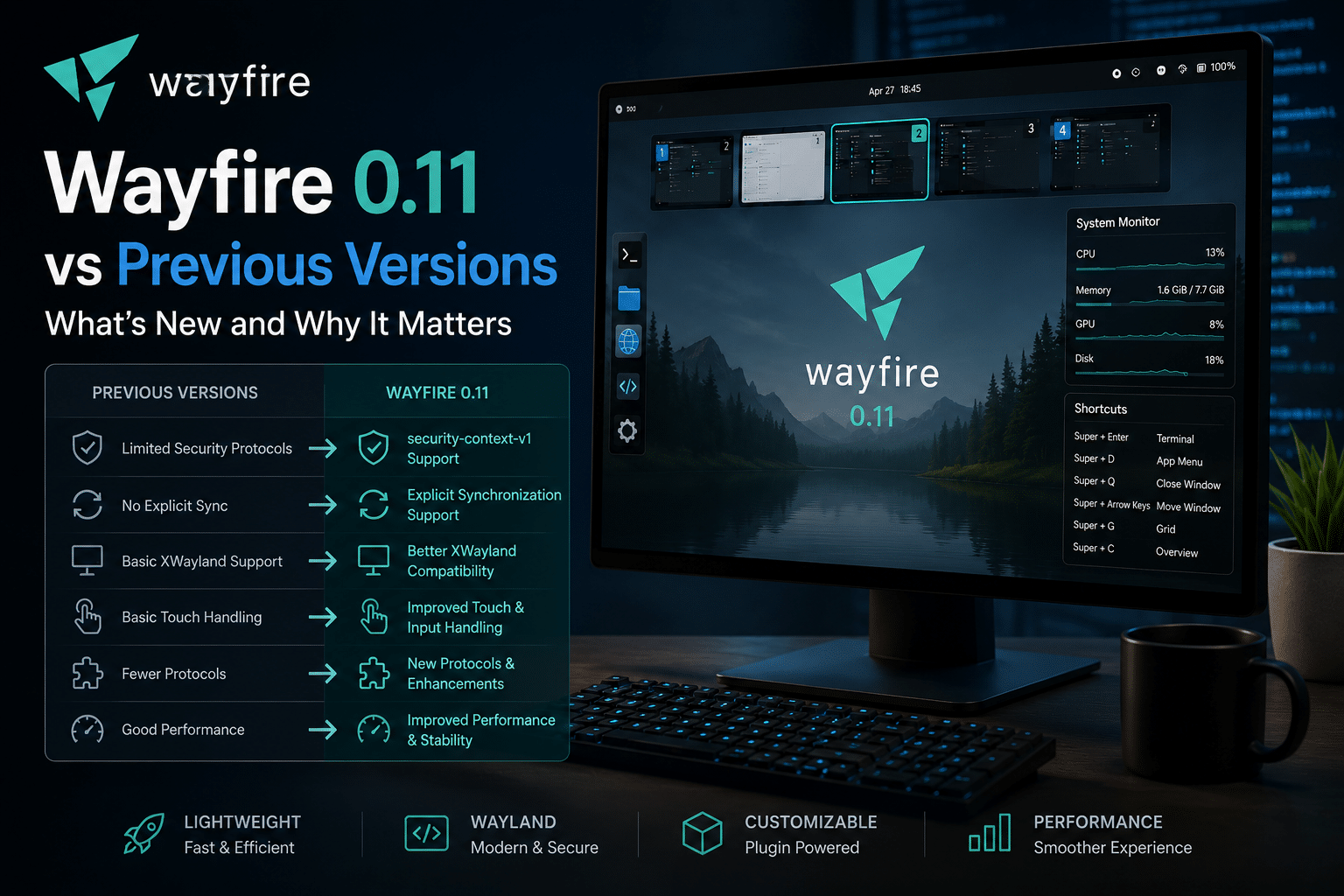
Wayfire 0.11 vs Previous Versions: A Detailed Comparison
Every software project reaches a stage where progress shifts from introducing major new features to refining the platform for long-term stability. Wayfire 0.11 represents exactly that transition. While earlier releases concentrated on expanding capabilities, version 0.11 focuses on improving compatibility, reliability, performance, and adherence to modern Wayland standards.
Rather than introducing a completely redesigned user experience, Wayfire 0.11 strengthens the technologies that users depend on every day. These improvements make the compositor more reliable for developers, system administrators, and organizations deploying Linux desktops in production environments.
What’s New?
| Feature | Earlier Versions | Wayfire 0.11 |
|---|---|---|
| Wayland Protocol Support | Good | Significantly expanded |
| Explicit GPU Synchronization | Not available | Supported |
| Security Context Protocol | Not supported | Supported |
| XWayland Compatibility | Improved over time | More reliable and polished |
| Input Handling | Stable | Better touch and pointer support |
| Plugin Stability | Good | Further refined |
| Graphics Performance | Excellent | More consistent under heavy workloads |
| Preparation for 1.0 | Ongoing | Final planned feature release before 1.0 |
This release contains dozens of improvements that collectively deliver a smoother and more dependable desktop experience.
1. Explicit Synchronization Support
One of the most technically important additions in Wayfire 0.11 is support for Explicit Synchronization.
Although many desktop users may never notice this feature directly, graphics developers understand its importance.
What Is Explicit Synchronization?
Modern graphics applications rely on several hardware components simultaneously:
- CPU
- GPU
- Display controller
- Window compositor
If these components are not synchronized correctly, problems can occur, including:
- Screen tearing
- Frame drops
- Visual artifacts
- Rendering delays
- Flickering
Explicit synchronization allows applications and the compositor to coordinate rendering operations much more efficiently.
Why It Matters
Compared with previous Wayfire versions, this feature offers:
- Better graphics reliability
- Improved GPU scheduling
- Reduced rendering errors
- Smoother animations
- More predictable frame timing
These improvements become especially noticeable in GPU-intensive workloads such as:
- 3D applications
- Scientific visualization
- Game development
- CAD software
- Video editing
For developers testing graphical applications remotely, explicit synchronization also improves consistency when running Linux desktops on virtual infrastructure.
2. Support for security-context-v1
Security remains one of Wayland’s greatest advantages over X11.
Wayfire 0.11 expands this advantage by supporting the security-context-v1 protocol.
Why Security Matters
Traditional X11 systems allowed applications to observe many events occurring across the desktop.
Wayland intentionally limits this behavior.
Applications receive only the information they actually need.
This reduces opportunities for malicious software to:
- Capture keyboard events
- Monitor other applications
- Read unrelated window contents
- Interfere with desktop behavior
Improvements in Wayfire 0.11
Security-context support provides a stronger foundation for:
- Sandboxed applications
- Flatpak packages
- Containerized workloads
- Enterprise Linux deployments
- Future desktop security enhancements
Although end users may never interact directly with this protocol, it represents an important investment in long-term platform security.
3. Better XWayland Compatibility
Despite Wayland’s growing popularity, many Linux applications still depend on X11.
This is where XWayland becomes essential.
XWayland acts as a compatibility layer that allows traditional X11 software to run inside Wayland sessions.
Earlier versions of Wayfire already supported XWayland, but version 0.11 improves its overall reliability.
Benefits include:
- Better window behavior
- Improved resizing
- Fewer graphical glitches
- More stable legacy application support
- Better interaction with modern desktop protocols
For organizations migrating gradually from X11 to Wayland, these improvements reduce compatibility concerns and simplify the transition.
4. Expanded Wayland Protocol Support
Wayfire continues to adopt modern Wayland protocols at an impressive pace.
Version 0.11 introduces support for several important protocols that extend functionality while improving interoperability with Linux applications.
These include:
- ext-copy-capture
- ext-data-control-v1
- ext-foreign-toplevel-list
- Cursor warp hints
- Additional compositor improvements
Each protocol addresses a specific aspect of desktop interaction.
For example:
ext-data-control
Improves clipboard handling for modern applications.
ext-copy-capture
Enhances screen-copy capabilities used by screenshot tools and recording software.
ext-foreign-toplevel-list
Allows desktop utilities to obtain better information about running windows.
Collectively, these protocols improve compatibility across the Linux ecosystem and help developers build applications that behave consistently on Wayland desktops.
5. Better Touch Input Handling
Touchscreen support continues to improve throughout the Linux ecosystem.
Wayfire 0.11 includes refinements that make touch interactions more reliable.
Areas of improvement include:
- Gesture recognition
- Input consistency
- Better event handling
- Reduced accidental behavior
- Improved responsiveness
These changes particularly benefit:
- Convertible laptops
- Tablets
- Embedded devices
- Interactive kiosks
- Industrial Linux systems
6. Keyboard Shortcut Improvements
Productivity often depends on efficient keyboard workflows.
Wayfire has always offered extensive keyboard customization through plugins and configuration files.
Version 0.11 expands these capabilities by refining shortcut handling and improving consistency across desktop interactions.
Power users can continue creating highly customized workflows while benefiting from more reliable shortcut behavior.
7. Grid Layout Enhancements
Managing multiple windows efficiently is increasingly important for developers and multitaskers.
Wayfire’s improved grid layout system provides:
- Better window placement
- Faster snapping
- More predictable resizing
- Cleaner workspace organization
Compared with earlier releases, these refinements reduce friction during everyday desktop use.
8. Plugin Stability
Plugins define much of Wayfire’s personality.
Popular plugins include:
- Cube
- Expo
- Scale
- Window Rules
- Blur
- Wobbly Windows
- Workspace Switcher
- Animation Effects
Earlier releases occasionally experienced plugin compatibility issues following updates.
Wayfire 0.11 focuses on improving plugin stability while maintaining compatibility across the ecosystem.
This benefits developers building custom workflows and users relying on advanced desktop effects.
9. Performance Improvements
Although Wayfire has always been known for speed, version 0.11 introduces numerous small optimizations that collectively improve the overall experience.
Users may notice:
- Faster startup
- Lower rendering overhead
- Reduced animation stutter
- Better responsiveness
- More consistent frame pacing
- Improved memory behavior under prolonged sessions
Rather than delivering dramatic benchmark gains, these optimizations focus on creating a smoother and more predictable desktop environment.
Why These Improvements Matter for Cloud Workstations
Modern software development increasingly takes place on remote infrastructure rather than local hardware. Developers frequently build, test, and manage applications on cloud-hosted Linux environments accessed from anywhere.
Wayfire’s lightweight architecture makes it especially well suited for this workflow because it requires fewer system resources than many full desktop environments while still delivering a polished graphical experience.
When deployed on a HOMERDP Linux VPS, Wayfire can provide:
- A responsive remote Linux desktop
- Efficient use of CPU and memory resources
- Fast NVMe-backed storage for development workloads
- Root access for complete customization
- A practical environment for testing Wayland-native applications, plugins, and desktop configurations
This combination allows developers, DevOps teams, and Linux enthusiasts to experiment with the latest Wayland technologies without dedicating a separate physical machine to the task.
Wayfire vs Other Popular Wayland Compositors
Choosing a Wayland compositor depends on your workflow, hardware, and customization preferences. While Wayfire 0.11 has matured significantly, it competes with several well-established alternatives.
| Compositor | Best For | Resource Usage | Visual Effects | Learning Curve |
|---|---|---|---|---|
| Wayfire 0.11 | General desktop, developers, remote workstations | Very Low | Excellent | Moderate |
| GNOME | Everyday desktop users | High | Moderate | Easy |
| KDE Plasma | Feature-rich desktop | Medium to High | Excellent | Easy |
| Sway | Keyboard-driven tiling workflows | Very Low | Minimal | Moderate |
| Hyprland | Dynamic tiling with animations | Low | Excellent | Moderate to High |
Why Choose Wayfire?
Wayfire occupies a unique position. It offers:
- A traditional floating desktop experience.
- Optional visual effects without excessive resource consumption.
- Extensive customization through plugins.
- A lightweight footprint ideal for virtual machines and VPS deployments.
- Strong alignment with modern Wayland protocols.
Unlike heavier desktop environments, Wayfire provides a polished graphical experience while remaining efficient enough for older hardware and cloud-hosted desktops.
Ideal Use Cases for Wayfire 0.11
Wayfire’s modular architecture makes it suitable for a wide range of environments.
Software Development
Developers benefit from:
- Fast startup times.
- Efficient multitasking.
- Easy integration with terminals and IDEs.
- Reliable Wayland testing environment.
- Flexible workspace management.
DevOps and Cloud Engineering
Teams managing Linux infrastructure appreciate:
- Low memory consumption.
- Stable graphical sessions.
- Simple remote administration.
- Easy customization.
- Compatibility with modern Linux distributions.
Education
Universities and training organizations can deploy Wayfire in computer labs to provide students with a responsive Linux desktop while maximizing hardware utilization.
Embedded Systems
Because of its lightweight design, Wayfire is also well suited for:
- Industrial control systems.
- Digital signage.
- Kiosks.
- Single-board computers.
- IoT development platforms.
Running Wayfire 0.11 on a Linux VPS
Remote Linux desktops have become increasingly popular as developers seek consistent work environments that are accessible from anywhere.
Instead of configuring multiple physical machines, many professionals now maintain cloud-hosted Linux workstations that they can securely access whenever needed.
Wayfire’s low resource requirements make it an excellent choice for these deployments.
When installed on a HOMERDP Linux VPS, users gain several practical advantages:
- High-performance virtual CPUs for development workloads.
- Fast NVMe SSD storage that reduces build and application load times.
- Root access to customize Wayfire, plugins, and development tools.
- Reliable network connectivity for remote desktop sessions.
- Scalability to increase resources as projects grow.
Whether you’re experimenting with Wayland protocols, testing desktop applications, or building a personalized Linux workspace, a VPS provides the flexibility to work from virtually any location while keeping your development environment consistent.
Tips Before Upgrading to Wayfire 0.11
Before upgrading, consider the following best practices:
- Back up your existing Wayfire configuration files.
- Update your Linux distribution to ensure compatible Wayland libraries.
- Verify that your graphics drivers support the latest Wayland features.
- Review plugin compatibility if you rely on third-party extensions.
- Test your workflow in a non-production environment before deploying widely.
A careful upgrade process helps minimize downtime and ensures you can take advantage of the latest improvements.
Frequently Asked Questions

Is Wayfire 0.11 stable enough for daily use?
Yes. Wayfire 0.11 focuses heavily on stability, protocol compatibility, and performance improvements. It is suitable for daily desktop use, particularly for users who prefer lightweight, customizable environments.
Does Wayfire replace a desktop environment?
Not exactly. Wayfire is a Wayland compositor. Users typically combine it with additional components such as panels, launchers, notification daemons, and file managers to create a complete desktop experience.
Can I still run X11 applications?
Yes. Wayfire supports XWayland, allowing many traditional X11 applications to run alongside native Wayland applications.
Does Wayfire work well in virtual machines?
Yes. Its lightweight architecture makes it a strong choice for virtual machines, development environments, and cloud-hosted Linux desktops.
Is Wayfire suitable for beginners?
Users familiar with Linux can learn Wayfire quickly. While customization may require editing configuration files, the available documentation and community resources make it approachable for motivated beginners.
Looking Toward Wayfire 1.0
The developers have indicated that version 0.11 is the final planned feature release before Wayfire 1.0.
That makes this release especially important.
Instead of introducing experimental capabilities, the project is focusing on:
- Platform stability.
- Long-term maintainability.
- Better protocol compliance.
- Stronger interoperability.
- Improved developer experience.
These priorities reflect the expectations users have for production-ready software and suggest that Wayfire is approaching a significant milestone in its development.
Final Thoughts
Wayfire 0.11 is more than just another incremental update. It represents the maturation of one of the Linux community’s most capable lightweight Wayland compositors.
Compared with previous versions, it delivers broader protocol support, improved graphics synchronization, enhanced security, better XWayland compatibility, refined input handling, and greater overall stability. These changes may seem subtle on the surface, but together they create a faster, more dependable, and future-ready desktop experience.
For developers, system administrators, and Linux enthusiasts, Wayfire 0.11 provides a compelling balance of performance, customization, and modern Wayland functionality. Its efficient architecture also makes it an excellent choice for cloud-hosted workstations, where every CPU cycle and megabyte of memory matters.
When paired with a HOMERDP Linux VPS, Wayfire becomes an even more practical solution. Users can build a lightweight remote desktop, test Wayland-native applications, develop software, and manage Linux environments from anywhere—all on scalable, high-performance infrastructure designed for demanding workloads.
As the project moves toward its long-awaited 1.0 release, Wayfire has clearly established itself as more than an experimental compositor. It is now a mature platform that demonstrates how modern Linux desktops can combine efficiency, flexibility, and visual polish without compromising performance.
If you’re planning your transition to a Wayland-first workflow, Wayfire 0.11 deserves a place on your shortlist.
EXPLORE MORE ; Why Every Windows User Should Check Their SSD Firmware Today

READ OUR BLOGS