Pay an invoice
- Open Invoices in the client area (or click the link in the invoice email) and click Pay now next to the unpaid invoice.
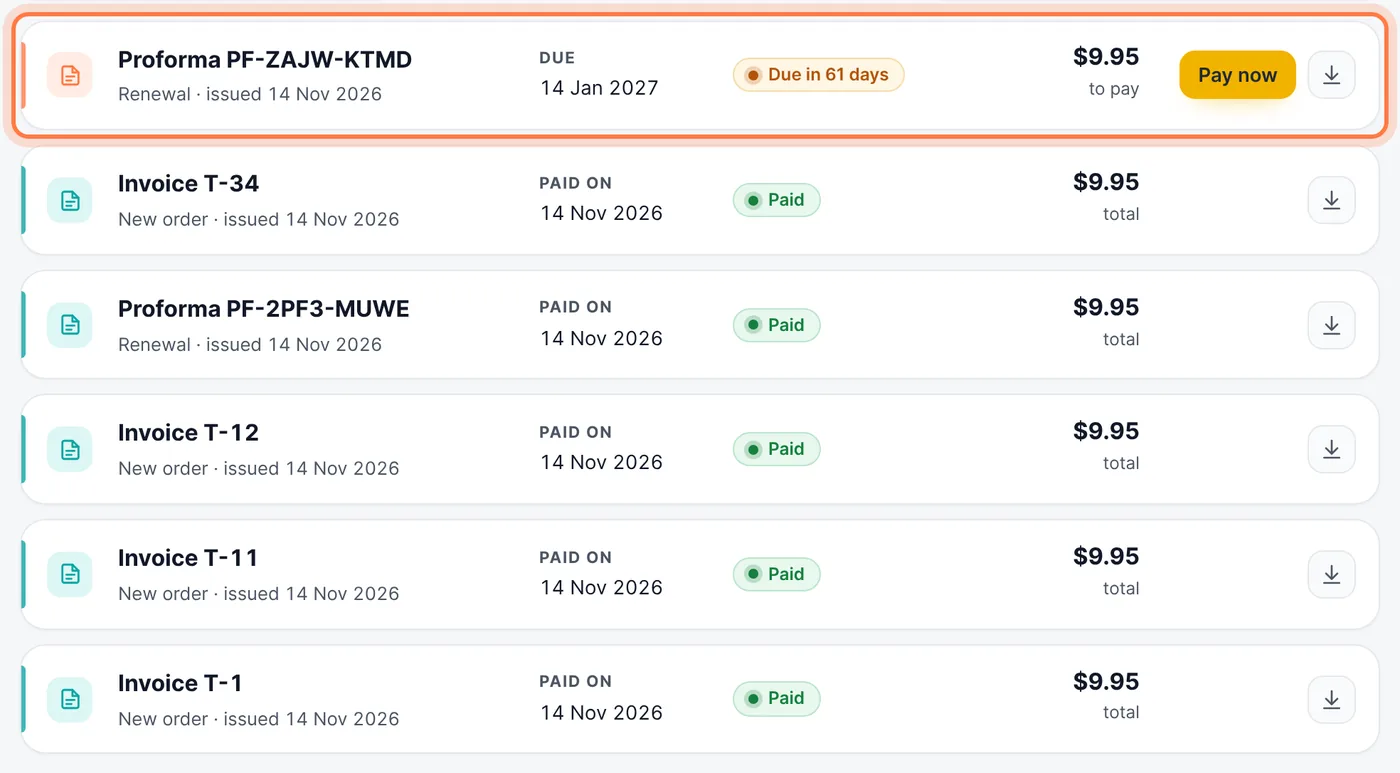
Invoices: click Pay now on the unpaid invoice - Choose a payment method. You see the methods for your currency: card, PayPal, cryptocurrency, UPI or bank transfer. If you have account credit, Use account credit pays with it first.
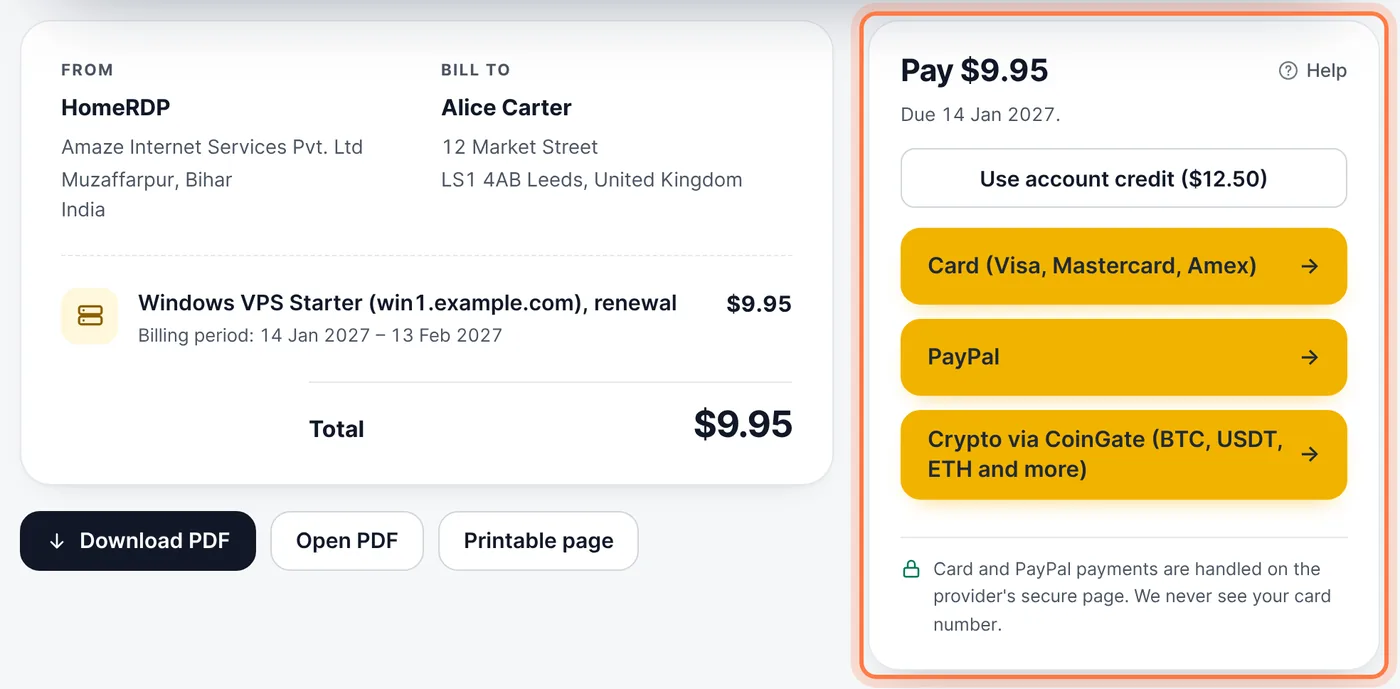
Choose how to pay - Follow the steps on the payment page. The invoice is marked paid as soon as the payment arrives (bank transfers take longer).
Renewals
We send the renewal invoice a few days before the due date, and reminders if it is still open. If it stays unpaid, the server is suspended and later removed, so pay on time. Need a few more days? Use Need more time to pay? on the server page.
Tax invoices
Every invoice has a PDF: use Download PDF on the invoice page. Keep your billing details up to date under Account.
Common questions
My payment went through but the invoice is still unpaid.
Card, PayPal and crypto payments usually show within a few minutes. If it is still unpaid after an hour, open a ticket with the payment reference.
Still stuck? Our team answers 24/7. Open a ticket or use live chat.