

What’s New in EndeavourOS Titan Nova? Kernel 7.1, Graphics Updates & More
Linux distributions evolve at different speeds. Some follow predictable release schedules with major upgrades every six months or every few years. Others embrace a rolling-release model, continuously delivering newer kernels, drivers, desktop software, and development tools.
EndeavourOS belongs firmly in the second category.
Built around the Arch Linux ecosystem, EndeavourOS gives users access to a modern Linux environment while providing a friendlier installation experience than a traditional manual Arch setup. The distribution has developed a loyal following among developers, Linux enthusiasts, power users, and people who want a highly customizable desktop without abandoning access to current software.
The latest refresh, EndeavourOS Titan Nova, continues that approach.
Titan Nova is not a dramatic reinvention of EndeavourOS. Instead, it focuses on something arguably more important: keeping the installation experience current. The refreshed ISO introduces newer core components, including Linux kernel 7.1.8, Mesa 26.1.7, updated NVIDIA packages, Firefox 153, and Calamares 26.03.2.3-1, alongside several bug fixes and compatibility improvements.
More importantly, Titan Nova acts as a bridge toward the next major EndeavourOS release, Triton, which is expected to bring a significant shift toward a Wayland-based Live environment.
So, what exactly is new in EndeavourOS Titan Nova, and why should Linux users care?
Let’s take a closer look.
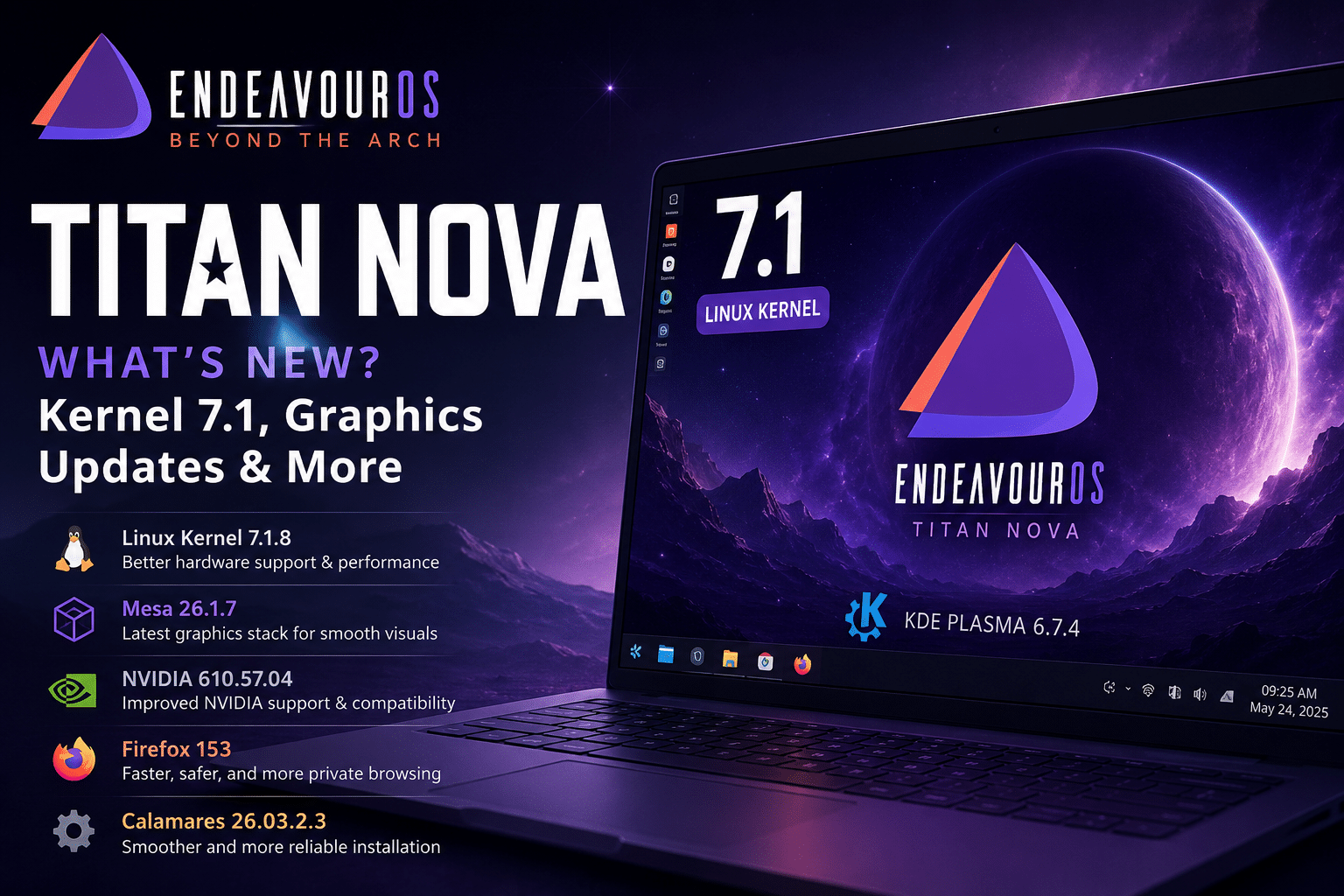
EndeavourOS Titan Nova at a Glance
The first thing users should understand about Titan Nova is that it is primarily an ISO refresh for new installations.
Existing EndeavourOS users do not need to reinstall their systems simply because Titan Nova has arrived. Since EndeavourOS follows a rolling-release model, users who regularly update their systems already receive current packages through the normal update process.
The changes in Titan Nova primarily affect:
- New EndeavourOS installations
- The Live environment
- The Calamares installer
- The offline installation experience
- Hardware compatibility during installation
According to the official EndeavourOS announcement, Titan Nova was created as an updated bridge while the development team continues work on the more substantial Triton release.
This makes Titan Nova particularly useful for people installing EndeavourOS on new hardware.
Instead of downloading an older ISO and immediately pulling a large number of updates after installation, users can start with a more current software foundation.
What’s New in EndeavourOS Titan Nova?
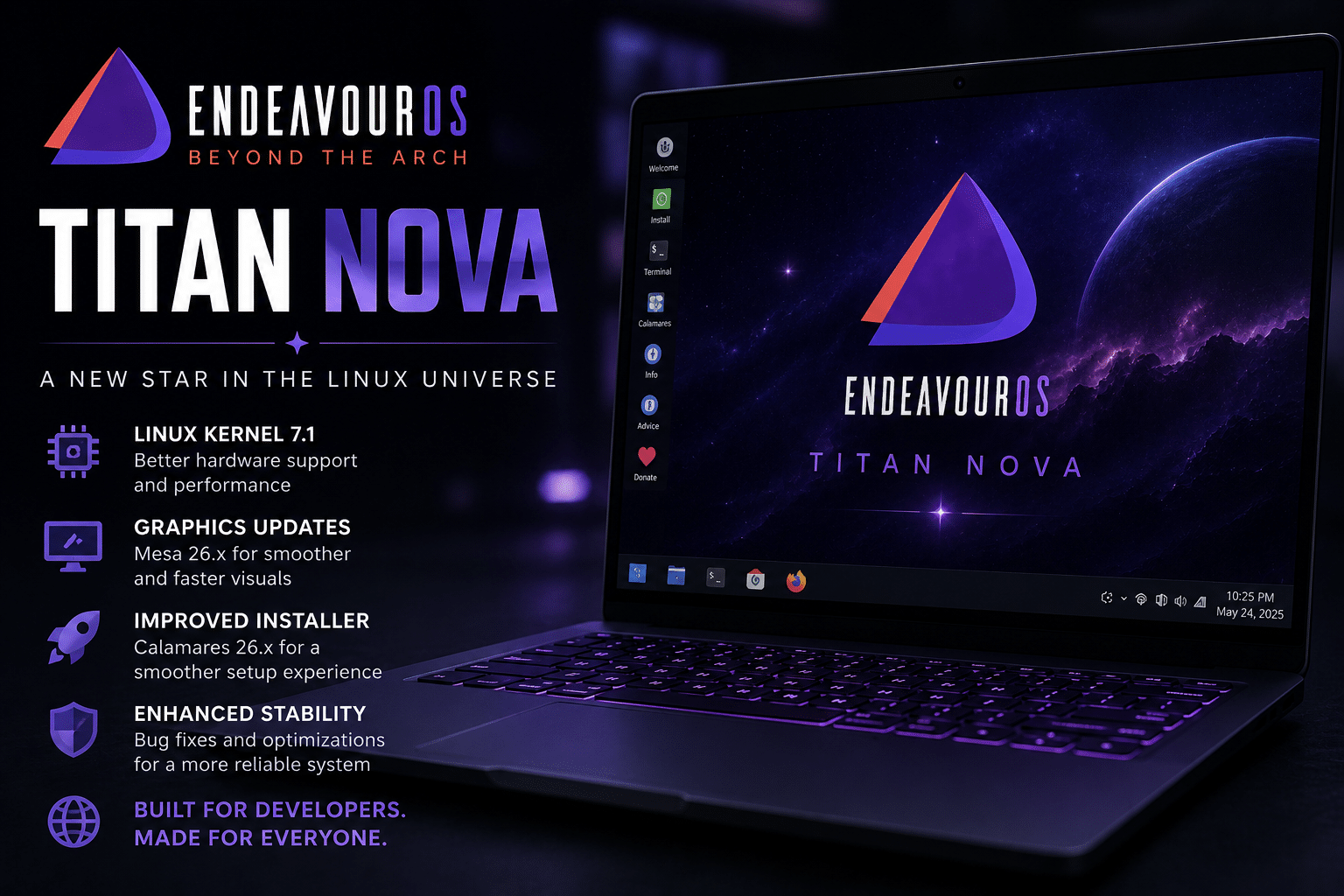
Titan Nova updates several important parts of the Linux software stack.
The Live environment and offline installer ship with:
- Linux 7.1.8.arch1-3
- Mesa 26.1.7-1
- Calamares 26.03.2.3-1
- Firefox 153.0.4-1
- Xorg Server 21.1.24-1
- NVIDIA Utilities 610.57.04-1
- NVIDIA Open 610.54.01-6
These updates may look like a collection of version numbers, but together they influence nearly every part of the installation and desktop experience.
| Component | Titan Nova Version | Why It Matters |
|---|---|---|
| Linux Kernel | 7.1.8 | Hardware support and system functionality |
| Mesa | 26.1.7 | Open-source graphics performance and compatibility |
| Calamares | 26.03.2.3 | Installation improvements |
| Firefox | 153.0.4 | Updated web browsing environment |
| Xorg Server | 21.1.24 | Display system compatibility |
| NVIDIA Utilities | 610.57.04 | NVIDIA GPU support |
| NVIDIA Open | 610.54.01 | Open NVIDIA kernel module support |
Let’s explore why these changes matter.
Linux Kernel 7.1 Brings a Newer Hardware Foundation
The Linux kernel is the core of the operating system.
Desktop environments, applications, browsers, and graphical tools all sit on top of the kernel. At the lowest level, the kernel manages communication between software and physical hardware.
It handles critical tasks involving:
- CPU scheduling
- Memory management
- Storage devices
- Network adapters
- USB hardware
- Graphics cards
- Power management
- Device drivers
- Security mechanisms
That makes kernel updates especially important for users installing Linux on recently released hardware.
Titan Nova ships with Linux 7.1.8.arch1-3, providing a newer foundation for the Live environment and installation process.
For Linux users, newer kernel versions can improve the out-of-the-box experience in areas such as:
Better Device Recognition
Modern computers frequently introduce new hardware controllers and components.
A newer kernel can improve support for:
- Recent processors
- New laptop hardware
- Wi-Fi adapters
- Storage controllers
- USB devices
- Graphics hardware
Improved Driver Support
Drivers act as translators between the operating system and hardware.
Keeping the kernel current helps distributions take advantage of ongoing driver development.
Better Experience on New Machines
One of the most frustrating experiences for a new Linux user is discovering that their Wi-Fi, graphics card, or other hardware does not work immediately after installation.
Updated installation media helps reduce that problem.
This is one of the biggest practical advantages of Titan Nova.
The release may not dramatically change the EndeavourOS desktop, but it can improve the experience before users even reach the desktop.
Mesa 26.1.7 Updates the Linux Graphics Stack
Graphics technology has become increasingly important across the Linux ecosystem.
Linux is no longer used exclusively for command-line servers and development machines. Modern users expect Linux systems to handle:
- High-resolution displays
- Gaming
- Video playback
- 3D rendering
- Creative applications
- Vulkan workloads
- GPU acceleration
- AI experimentation
Mesa plays an important role in supporting many of these workloads.
Titan Nova ships with Mesa 26.1.7, bringing a newer open-source graphics stack to the installation environment.
Mesa supports important graphics technologies used across modern Linux systems.
For users running supported AMD or Intel graphics hardware, keeping Mesa current can be particularly valuable because graphics drivers and API implementations continue evolving rapidly.
The significance extends beyond gaming.
Developers increasingly rely on GPU acceleration for:
- Data visualization
- Scientific computing
- Video processing
- Machine learning experiments
- 3D applications
A modern Linux distribution therefore needs more than a good desktop environment.
It needs a capable graphics foundation.
Titan Nova continues that trend.
Updated NVIDIA Support Improves the Installation Experience
NVIDIA support remains one of the most closely watched areas in desktop Linux.
NVIDIA GPUs power a wide range of workloads, including:
- Gaming
- AI development
- Machine learning
- Video rendering
- 3D design
- Scientific computing
Titan Nova updates both NVIDIA Utilities and NVIDIA Open components.
The release includes:
- Nvidia-utils 610.57.04-1
- Nvidia-open 610.54.01-6
It also improves the ISO experience when users rely on Nouveau drivers for NVIDIA GPUs.
This focus makes sense.
GPU compatibility is increasingly important because Linux users now work across a much wider range of hardware configurations.
A typical Linux community includes users with:
- Intel integrated graphics
- AMD Radeon GPUs
- NVIDIA GeForce GPUs
- Professional workstation GPUs
- Virtual machines
- Cloud environments
EndeavourOS had already made GPU detection and driver management a major focus in the original Titan release earlier in 2026, including hardware detection for GPUs and virtual machines and the introduction of eos-hwtool.
Titan Nova continues the broader effort to make modern hardware easier to support.
Calamares 26.03.2.3 Brings a Refreshed Installer
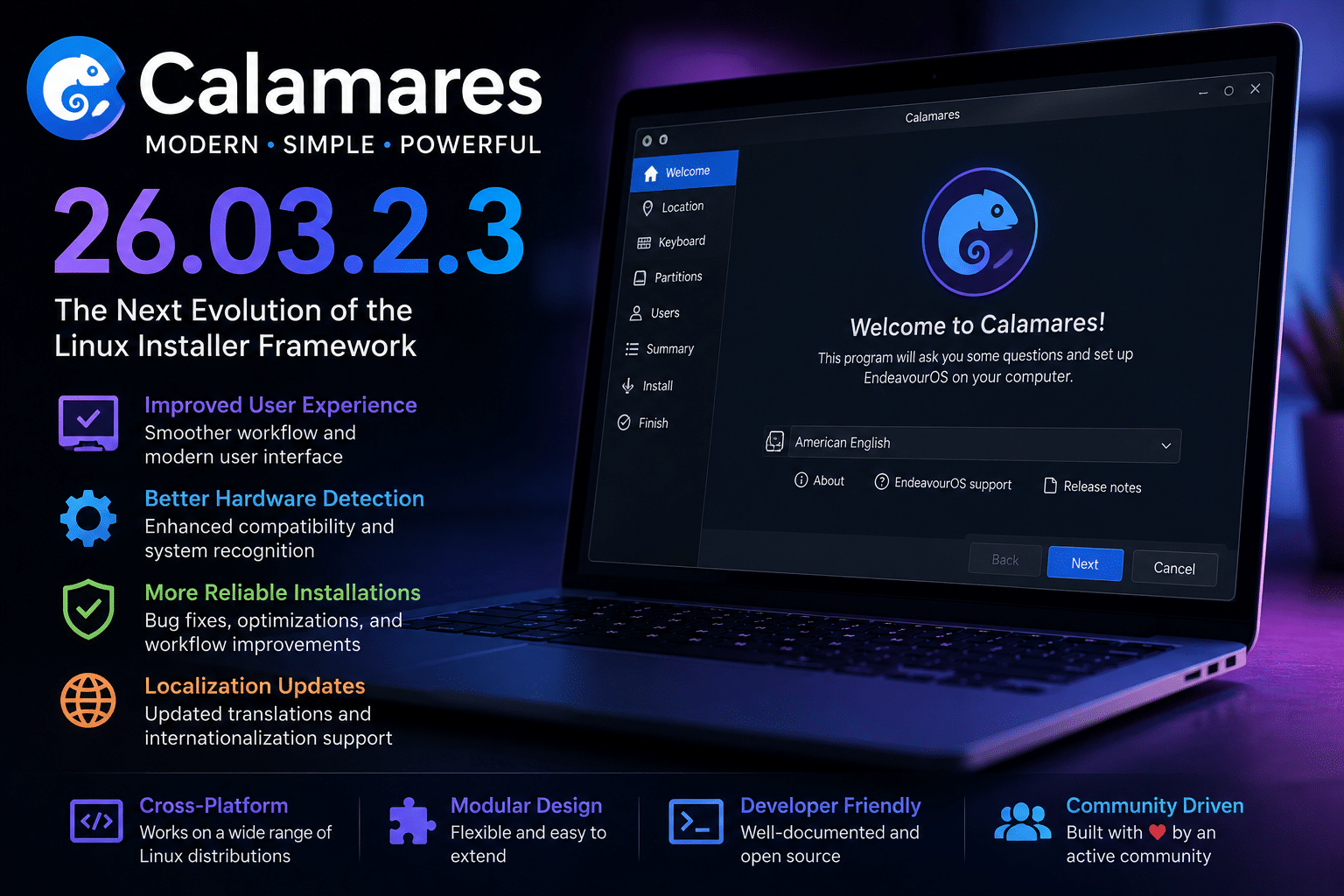
Installing Linux has become dramatically easier over the past decade.
Graphical installers have played a major role in that transformation.
EndeavourOS uses Calamares to provide users with a more approachable installation experience while maintaining the flexibility associated with the Arch Linux ecosystem.
Titan Nova includes Calamares 26.03.2.3-1.
This matters because installation is one of the most critical moments in the user experience.
Before users can enjoy:
- KDE Plasma
- Development tools
- Custom desktop configurations
- Arch packages
they first need to install the operating system successfully.
A distribution can have outstanding technology, but users will not appreciate it if the installation process creates unnecessary obstacles.
Titan Nova focuses heavily on making sure the ISO remains reliable.
Keyboard Configuration Fixes Improve Installation Reliability
One of the specific fixes included in Titan Nova addresses keyboard setup issues.
The EndeavourOS development team noted that recent keyboard configuration updates had caused setup errors. Titan Nova includes a temporary patch to ensure the configuration process works correctly, while a permanent solution is planned for the future Triton release.
This might sound like a relatively small change.
But small installation problems can create large usability issues.
Consider the installation process.
A user needs a keyboard to:
- Enter passwords
- Configure system preferences
- Create accounts
- Set up regional options
If keyboard configuration fails, the entire installation experience can become frustrating.
By addressing this issue in the refreshed ISO, EndeavourOS improves one of the most fundamental parts of the installation workflow.
Improved Nouveau Experience for NVIDIA GPUs
Titan Nova also improves the experience for users running Nouveau drivers in the Live environment.
Nouveau is the open-source driver stack associated with NVIDIA hardware.
Graphics compatibility has historically been one of the more complex areas of Linux desktop computing because different hardware vendors use different driver strategies.
EndeavourOS continues to address this challenge by improving how its installation media interacts with NVIDIA hardware.
This matters particularly for users who want to test EndeavourOS before installation.
The Live environment acts as a first impression.
Users often boot an ISO to check:
- Display support
- Resolution
- Wi-Fi
- Keyboard functionality
- Hardware compatibility
Improving the graphics experience at this stage can make the difference between a successful installation and a disappointing one.
Budgie Desktop Is Temporarily Removed
Titan Nova also makes an interesting change to desktop environment availability.
The Budgie desktop option has been temporarily removed.
According to the EndeavourOS team, the current upstream Budgie software is transitioning toward newer display technology based around Wayland and is not currently providing the default experience the project wants to deliver.
The team expects Budgie to return in future releases.
This decision highlights an important aspect of Linux distribution development.
More options are not always better.
A distribution can technically include dozens of choices, but maintainers still need to consider whether each option provides a stable and reliable experience.
EndeavourOS chose to temporarily remove Budgie rather than provide an installation option that might not meet its quality expectations.
That decision demonstrates a practical approach to distribution maintenance.
Titan Nova Is a Bridge Toward the Triton Release
Perhaps the most interesting part of the Titan Nova announcement is what comes next.
The EndeavourOS team originally expected to release the next major version, Triton, sooner.
However, major changes around the Linux desktop environment require additional development and testing.
The upcoming Triton release is expected to use Wayland in the Live environment, reflecting broader changes happening across modern Linux desktop technologies.
Titan Nova therefore acts as a bridge.
Instead of forcing users to wait for Triton before receiving refreshed installation media, the development team released an updated ISO with newer hardware support and important bug fixes.
This strategy benefits users in two ways.
First: New Installations Stay Current
Users can download a newer ISO today.
Second: Developers Get More Time
The development team can continue working on the larger Wayland transition without rushing a major release.
This is a sensible approach.
Major infrastructure transitions should not be rushed.
Why Wayland Is Becoming More Important
For decades, X11 dominated the Linux graphical ecosystem.
Modern Linux desktops, however, are increasingly moving toward Wayland.
Wayland represents a newer approach to graphical display infrastructure.
Major Linux desktop projects have been gradually increasing their Wayland support.
The transition can influence areas such as:
- Graphics rendering
- Multi-monitor support
- Security
- Input handling
- Display scaling
- Screen sharing
- Desktop compositing
However, transitioning an entire Linux ecosystem is complicated.
Developers must consider:
- Proprietary GPU drivers
- Remote desktop tools
- Legacy applications
- Accessibility tools
- Screen recording
- Window managers
That complexity helps explain why EndeavourOS is taking additional time before releasing Triton.
Titan Nova provides users with an updated solution while the larger transition continues.
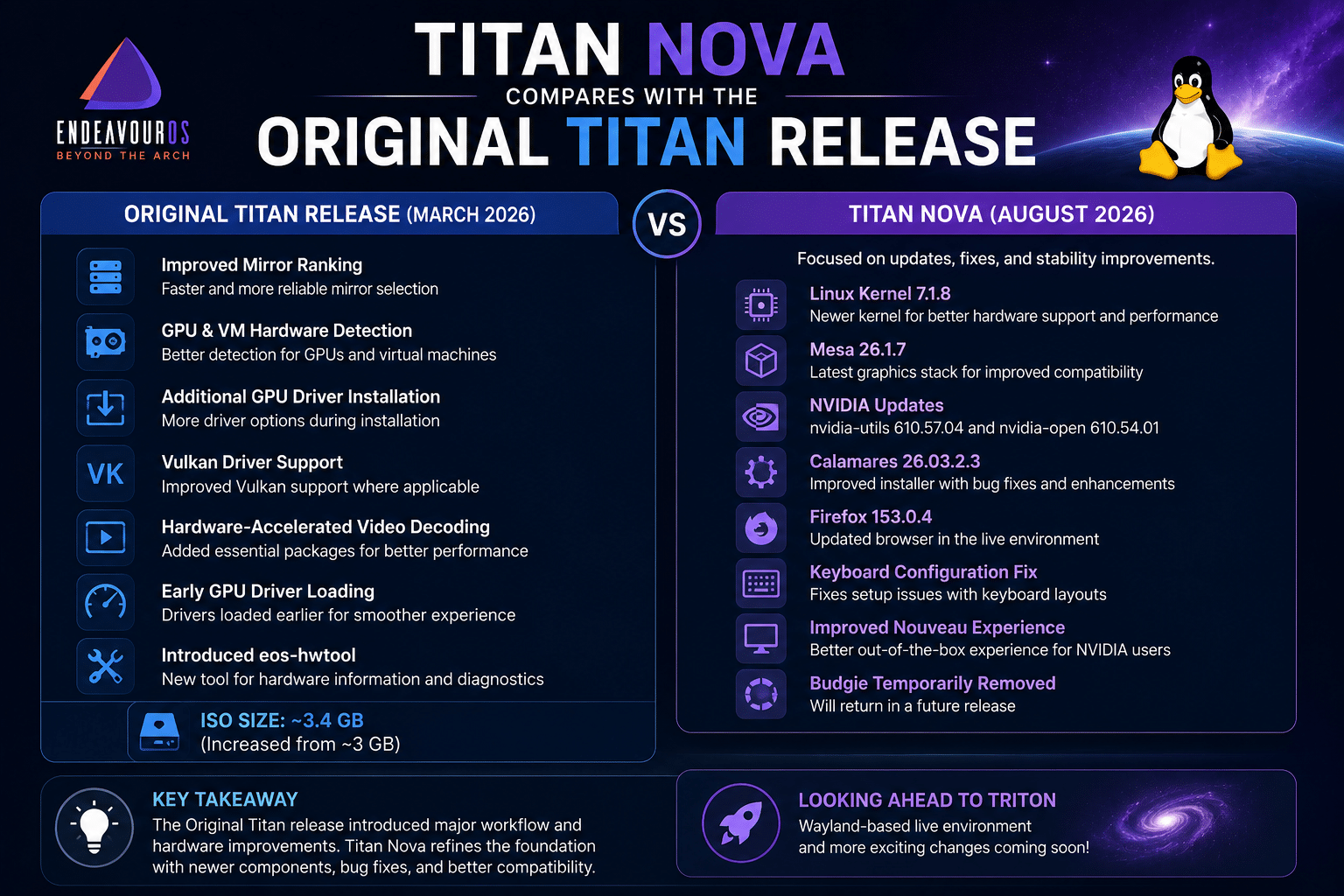
How Titan Nova Compares with the Original Titan Release
The original EndeavourOS Titan release in March 2026 introduced several major installation improvements.
These included:
- Improved mirror ranking
- GPU and virtual machine hardware detection
- Additional GPU driver installation
- Vulkan driver support where applicable
- Hardware-accelerated video decoding packages
- Early GPU driver loading
- Introduction of the
eos-hwtool
The ISO size also increased from roughly 3 GB to approximately 3.4 GB as a result of these additional installation capabilities.
Titan Nova takes a different approach.
Rather than introducing another major collection of features, it refreshes the technology underneath the existing experience.
This distinction is important.
Titan introduced bigger workflow improvements.
Titan Nova modernizes the installation foundation and fixes important issues.
That makes Titan Nova an incremental release—but incremental does not mean unimportant.
For new users, an updated ISO can significantly improve the first experience.
Why Updated Installation ISOs Matter in a Rolling Release Distribution
Rolling-release distributions create an interesting challenge.
Existing users constantly receive updates.
But installation media can become outdated.
Imagine downloading an ISO that was created several months earlier.
After installation, you might immediately need to download:
- A newer kernel
- Updated graphics drivers
- Browser updates
- Installer fixes
- Security updates
A refreshed ISO reduces that gap.
This is particularly useful for:
- New computers
- Recent laptops
- Fresh workstation setups
- Developers rebuilding environments
- Users switching distributions
Titan Nova helps keep the installation starting point closer to the current state of the EndeavourOS ecosystem.
EndeavourOS and the Modern Linux Developer Workflow
EndeavourOS appeals strongly to developers and advanced users.
Its Arch-based foundation provides access to a large software ecosystem and current packages.
A typical developer might use EndeavourOS for:
- Programming
- Web development
- Containers
- Virtual machines
- System administration
- Open-source development
- DevOps workflows
But modern development increasingly extends beyond a single desktop machine.
Today’s developer may work across:
- A local Linux desktop
- Git repositories
- Containers
- Cloud infrastructure
- Remote Linux servers
This distributed approach has changed the role of the desktop.
The desktop is now often the control center rather than the only place where workloads run.
Extending EndeavourOS with Remote Linux Infrastructure
A powerful Linux desktop is excellent for productivity.
However, not every workload belongs on a personal computer.
Some applications need to run continuously.
Others need isolation from a development workstation.
Examples include:
- Websites
- APIs
- Databases
- Docker containers
- Monitoring systems
- Automation workflows
- Test environments
This is where remote infrastructure becomes valuable.
A user can run EndeavourOS locally while managing applications and services on a remote Linux server.
This creates a practical division of responsibilities.
Local EndeavourOS Desktop
Use it for:
- Writing code
- Running development tools
- Managing projects
- Browsing documentation
- Testing applications
Remote Linux Server
Use it for:
- Hosting applications
- Running persistent services
- Deploying containers
- Executing scheduled tasks
- Creating staging environments
This hybrid model gives Linux users more flexibility.
How HOMERDP Linux VPS Fits into This Workflow
For EndeavourOS users who need infrastructure beyond their local machine, HOMERDP’s Linux VPS solutions can provide a practical complement to a modern Linux desktop workflow.
Rather than running every workload locally, developers and Linux professionals can use a VPS to separate persistent services from their personal workstation.
A remote Linux environment can be useful for:
- Hosting development projects
- Running Docker containers
- Testing server configurations
- Deploying web applications
- Building staging environments
- Running automation tasks
The biggest advantage of this approach is separation.
Your EndeavourOS system can remain your primary workspace, while a remote server handles workloads that need continuous availability.
This creates a cleaner architecture.
A Practical Example
Imagine a web developer using EndeavourOS Titan Nova.
Their workflow could look like this:
EndeavourOS Desktop
- KDE Plasma workspace
- VS Code or another editor
- Git
- Browser
- Local testing
HOMERDP Linux VPS
- Nginx or Apache
- Docker containers
- Production database
- Application deployment
- Scheduled backups
The developer connects to the remote environment using SSH and manages infrastructure directly from their Linux desktop.
This approach keeps production workloads separate from daily desktop experimentation.
Why Developers Should Separate Desktop and Server Workloads
Rolling-release Linux distributions provide current technology, but development experimentation can sometimes introduce unexpected changes.
Separating production services from the primary desktop can provide several advantages.
Better Isolation
Desktop changes do not automatically affect server applications.
Continuous Availability
A remote server can continue running even when the local computer is powered off.
Easier Testing
Developers can create isolated environments for applications.
Flexible Resource Allocation
Different projects require different amounts of:
- CPU
- RAM
- Storage
- Network resources
A VPS environment allows users to choose infrastructure based on workload requirements.
For Linux professionals who regularly deploy applications or manage remote services, this approach can complement the flexibility of a distribution such as EndeavourOS.
The Growing Importance of Hybrid Linux Workflows
The future of Linux is increasingly hybrid.
Users are combining:
- Local desktops
- Remote servers
- Containers
- Cloud infrastructure
- Virtual machines
This approach allows people to choose the right environment for each workload.
For example:
| Workload | Best Environment |
|---|---|
| Daily productivity | Local Linux desktop |
| Code editing | Local workstation |
| Application hosting | Remote Linux VPS |
| Persistent services | Remote infrastructure |
| Experimental containers | Local or remote |
| Production deployment | Dedicated server environment |
EndeavourOS Titan Nova fits naturally into this model.
It provides a modern desktop foundation.
Remote Linux infrastructure extends what users can build from that foundation.
Who Should Install EndeavourOS Titan Nova?
Titan Nova is particularly relevant for several types of users.
1. Users Installing EndeavourOS on New Hardware
The newer kernel and graphics stack can improve the out-of-the-box installation experience.
2. Arch Linux Enthusiasts
Users who want access to the Arch ecosystem without starting from a fully manual installation process may appreciate EndeavourOS.
3. Developers
Developers benefit from access to current packages and a customizable environment.
4. Linux Power Users
Users who enjoy configuring their systems can take advantage of EndeavourOS’s flexibility.
5. NVIDIA GPU Users
Updated NVIDIA packages and improvements to the ISO experience make Titan Nova particularly interesting for users testing the distribution on NVIDIA hardware.
Should Existing EndeavourOS Users Upgrade to Titan Nova?
This is an important question.
The answer is generally no special upgrade is required.
EndeavourOS explicitly states that Titan Nova changes affect the installation ISO, Live environment, and installer. Existing users who regularly update their systems do not need to reinstall specifically to move to Titan Nova.
This is one of the defining characteristics of a rolling-release distribution.
The operating system continuously evolves.
Instead of waiting for a major version upgrade, users receive updated packages over time.
Titan Nova is therefore most relevant for fresh installations.
What Titan Nova Means for the Future of EndeavourOS
Titan Nova may appear modest compared with the original Titan release.
But its strategic role is important.
It accomplishes three things.
1. Keeps Installation Media Current
New users receive newer software immediately.
2. Fixes Important Issues
Keyboard configuration and NVIDIA-related improvements make the installation experience more reliable.
3. Prepares for Triton
The release gives developers additional time to work on the more significant Wayland-based changes planned for the future.
This demonstrates a mature development strategy.
Instead of delaying all improvements while preparing a major release, EndeavourOS delivers a useful update now.

Final Thoughts
EndeavourOS Titan Nova is not about reinventing the Linux desktop. It is about strengthening the foundation.
The updated ISO brings a newer technology stack that includes:
- Linux kernel 7.1.8
- Mesa 26.1.7
- Updated NVIDIA packages
- Firefox 153
- Calamares improvements
- Keyboard configuration fixes
- Improved Nouveau support
At the same time, the release acts as a bridge toward Triton and the broader transition toward Wayland-based desktop technologies.
For new EndeavourOS users, Titan Nova provides a more current starting point.
For existing users, the release confirms that the project continues to refine its installation experience while preparing for larger changes ahead.
The bigger story, however, extends beyond one Linux distribution.
Modern Linux computing is becoming increasingly distributed.
Users can combine a flexible local desktop such as EndeavourOS with remote infrastructure for hosting, development, automation, and deployment.
That is where a service like HOMERDP’s Linux VPS becomes a natural complement.
A local EndeavourOS machine can provide the workspace. A remote Linux server can handle persistent workloads. Together, they create a flexible environment for developers, system administrators, and Linux enthusiasts who want to move beyond the limitations of a single machine.
As EndeavourOS moves toward its Wayland-focused future with Triton, Titan Nova ensures that new users can still start with a modern kernel, updated graphics stack, and improved installation experience today.
And in the rapidly evolving Linux ecosystem, keeping the foundation current is often just as important as introducing the next big feature.
EXPLORE MORE ; Dual-Boot Linux and Windows in 2026
READ OUR BLOGS