

Ubuntu Introduces amd64v3 ISOs: What It Means for Modern PC Performance
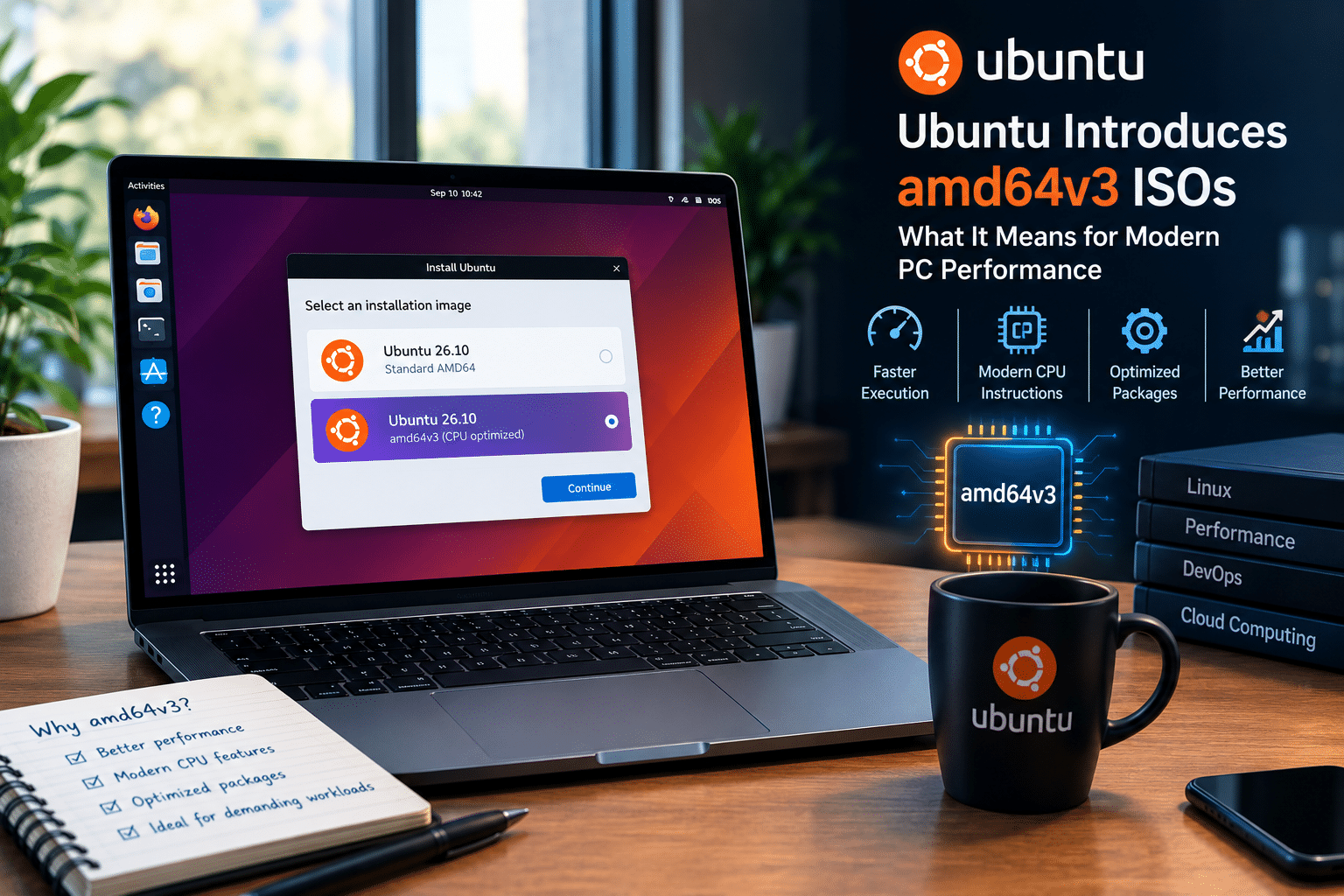
Modern computers have become incredibly powerful, but operating systems do not always take full advantage of the hardware sitting underneath them. A laptop or desktop may contain a multi-core processor with advanced vector instructions, fast NVMe storage, high-bandwidth memory, and sophisticated power-management capabilities, yet much of the software it runs must still maintain compatibility with significantly older systems.
Ubuntu is now exploring an important way to address that gap.
Ubuntu 26.10 daily builds have introduced dedicated amd64v3 installer images, giving users with compatible processors the opportunity to install a CPU-optimized version of Ubuntu from the beginning rather than manually converting an existing installation later.
This might sound like a highly technical change aimed only at Linux developers and processor enthusiasts. In reality, it represents a much broader shift in how Linux distributions may approach performance in the future.
The move raises important questions:
- Are generic operating system builds leaving performance on the table?
- How much faster can software become when it targets newer CPUs?
- Which users will benefit most from amd64v3?
- Will optimized architecture variants eventually become mainstream?
- And what does this mean for developers, workstations, servers, virtualization, and cloud computing?
The answers are more nuanced than a simple claim that “Ubuntu is now faster.”
amd64v3 will not magically transform every desktop experience. Opening an email client or browsing a lightweight website may feel almost identical. But for computationally intensive workloads—including software compilation, scientific computing, media processing, data analytics, virtualization, and other demanding applications—the ability to target a newer processor baseline can create meaningful optimization opportunities.
Ubuntu’s new installer images make that experiment much easier.
More importantly, they offer a glimpse into a future where operating systems no longer rely entirely on one generic binary baseline for every computer.
What Exactly Is amd64v3?
To understand why Ubuntu’s new ISO matters, we first need to understand how software targets processors.
For many years, 64-bit x86 software has generally been built around a broad compatibility baseline. This ensures that the same operating system binaries can run on a large number of Intel and AMD processors.
That compatibility is one of the reasons Linux remains so versatile.
You can install Ubuntu on:
- Older desktop computers
- Modern laptops
- High-performance workstations
- Enterprise servers
- Virtual machines
- Cloud instances
- Development machines
However, there is a trade-off.
When software must support older processors, developers cannot always assume that newer CPU instructions are available.
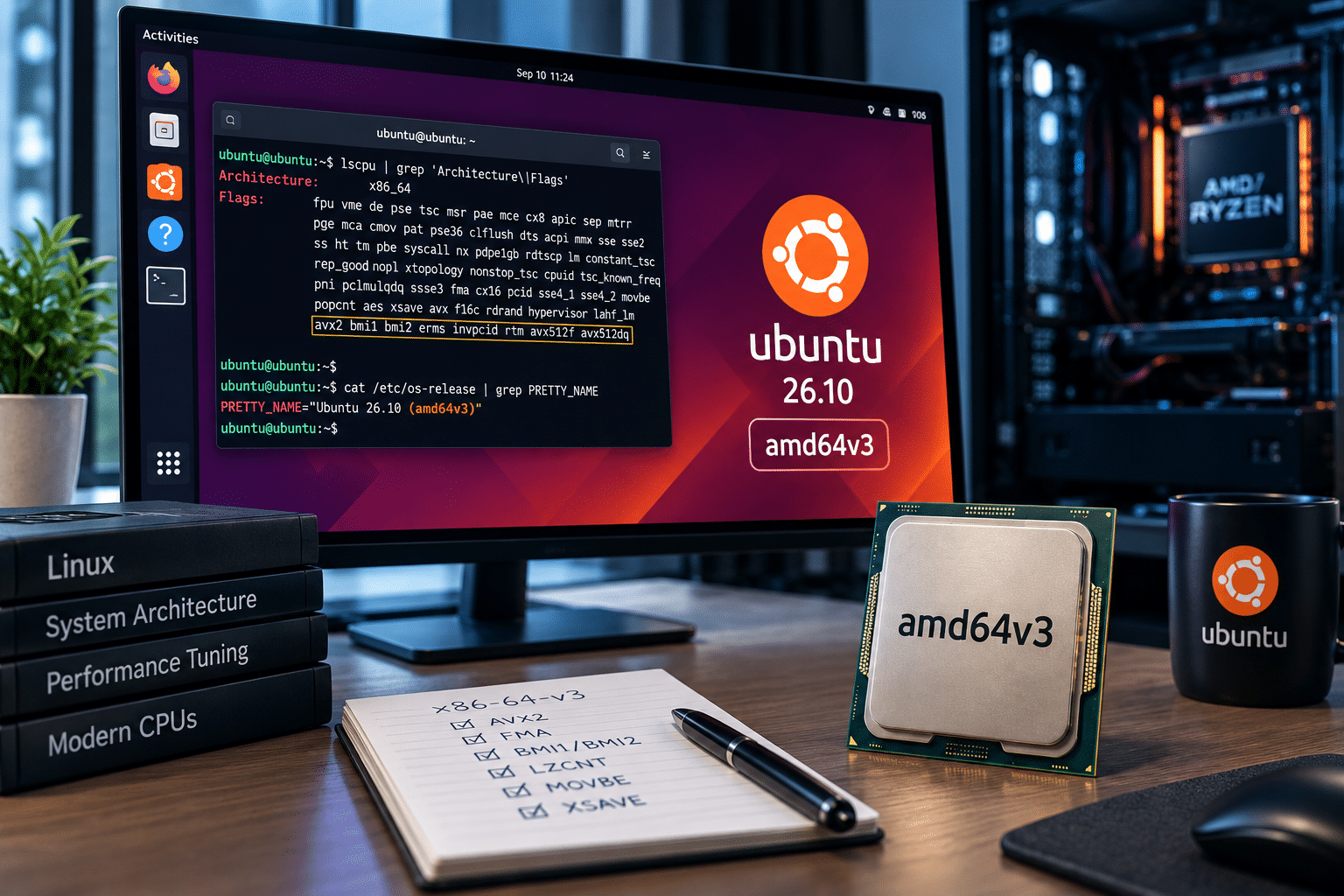
The x86-64-v3, or amd64v3, architecture level provides a newer baseline.
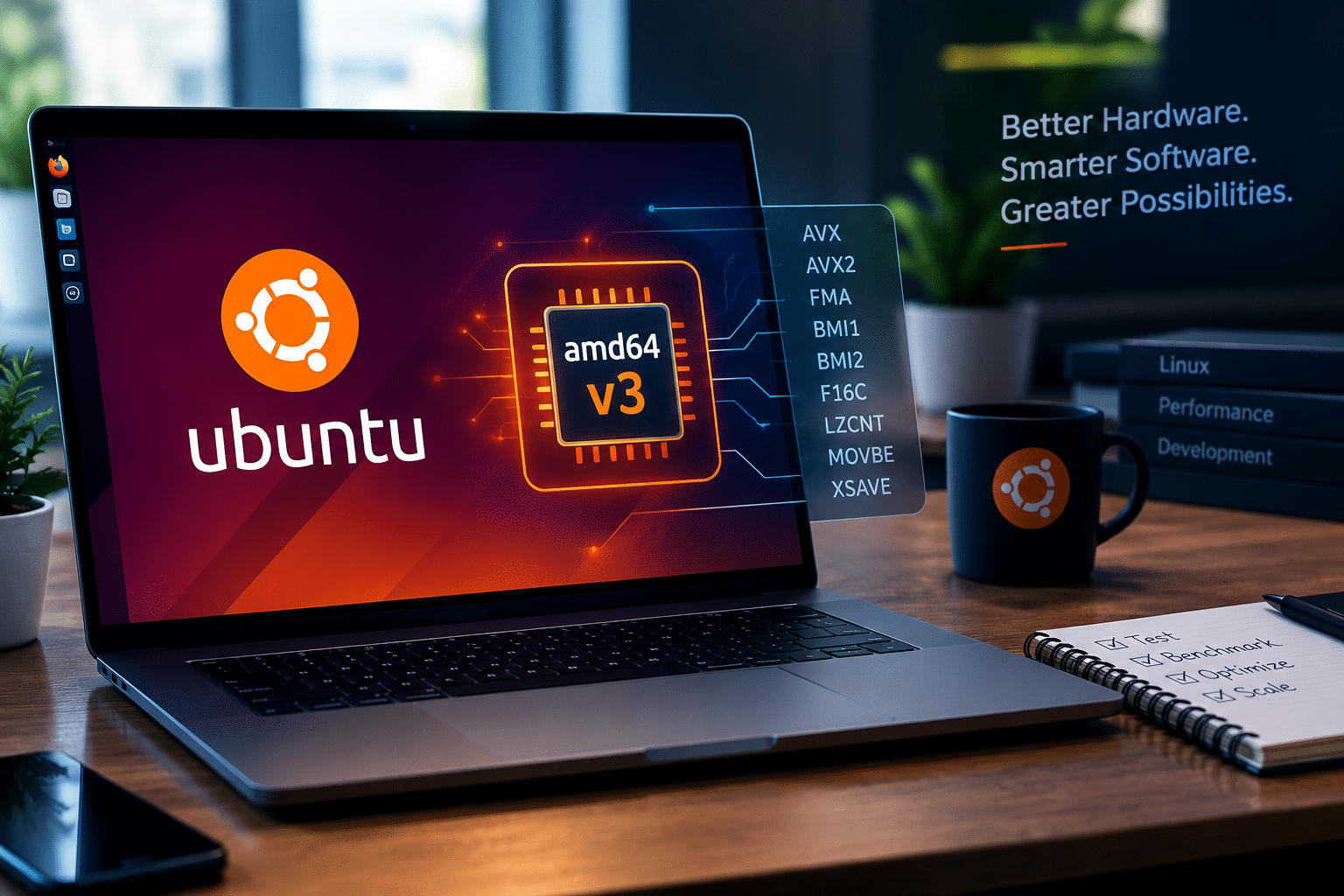
Software targeting this level can assume the presence of several modern processor features, including instructions such as:
- AVX
- AVX2
- FMA
- BMI1
- BMI2
- F16C
- LZCNT
- MOVBE
- XSAVE
These capabilities are particularly relevant to workloads involving numerical operations, vector processing, mathematical computation, compression, media processing, and other CPU-intensive tasks.
In simple terms:
A standard Ubuntu build prioritizes compatibility across a broad range of hardware, while an amd64v3 build can optimize software for a newer generation of processors.
That difference creates potential performance opportunities.
Why Generic Operating System Builds Cannot Always Maximize Performance
Imagine designing a racing car that must also work perfectly on rough village roads, highways, snow, sand, and mountain trails.
You would need compromises.
The same principle applies to operating systems.
Ubuntu supports an enormous variety of computers. Some users run the latest Ryzen or Intel processors, while others continue using hardware that is many years old.
If Ubuntu raised its default CPU requirements too aggressively, older systems would lose compatibility.
That would contradict one of Linux’s greatest strengths: extending the useful life of hardware.
For this reason, Ubuntu has traditionally maintained a conservative architecture baseline.
The downside is that newer processors may contain capabilities that generic binaries cannot fully assume are present.
Consider two computers:
Computer A
A decade-old processor with limited modern instruction support.
Computer B
A recent processor with advanced vector instructions and significantly improved execution capabilities.
A single generic binary must be designed so that both systems can run it.
That means the software cannot always optimize itself specifically around the advanced capabilities of Computer B.
amd64v3 changes this approach.
Instead of replacing the traditional architecture entirely, Ubuntu can provide an optimized variant for compatible hardware.
This creates a practical balance between:
Compatibility for older systems
and
Optimization for newer systems.
Ubuntu 26.10 Makes amd64v3 Easier to Test
Ubuntu has experimented with amd64v3 packages before, but the introduction of dedicated installer images significantly improves accessibility.
Previously, users interested in testing optimized packages could need to install a conventional version of Ubuntu first and then reconfigure the package architecture.
That approach created friction.
It also discouraged many ordinary users from experimenting.
A dedicated ISO changes the experience.
Users with compatible processors can install an optimized package set from the beginning.
This offers several advantages.
1. A Cleaner Testing Environment
Starting with an optimized installation creates a cleaner baseline for benchmarking.
Users do not need to wonder whether some packages remain from a previous architecture configuration.
2. Easier Community Testing
More testers can experiment with amd64v3 without performing complicated post-install configuration.
3. Better Real-World Feedback
Canonical can receive feedback from users running the optimized architecture across different workloads and hardware configurations.
4. More Meaningful Performance Comparisons
Developers can compare standard AMD64 and amd64v3 installations under controlled conditions.
This is particularly important because CPU optimization rarely produces identical benefits across every workload.
What Makes amd64v3 Different?
The most significant difference involves the CPU instruction baseline.
Modern processors contain specialized instructions designed to accelerate certain operations.
For example, vector instructions can allow a processor to work with multiple pieces of data during a single instruction cycle.
This is particularly valuable in workloads involving repetitive mathematical operations.
Applications that may benefit include:
- Video encoders
- Image processing tools
- Scientific applications
- Data analytics platforms
- Machine learning libraries
- Compression utilities
- Cryptographic software
- Numerical simulations
Of course, the application itself must be capable of using those instructions effectively.
Simply installing an amd64v3 operating system does not automatically make every application dramatically faster.
That distinction is essential.
The real value of amd64v3 lies in creating a software ecosystem where developers and packages can target a more capable processor baseline.
Modern Hardware Has Changed Faster Than Software Baselines
The x86-64 ecosystem has evolved dramatically since 64-bit computing became mainstream.
Today’s processors offer:
- More CPU cores
- Larger caches
- Better branch prediction
- Advanced vector instructions
- Improved power efficiency
- Faster memory controllers
- Higher clock speeds
- Specialized acceleration capabilities
Meanwhile, operating systems must maintain compatibility.
This creates an interesting performance gap.
A modern processor might support instructions that software cannot universally depend upon because millions of older machines still exist.
The result is a compromise.
The software works almost everywhere.
But it may not always perform at its theoretical best on newer hardware.
amd64v3 represents an attempt to narrow that gap.
Most Modern PCs May Already Be Compatible
One reason Ubuntu’s amd64v3 experiment is particularly interesting is the increasing availability of compatible hardware.
Many Intel and AMD processors released during roughly the last decade support the required feature set.
However, users should not assume compatibility based only on the age of their computer.
There are exceptions.
Some budget processors, embedded systems, and specialized chips may lack required instructions such as AVX2.
This means compatibility testing remains important.
The relationship between architecture variants is generally straightforward:
- Newer CPUs can usually run software built for older architecture levels.
- Older CPUs cannot necessarily run software targeting newer instruction levels.
A processor compatible with amd64v3 can continue running traditional AMD64 software.
However, a processor without the required features cannot run amd64v3 binaries correctly.
That is why Ubuntu’s optional approach makes sense.
Users with older systems retain compatibility.
Users with modern hardware can experiment with optimization.
The Performance Question: How Much Faster Is amd64v3?
This is where the discussion becomes particularly interesting.
There is no single performance number.
It would be misleading to claim:
“amd64v3 makes Ubuntu 25% faster.”
Performance depends on the workload.
Some applications may experience negligible changes.
Others may benefit significantly.
Benchmarking of Ubuntu’s amd64v3 packages has demonstrated that the performance impact can vary considerably between applications and workloads.
That variability is completely expected.
CPU optimization works best when software contains code paths capable of taking advantage of newer instructions.
For example, applications performing heavy mathematical calculations may benefit more than an email application.
A useful way to think about amd64v3 is this:
Low CPU Intensity
Examples:
- Basic web browsing
- Text editing
- File management
Potential benefit: Often limited.
Moderate CPU Intensity
Examples:
- Software development
- Compression
- Multitasking
- Some database operations
Potential benefit: Workload dependent.
High CPU Intensity
Examples:
- Video encoding
- Scientific computing
- Data processing
- AI workloads
- Numerical analysis
Potential benefit: Potentially much more significant.
The key phrase is potentially.
Benchmarking remains essential.
Why Developers Should Pay Attention
Developers are among the groups most likely to benefit from optimized architecture variants.
Modern development environments are computationally demanding.
A developer may simultaneously run:
- An IDE
- Multiple containers
- Local databases
- Virtual machines
- Compilation tools
- Automated tests
- Browser development tools
- Background services
Software projects have also grown dramatically.
Large applications can contain millions of lines of code and thousands of dependencies.
Compilation workloads can consume significant CPU resources.
A small percentage improvement in build performance may not sound dramatic.
But consider a development organization where:
- Dozens of developers compile software daily.
- Continuous integration systems run hundreds of builds.
- Automated testing consumes thousands of CPU hours.
Even incremental efficiency improvements can accumulate.
This is where modern CPU optimization becomes strategically valuable.
amd64v3 and Software Compilation
Compilation is an excellent example of a workload where infrastructure and CPU performance matter.
Building software requires:
- Parsing source code
- Optimizing instructions
- Linking binaries
- Managing dependencies
- Reading and writing large volumes of files
The exact performance bottleneck varies by project.
Some builds are CPU-bound.
Others are limited by memory or storage.
But when CPU execution becomes a bottleneck, optimized infrastructure can help.
Developers should not assume that amd64v3 will produce identical improvements across every compiler or programming language.
Instead, they should test their actual projects.
A useful comparison might include:
| Workload | Standard AMD64 | amd64v3 | Result |
|---|---|---|---|
| Full application build | Benchmark | Benchmark | Compare |
| Incremental build | Benchmark | Benchmark | Compare |
| Unit tests | Benchmark | Benchmark | Compare |
| Container build | Benchmark | Benchmark | Compare |
| Compression task | Benchmark | Benchmark | Compare |
The objective is not to prove that one architecture always wins.
The objective is to determine which architecture performs best for a specific workload.
Data Processing Could Benefit from a Higher CPU Baseline
Data has become one of the world’s most valuable computing resources.
Businesses process enormous amounts of information through:
- Analytics pipelines
- ETL processes
- Machine learning systems
- Financial applications
- Monitoring platforms
- Search engines
Many of these workloads involve repetitive operations on large datasets.
Modern vector instructions can help processors execute certain mathematical operations more efficiently.
An amd64v3 baseline allows developers to assume access to more modern instruction capabilities.
That can simplify optimization decisions.
Instead of constantly maintaining fallback paths for very old processors, software targeting amd64v3 can focus on a more capable baseline.
Again, results depend on implementation.
But the architectural opportunity is important.
Video, Imaging, and Media Workloads
Multimedia processing is another area where modern processor capabilities matter.
Video encoding requires enormous amounts of computation.
Image processing applications perform operations such as:
- Filtering
- Scaling
- Color conversion
- Compression
- Transformation
Many media libraries already use CPU-specific optimization.
A broader operating system ecosystem targeting a newer architecture baseline can complement these efforts.
Content creators running Linux workstations may therefore find amd64v3 particularly interesting.
However, GPU acceleration remains important for many modern media workflows.
CPU optimization should be viewed as one part of the performance equation rather than a replacement for dedicated hardware acceleration.
Scientific Computing and Engineering
Scientific applications often perform enormous volumes of numerical calculations.
Examples include:
- Physics simulations
- Climate modeling
- Bioinformatics
- Computational chemistry
- Mathematical modeling
- Engineering simulations
These workloads frequently benefit from efficient vector operations.
Modern processors contain instruction sets specifically designed to improve throughput for certain types of calculations.
A higher architecture baseline gives software more predictable access to those capabilities.
For research organizations, every improvement in computational efficiency can matter.
Reducing execution time means researchers can:
- Run more experiments
- Process larger datasets
- Reduce infrastructure costs
- Improve turnaround times
This is why architecture optimization has always been important in high-performance computing.
Ubuntu’s amd64v3 initiative brings some of that philosophy closer to mainstream Linux computing.
What About Everyday Desktop Performance?
This is where expectations need to remain realistic.
Installing an amd64v3 version of Ubuntu will not necessarily make an ordinary desktop feel dramatically different.
If your primary activities include:
- Social media
- Web browsing
- Office documents
- Music streaming
the CPU may spend much of its time waiting for:
- Network responses
- User input
- Storage access
- Application events
In these scenarios, CPU instruction optimization may not be the primary performance bottleneck.
A faster SSD, more RAM, or a lighter desktop environment could produce a more noticeable improvement.
amd64v3 matters most when the workload actually exercises the processor intensively.
Why Ubuntu Is Taking an Optional Approach
Ubuntu’s strategy is arguably one of the most sensible aspects of this development.
Canonical has not simply announced:
“All future Ubuntu releases will require amd64v3.”
Instead, Ubuntu is experimenting.
That approach offers flexibility.
Standard AMD64
Best for:
- Maximum compatibility
- Older computers
- Mixed hardware fleets
- Unknown processor capabilities
amd64v3
Best suited for:
- Compatible modern processors
- Performance testing
- CPU-intensive workloads
- Development environments
- Experimental deployments
This optional model allows the Linux ecosystem to collect valuable data.
If users discover meaningful advantages and compatibility remains strong, architecture variants could become increasingly important.
A Sign of Where Linux Is Heading
The amd64v3 experiment is part of a broader shift.
For years, computing focused heavily on portability.
One binary should run everywhere.
That philosophy remains valuable.
But computing infrastructure is becoming increasingly specialized.
Organizations now deploy:
- AI accelerators
- GPUs
- ARM processors
- High-core-count CPUs
- Specialized networking hardware
- Custom cloud processors
The idea that every workload should run on one generic software configuration is becoming less practical.
Future Linux distributions may increasingly offer optimized variants based on:
- Processor architecture
- Cloud platform
- Workload type
- Hardware capabilities
amd64v3 could be an early example of this broader evolution.
The Importance of Benchmarking Before Migration
One of the biggest mistakes organizations can make is migrating based on assumptions.
A newer architecture variant sounds faster.
But every infrastructure environment is different.
Performance depends on:
- Application design
- Compiler behavior
- Libraries
- CPU model
- Memory
- Storage
- Kernel configuration
- Virtualization
- Workload patterns
The correct approach is benchmarking.
Organizations should create controlled comparisons.
For example:
Step 1: Identify the Workload
Determine which applications consume the most CPU resources.
Step 2: Establish a Baseline
Measure performance using the existing standard AMD64 environment.
Step 3: Deploy amd64v3
Create an equivalent optimized environment.
Step 4: Run Identical Tests
Use the same:
- Application version
- Dataset
- Configuration
- Number of threads
Step 5: Measure Multiple Metrics
Do not measure only execution time.
Also monitor:
- CPU utilization
- Memory consumption
- Throughput
- Latency
- System stability
Step 6: Analyze the Results
Determine whether the improvement justifies operational changes.
This evidence-driven approach produces much more useful results than relying on synthetic benchmark claims.
Why Infrastructure Matters as Much as Software
CPU optimization is only one part of performance.
Imagine running highly optimized software on:
- A slow hard drive
- Insufficient RAM
- An overloaded processor
- Poor network connectivity
The benefits may be difficult to notice.
Performance depends on the entire infrastructure stack.
A modern Linux environment should consider:
CPU
Enough cores and modern instruction support.
Memory
Sufficient capacity for applications and caching.
Storage
Fast NVMe storage for I/O-intensive workloads.
Network
Reliable connectivity for distributed workloads.
Virtualization
Efficient isolation for containers and virtual machines.
The most effective infrastructure strategy combines optimized software with capable hardware.
Where HOMERDP Fits Into This Performance Shift
The rise of optimized Linux builds reflects a larger change in how professionals approach computing.
Developers and businesses increasingly separate their workspace from their computing power.
A lightweight laptop can serve as an access device while demanding workloads run remotely on more capable infrastructure.
This model provides flexibility.
Instead of upgrading every local machine, teams can centralize demanding workloads on powerful remote systems.
HOMERDP provides infrastructure solutions that can support this kind of modern computing workflow.
For developers and technology professionals exploring CPU-intensive Linux workloads, remote infrastructure can provide a practical environment for:
- Linux development
- Software compilation
- Virtual machines
- Container testing
- DevOps experimentation
- Performance benchmarking
- Remote workstations
- Persistent development environments
This approach becomes especially useful when experimenting with new operating system variants such as amd64v3.
Rather than modifying a primary workstation, users can isolate experiments inside a dedicated remote environment.
Using Remote Infrastructure for amd64v3 Testing
Imagine a development team wants to understand whether CPU-optimized packages can improve its application pipeline.
The team could create two environments.
Environment One
Standard Ubuntu AMD64.
Environment Two
Ubuntu configured with amd64v3 packages on compatible hardware.
The team can then run identical workloads.
Potential tests include:
- Application compilation
- Automated testing
- Database queries
- Compression
- Data transformation
- Container builds
Using controlled infrastructure helps reduce variability.
This is particularly important when performance differences are relatively small.
If one benchmark improves by only a few percentage points, inconsistent hardware can make the results unreliable.
A dedicated environment provides better control.
For teams interested in experimenting without constantly changing local machines, HOMERDP can provide flexible remote computing resources for development and testing workflows.
The Benefits of Separating Experimental and Production Environments
Testing emerging technology directly on a primary workstation creates risks.
A new package architecture may introduce:
- Compatibility issues
- Unexpected application behavior
- Package conflicts
- Configuration problems
Separating experimentation from production is a smarter strategy.
A remote environment allows users to:
- Create a dedicated test system.
- Install experimental software.
- Run benchmarks.
- Test applications.
- Compare results.
- Keep the primary workstation stable.
This is particularly useful for businesses.
Production systems should prioritize stability.
Testing systems should prioritize experimentation.
Keeping those environments separate improves operational reliability.
Virtualization Creates Another Important Use Case
Virtual machines have become essential to modern computing.
Developers often use them to:
- Test operating systems
- Reproduce bugs
- Run isolated environments
- Evaluate security configurations
- Develop applications
However, local virtualization can consume significant resources.
Running several virtual machines simultaneously requires:
- CPU cores
- RAM
- Storage capacity
A remote server can provide a more scalable environment.
Developers can access virtualized workloads remotely while keeping their local machines responsive.
This is another area where modern infrastructure and optimized operating systems complement each other.
Containers and the Modern Linux Ecosystem
Container technology has transformed software deployment.
Applications can now run inside isolated environments with consistent dependencies.
However, container-based development can also become resource-intensive.
A developer may run:
- Application containers
- Databases
- Monitoring tools
- Message queues
- Testing environments
all at the same time.
As workloads become more demanding, efficient CPU utilization becomes increasingly important.
This does not mean amd64v3 automatically accelerates every container.
But it expands the optimization opportunities available to the underlying software stack.
For DevOps teams, the combination of modern processors, optimized operating systems, and powerful remote infrastructure creates a compelling testing environment.
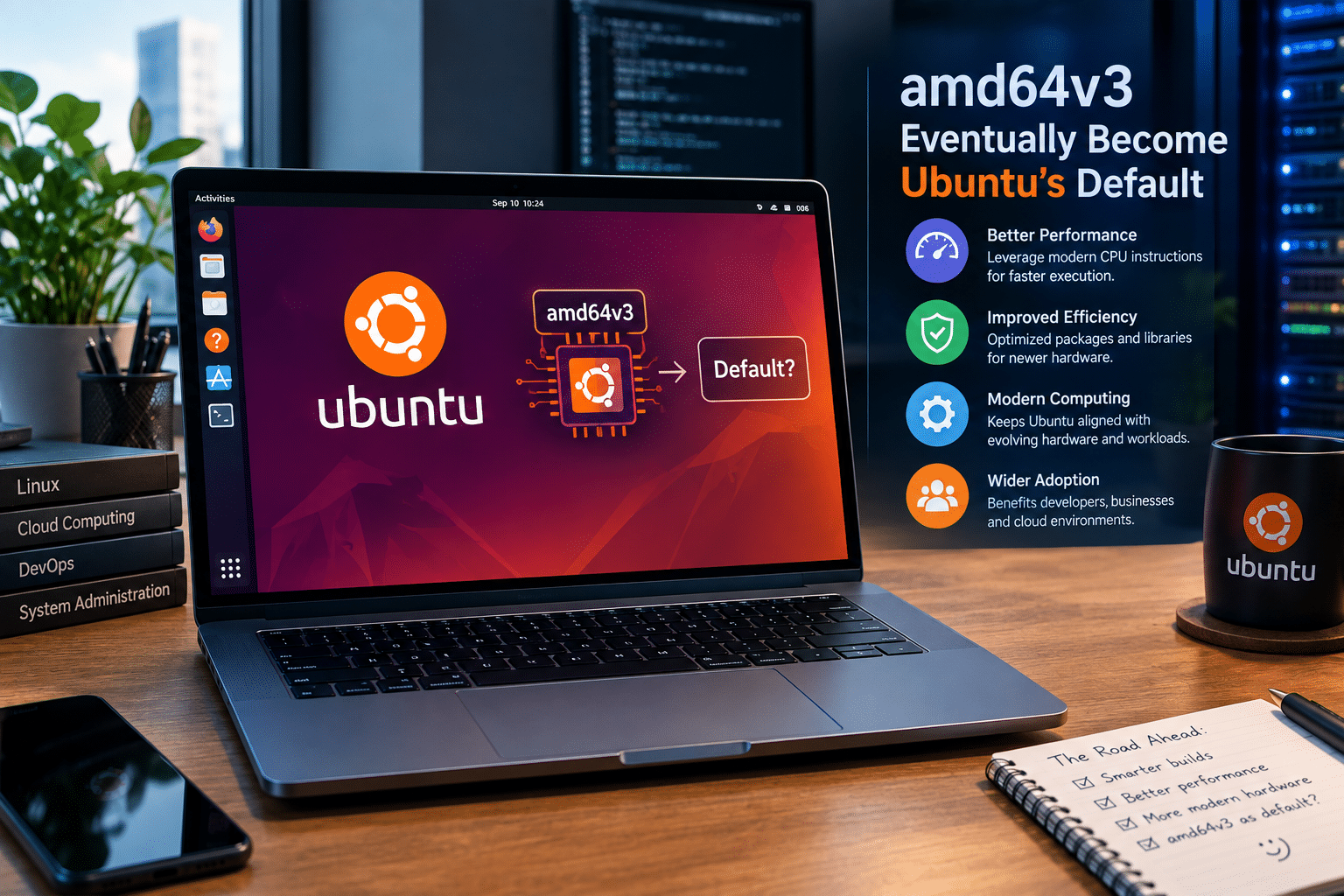
Could amd64v3 Eventually Become Ubuntu’s Default?
This remains one of the most interesting questions.
Ubuntu has not made a definitive announcement that amd64v3 will replace the standard AMD64 baseline.
However, the existence of dedicated installer images suggests serious experimentation.
Several factors will influence any future decision.
Hardware Compatibility
Ubuntu must consider how many systems would lose support.
Performance Benefits
The gains must justify the complexity.
Package Ecosystem Stability
Optimized packages must remain reliable.
User Feedback
Real-world testing provides valuable information.
Enterprise Adoption
Businesses need predictable and stable platforms.
A gradual transition is more likely than a sudden change.
Ubuntu could continue offering multiple architecture variants for years.
Why This Matters Beyond Ubuntu
Ubuntu’s experiment could influence broader Linux development.
If architecture-specific variants prove practical, other distributions may explore similar approaches.
This could lead to a future where users select optimized builds based on:
- CPU generation
- Processor architecture
- Workload requirements
- Hardware capabilities
This would represent a significant change from the traditional “one architecture, one package” model.
Of course, it would also create challenges.
Maintaining multiple package variants increases complexity.
Developers must consider:
- Build systems
- Testing
- Package distribution
- Dependency management
- Security updates
The Linux ecosystem must balance these costs against potential performance benefits.
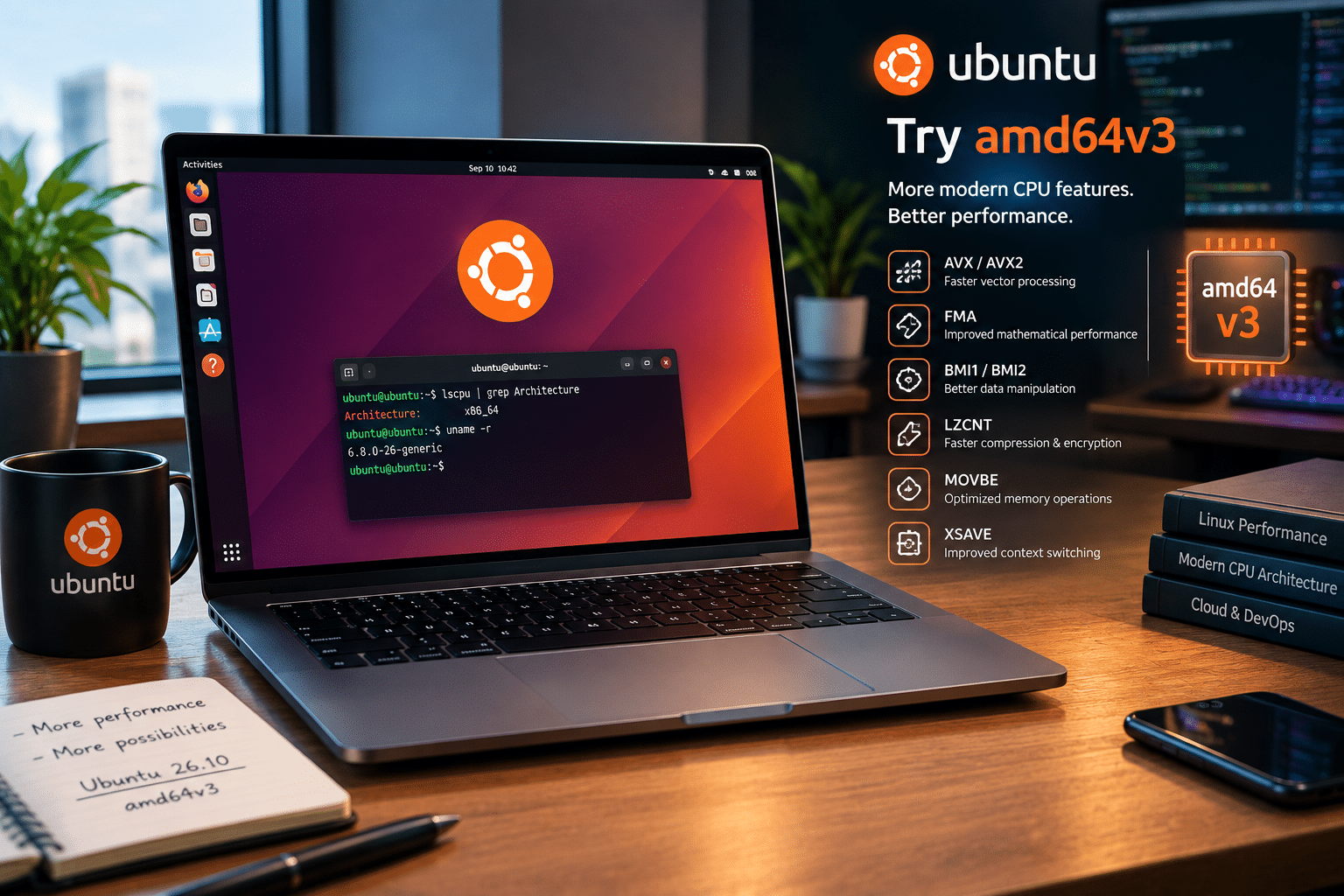
Who Should Try Ubuntu amd64v3?
The new ISO is particularly interesting for several groups.
Linux Developers
Developers can test whether optimized packages improve compilation and application performance.
DevOps Engineers
Teams can benchmark CI/CD workloads and container environments.
Data Professionals
Analytics workloads may benefit from modern processor optimizations.
Researchers
Scientific and numerical applications are excellent candidates for testing.
Technology Enthusiasts
Users with modern hardware can explore the future direction of Ubuntu.
Infrastructure Professionals
System administrators can evaluate architecture variants for servers and development environments.
Who Should Stick With Standard Ubuntu?
amd64v3 is not automatically the best choice for everyone.
Users should remain with the standard AMD64 build if they prioritize:
- Broad compatibility
- Older hardware support
- Stable production environments
- Proven configurations
Users with processors lacking amd64v3 support must also use the traditional architecture.
There is nothing wrong with the standard build.
It remains the safest option for maximum compatibility.
The existence of amd64v3 simply provides another choice.
A Practical Strategy for Businesses
Businesses interested in CPU optimization should avoid rushing into full migration.
Instead, they should follow a structured process.
Phase 1: Hardware Inventory
Identify which systems support modern architecture requirements.
Phase 2: Workload Analysis
Determine which applications are actually CPU-intensive.
Phase 3: Controlled Testing
Deploy standard and optimized environments.
Phase 4: Benchmarking
Measure realistic workloads.
Phase 5: Stability Testing
Evaluate application compatibility.
Phase 6: Cost Analysis
Compare performance improvements against infrastructure costs.
Phase 7: Gradual Deployment
Expand only when measurable benefits justify the transition.
This strategy minimizes risk.
The Future of Linux Performance Is Becoming More Specialized
For decades, the biggest goal of operating systems was compatibility.
Today, performance optimization is becoming equally important.
AI workloads demand specialized acceleration.
Cloud platforms offer custom processors.
High-performance applications use vector instructions.
Modern CPUs contain capabilities that did not exist when older software baselines were established.
The future will likely involve greater specialization.
Users may increasingly choose environments optimized for:
- AI development
- Data analytics
- Cloud computing
- Desktop productivity
- Gaming
- High-performance computing
amd64v3 represents one step toward this future.

HOMERDP and the Growing Demand for High-Performance Remote Computing
As software becomes more demanding, local hardware limitations become more noticeable.
Not every developer wants to purchase an expensive workstation.
Not every business wants to upgrade every employee’s computer.
Remote infrastructure offers an alternative.
A centralized high-performance environment can support demanding workloads while users connect from lighter devices.
HOMERDP can support this evolving approach by providing remote computing infrastructure suited to development, testing, and resource-intensive workloads.
This creates several practical advantages:
- Access computing resources remotely
- Separate testing from local environments
- Run demanding workloads without upgrading every device
- Create persistent development workspaces
- Support distributed teams
For organizations exploring modern Linux technologies, infrastructure flexibility can be just as important as operating system optimization.
Final Thoughts: A Small ISO Change With Big Implications
Ubuntu’s introduction of amd64v3 installer images may appear to be a small technical update.
But the implications are much larger.
It represents a growing recognition that modern processors contain capabilities generic software cannot always exploit.
For years, Linux distributions have prioritized compatibility—and rightly so.
That philosophy helped Linux run everywhere.
But computing is changing.
Workloads are becoming more demanding.
Processors are becoming more specialized.
Developers increasingly need performance-oriented environments.
Ubuntu’s amd64v3 experiment creates an important middle ground.
It does not abandon older hardware.
It does not force users into a new CPU baseline.
Instead, it offers choice.
Users with compatible modern processors can test an optimized package ecosystem.
Developers can benchmark real workloads.
Businesses can evaluate infrastructure performance.
The most important lesson is not that amd64v3 will make every computer dramatically faster.
It will not.
The real lesson is that one-size-fits-all computing is gradually giving way to more intelligent optimization.
The future of Linux performance may involve multiple architecture variants, smarter compiler strategies, workload-aware optimizations, and infrastructure designed around modern hardware capabilities.
Ubuntu’s amd64v3 ISO is an early and important step in that direction.
For developers, DevOps professionals, researchers, and businesses, this creates an opportunity.
Test your workloads.
Measure the results.
Understand where the bottlenecks exist.
And build infrastructure around real performance data rather than assumptions.
Combining modern Linux software with capable computing infrastructure can unlock a more efficient workflow—whether the workload involves compiling software, processing data, running containers, hosting virtual machines, or building the next generation of applications.
As Ubuntu continues exploring amd64v3, one thing is clear: the conversation around Linux performance is changing.
The question is no longer simply whether your computer can run the operating system.
The more interesting question is:
How effectively can the operating system use the hardware you already have?
And for users who need flexible infrastructure to test, benchmark, and scale demanding Linux workloads, HOMERDP provides a practical path toward high-performance remote computing without tying every experiment to the limitations of a single local machine.
The amd64v3 era is still experimental, but its arrival signals something important.
The next phase of Linux performance may not come from faster processors alone. It may come from software finally learning how to use modern processors more intelligently.
EXPLORE MORE ; Why Proton Drive’s Linux Launch Matters More Than You Think

READ OUR BLOGS