

Mole for macOS: Best Free Mac Cleaner for Developers and Power Users
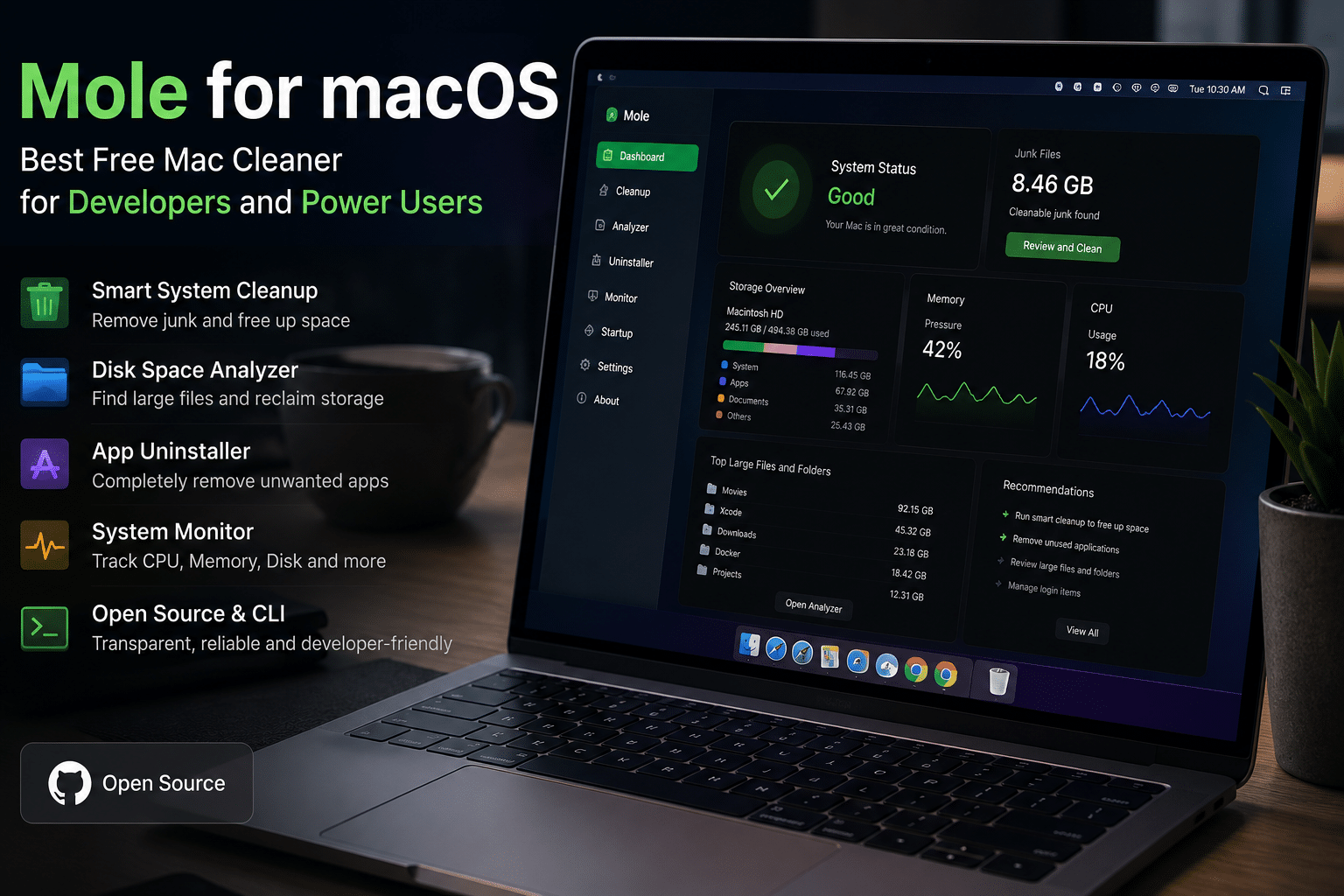
Apple’s macOS has earned a reputation for delivering excellent performance, stability, and longevity. Whether you’re using a MacBook Air, MacBook Pro, Mac Studio, or Mac mini powered by Apple Silicon, macOS offers a polished user experience that appeals to developers, designers, video editors, students, and business professionals alike.
However, even the fastest Mac isn’t immune to digital clutter.
As applications are installed, updated, and removed, they leave behind caches, log files, temporary data, developer artifacts, and configuration files. Browser caches grow larger, Xcode accumulates gigabytes of build data, Docker images pile up, and package managers such as Homebrew or npm create thousands of unnecessary files over time.
These hidden files slowly consume valuable SSD space. While modern SSDs are incredibly fast, performance can decline when storage becomes nearly full, especially for users working with large projects or media libraries.
For years, Mac users have relied on premium maintenance applications like CleanMyMac, DaisyDisk, AppCleaner, iStat Menus, and Sensei to keep their systems running smoothly. Although these tools are powerful, many require paid licenses or subscriptions.
A new open-source utility called Mole is changing that.
Recently highlighted by XDA Developers, Mole combines the functionality of several well-known premium Mac utilities into one streamlined application. It offers system cleanup, storage analysis, application removal, and system monitoring—all while embracing the transparency and flexibility of open-source software.
For developers and power users, Mole provides an efficient way to maintain macOS without paying recurring subscription fees. Better yet, when paired with a high-performance HOMERDP Windows VPS, it enables a hybrid workflow where your Mac remains responsive while resource-intensive Windows tasks run in the cloud.
In this guide, we’ll explore what Mole is, its standout features, how it compares with paid alternatives, and why it deserves a place in every developer’s toolkit.
Why Mac Maintenance Is More Important Than Ever
Many Mac users assume that macOS automatically manages everything.
While Apple’s operating system does an excellent job handling memory and storage, it cannot remove every unnecessary file created by third-party software.
Over time, your Mac accumulates:
- Application cache files
- Browser cache
- Temporary installation files
- Crash reports
- Log files
- Developer build artifacts
- Docker images
- Xcode derived data
- Package manager cache
- Duplicate downloads
- Leftover application preferences
Individually, these files appear insignificant. Collectively, they can consume tens—or even hundreds—of gigabytes.
For developers, the problem is even more pronounced. Large projects, virtual machines, AI models, and software builds generate substantial temporary data every day. Without regular cleanup, storage fills quickly, impacting productivity and reducing available workspace for new projects.
Maintaining healthy free storage also helps SSDs perform efficiently. Many storage experts recommend keeping at least 15–20% of SSD capacity available to maintain optimal write performance and reduce unnecessary wear over time.
Regular maintenance isn’t just about reclaiming storage—it also makes it easier to organize files, identify obsolete projects, and improve overall system responsiveness.
What Is Mole?
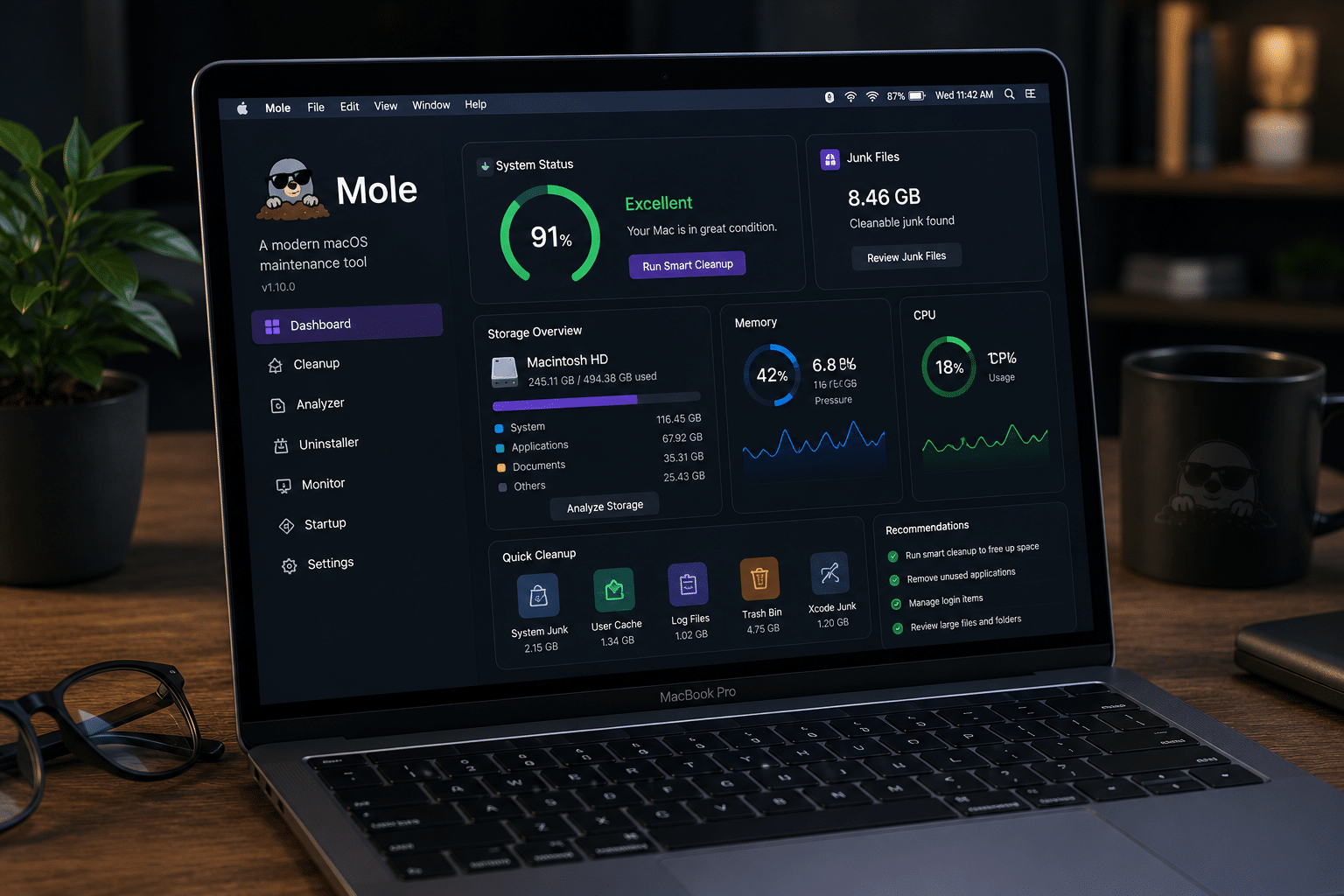
Mole is a modern macOS optimization utility designed to simplify system maintenance.
Instead of requiring multiple separate applications for cleaning, storage analysis, monitoring, and application removal, Mole combines these capabilities into one integrated solution.
Unlike many commercial optimization tools, Mole embraces an open-source philosophy. Users can inspect its code, understand exactly how cleanup operations work, and contribute improvements to the project.
This transparency builds trust—especially among developers who prefer software they can verify rather than proprietary applications operating as “black boxes.”
Mole is available both as:
- A command-line interface (CLI) for automation and scripting
- A native graphical application for everyday users
This dual approach makes it attractive to both beginners and experienced professionals.
Key Features of Mole
1. Intelligent System Cleanup
One of Mole’s biggest strengths is comprehensive system cleaning.
Instead of simply deleting browser cache, Mole scans numerous locations throughout macOS to identify unnecessary files.
It helps remove:
- System cache
- User cache
- Temporary files
- Log files
- Browser cache
- Application cache
- Developer cache
- Old update files
Unlike simplistic “one-click cleaners,” Mole presents removable files before deletion, giving users greater control over what gets removed.
This approach reduces accidental data loss while ensuring storage recovery remains transparent.
2. Complete Application Removal
Dragging an application into the Trash rarely removes everything.
Most applications leave behind:
- Preferences
- Login items
- Launch agents
- Support folders
- Hidden cache
- Configuration files
Over several years, these leftovers accumulate significantly.
Mole performs thorough application removal by identifying associated files and safely removing them alongside the application itself.
For users who frequently install beta software or development tools, this feature alone can recover considerable storage.
3. Visual Disk Space Analysis
Finding storage-consuming folders manually is frustrating.
Mole includes a graphical storage analyzer that makes identifying large folders remarkably simple.
Users can instantly locate:
- Massive Downloads folders
- Old virtual machines
- Duplicate project archives
- Forgotten video exports
- AI model downloads
- Large Xcode directories
Rather than navigating through Finder folder by folder, Mole provides an intuitive visual overview of storage usage.
This dramatically reduces cleanup time.
4. Built-In System Monitoring
Power users constantly monitor system resources.
Mole integrates performance monitoring directly into its interface.
Users can monitor:
- CPU utilization
- Memory consumption
- GPU usage
- Disk activity
- Network traffic
- Battery information
- Temperature indicators (where supported)
Instead of switching between Activity Monitor and third-party utilities, essential system information remains available in one application.
5. Developer-Friendly Cleaning
Developers benefit perhaps the most from Mole.
Software development generates enormous amounts of temporary data.
Examples include:
- Xcode DerivedData
- Homebrew cache
- npm cache
- pip cache
- Gradle cache
- Maven artifacts
- Docker images
- Container layers
- Simulator files
- Build outputs
These directories often grow into tens of gigabytes.
Instead of manually hunting through hidden Library folders, Mole identifies them automatically, allowing developers to reclaim storage within minutes.
6. Open-Source Transparency
Unlike many commercial utilities, Mole embraces transparency.
Because its source code is publicly available:
- Developers can audit cleanup behavior.
- Security researchers can inspect its functionality.
- Community members can contribute improvements.
- Users understand exactly what the software removes.
This transparency increases confidence, especially among professionals working with valuable development environments.
Mole vs Paid Mac Utilities
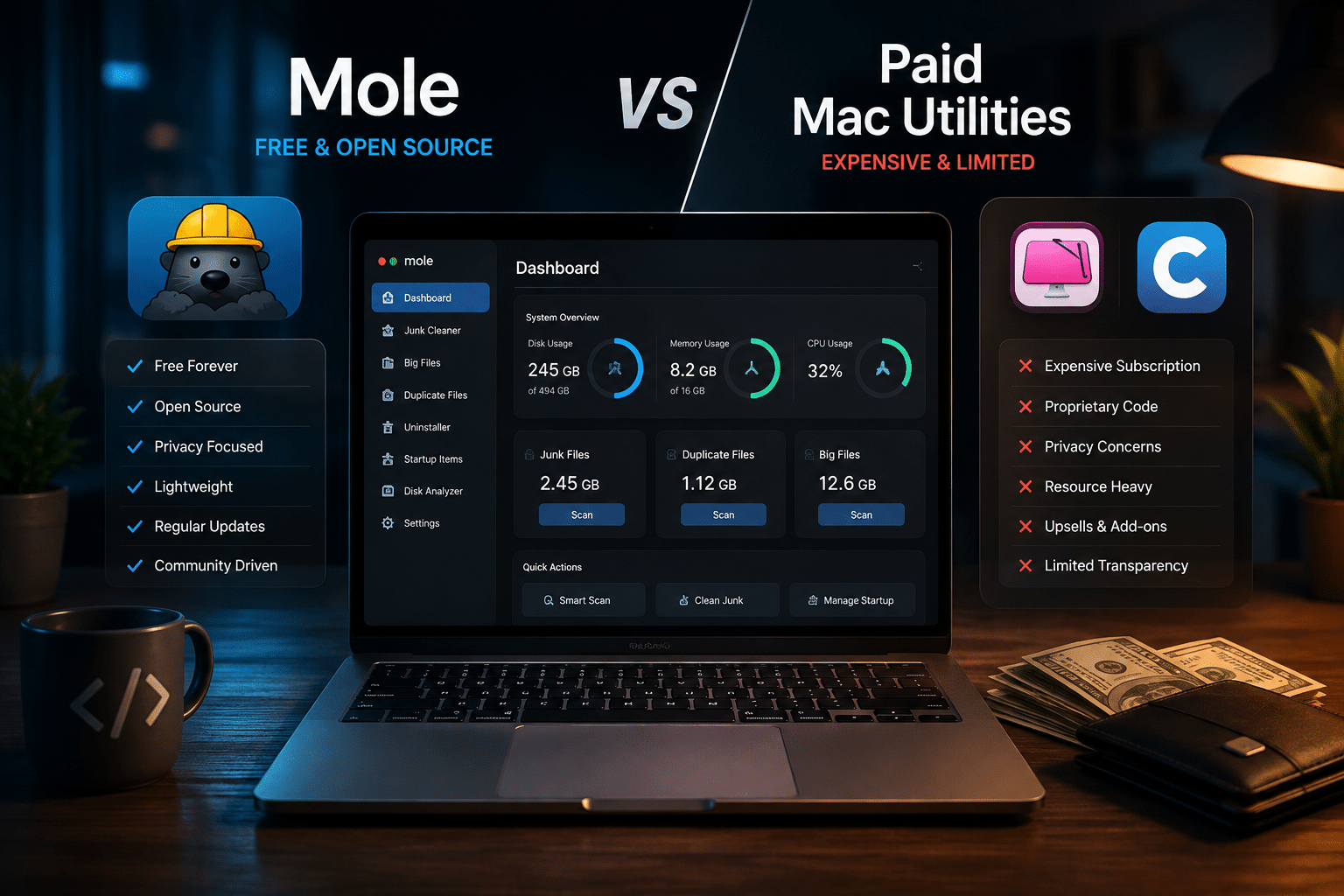
One of the biggest reasons Mole is gaining attention is its ability to replace several premium macOS utilities with a single application. Instead of purchasing multiple tools for different maintenance tasks, users can manage cleanup, storage analysis, application removal, and system monitoring from one interface.
Here’s how Mole compares with some of the most popular commercial alternatives.
| Feature | Mole | CleanMyMac | DaisyDisk | AppCleaner | iStat Menus |
|---|---|---|---|---|---|
| System Cleanup | ✅ | ✅ | ❌ | ❌ | ❌ |
| Disk Space Analysis | ✅ | ✅ | ✅ | ❌ | ❌ |
| Complete App Removal | ✅ | ✅ | ❌ | ✅ | ❌ |
| System Monitoring | ✅ | Limited | ❌ | ❌ | ✅ |
| Open Source | ✅ | ❌ | ❌ | ❌ | ❌ |
| CLI Support | ✅ | ❌ | ❌ | ❌ | ❌ |
| Subscription Required | No (CLI), affordable GUI | Often Yes | Paid | Free | Paid |
For users who value transparency and flexibility, Mole offers an excellent balance of functionality without locking essential features behind recurring subscription fees.
Why Developers Are Choosing Mole
Developers are among the heaviest users of local storage.
Every software project generates temporary files that quickly accumulate over weeks and months.
For example, a developer may work with:
- Xcode
- Visual Studio Code
- Docker Desktop
- Homebrew
- Node.js
- Python
- Rust
- Java
- Flutter
- React Native
- Android Studio
Each ecosystem creates caches, build artifacts, package downloads, logs, and temporary files.
A single Xcode project can generate several gigabytes of DerivedData.
Docker images and containers frequently consume 20–50 GB or more.
Package managers such as npm or pip store downloaded packages locally to improve installation speed, but these caches continue growing indefinitely unless cleaned.
Mole automatically identifies these files, helping developers reclaim valuable SSD space in minutes instead of hours.
Benefits for Creative Professionals
Mole isn’t just for programmers.
Content creators also generate enormous amounts of temporary files.
Video editors working with Final Cut Pro, DaVinci Resolve, or Adobe Premiere Pro often create:
- Render cache
- Proxy media
- Temporary exports
- Auto-save backups
- Preview files
Graphic designers using Photoshop or Illustrator accumulate scratch disks and cached assets.
Photographers working with Lightroom maintain preview databases that steadily expand.
Regular cleanup keeps creative workflows fast while maximizing available SSD storage for active projects.
A Better Workflow for Remote Professionals
Today’s professionals rarely rely on one computer.
Modern workflows often include:
- Cloud storage
- Remote desktops
- Virtual machines
- AI development
- Cross-platform testing
- Multiple operating systems
A Mac may serve as the primary workstation, while cloud infrastructure handles demanding workloads.
This hybrid approach improves productivity because local hardware remains responsive while intensive tasks execute remotely.

Why HOMERDP Fits Perfectly into This Workflow
While Mole keeps your Mac clean and optimized, it cannot increase your computer’s CPU cores, RAM, or GPU resources.
Developers frequently need additional computing power for:
- Windows-only software
- Enterprise applications
- Remote Desktop sessions
- Software testing
- Automated builds
- AI workloads
- Virtual machines
- Database servers
- Continuous Integration pipelines
Running all these workloads locally consumes significant system resources.
Instead, many professionals choose a HOMERDP Windows VPS.
A Windows VPS provides a dedicated remote Windows environment that remains available 24/7.
Rather than stressing your Mac with multiple virtual machines, you can connect securely to your remote Windows desktop whenever needed.
Advantages of HOMERDP Windows VPS
- High-performance SSD storage
- Dedicated CPU and RAM resources
- Low-latency Remote Desktop access
- Support for Windows-only applications
- Reliable uptime
- Flexible plans for developers and businesses
- Secure remote access from macOS, Windows, Linux, and mobile devices
This setup allows your Mac to remain fast and responsive while compute-intensive Windows tasks run on dedicated cloud infrastructure.
Mole + HOMERDP: A Productive Hybrid Environment
Instead of relying entirely on local hardware, imagine this workflow:
On Your Mac
- Write code in Visual Studio Code
- Design interfaces
- Edit documentation
- Manage Git repositories
- Monitor system performance with Mole
- Keep storage clean with regular maintenance
On HOMERDP Windows VPS
- Build Windows applications
- Test enterprise software
- Run Visual Studio
- Host databases
- Execute automated scripts
- Run Windows-only development tools
- Deploy staging environments
This division of responsibilities delivers the best of both worlds.
Your local Mac remains efficient, while demanding Windows tasks execute in a dedicated remote environment.
Best Practices for Keeping Your Mac Fast
Mole becomes even more effective when paired with good maintenance habits.
Follow these best practices:
1. Keep Free Storage Available
Maintain at least 15–20% free SSD space.
Adequate free storage helps macOS manage swap memory, indexing, and large file operations efficiently.
2. Remove Unused Applications
Old applications frequently leave behind support files.
Uninstall software you no longer need.
3. Clean Developer Cache Monthly
Development environments generate thousands of temporary files.
Scheduling monthly cleanup prevents storage from becoming unmanageable.
4. Organize Downloads
Downloads folders often become storage black holes.
Delete installers and duplicate archives regularly.
5. Monitor Resource Usage
Watch CPU, RAM, and storage utilization to identify applications consuming unnecessary resources.
6. Offload Heavy Windows Workloads
Instead of running multiple Windows virtual machines locally, use a HOMERDP Windows VPS for better scalability and performance.
Who Should Use Mole?
Mole is particularly valuable for:
- Software developers
- DevOps engineers
- AI researchers
- Students learning programming
- Video editors
- Graphic designers
- Photographers
- System administrators
- IT consultants
- Mac enthusiasts
- Small business professionals
Anyone who regularly installs, updates, tests, or removes software will benefit from periodic maintenance using Mole.
Security and Privacy
Privacy is an important consideration when using system maintenance tools.
Because Mole is open source, users can review how cleanup operations work.
Unlike opaque proprietary software, its transparent development model gives users greater confidence in what the application scans and removes.
This is especially valuable for developers and organizations handling sensitive projects.
Real-World Use Cases
Mole is versatile enough to support a wide range of users, from casual Mac owners to enterprise development teams. Here are a few examples of how it fits into everyday workflows.
1. Software Development
A full-stack developer typically works with multiple programming languages, frameworks, and tools. Over time, Xcode, Docker, Node.js, Python, and package managers generate gigabytes of temporary files.
With Mole, developers can:
- Remove obsolete build artifacts
- Clean package manager caches
- Delete unused Docker images
- Free up SSD space before large builds
- Monitor CPU and memory usage during development
The result is a cleaner development environment with less manual maintenance.
2. Video Editing and Content Creation
Professional creators often work with large 4K or 8K media files. Editing software generates proxy files, render caches, preview files, and temporary exports that consume significant storage.
Mole helps creators:
- Identify oversized folders quickly
- Remove outdated render caches
- Recover storage after completed projects
- Keep editing workstations responsive
3. Students and Educators
Students frequently install software for coding, engineering, design, or research. As semesters progress, unused applications and temporary files accumulate.
Using Mole regularly allows students to:
- Free storage before new coursework
- Remove software from completed classes
- Improve Mac responsiveness
- Organize project files more effectively
4. Small Businesses and IT Teams
IT administrators managing multiple Macs can benefit from a standardized maintenance routine.
Mole makes it easier to:
- Clean unnecessary system files
- Monitor workstation health
- Remove obsolete applications
- Maintain consistent performance across devices
Why Open Source Matters
Open-source software offers advantages beyond cost savings.
For developers and technical users, transparency builds confidence because the application’s behavior can be inspected and verified.
Benefits include:
- Community-driven improvements
- Faster bug identification
- Greater security through code review
- No vendor lock-in
- Long-term sustainability
- Flexibility for customization and automation
Mole embodies these principles, making it especially attractive to developers who prefer open ecosystems over proprietary software.
The Future of Mac Optimization
As Apple continues to enhance macOS and Apple Silicon hardware, system maintenance tools are also evolving.
Future optimization utilities are expected to focus on:
- Smarter AI-assisted cleanup recommendations
- Better developer workflow integration
- Improved storage visualization
- Automated maintenance schedules
- Enhanced privacy protections
- Cross-device management capabilities
Because Mole is open source, it can evolve rapidly with community contributions and support for new macOS releases.
Frequently Asked Questions

Is Mole completely free?
Mole offers a free open-source command-line version, while its graphical application is available with affordable pricing. This approach gives users the flexibility to choose the interface that best suits their workflow.
Is Mole safe to use?
Yes. Mole is designed to identify removable files while allowing users to review cleanup actions before deletion. As with any maintenance utility, it’s good practice to back up important data before making significant system changes.
Can Mole replace multiple Mac utilities?
For many users, yes. Mole combines features commonly found in system cleaners, disk analyzers, application uninstallers, and monitoring tools, reducing the need to install several separate applications.
Does Mole improve Mac performance?
Mole cannot increase your Mac’s hardware capabilities, but by removing unnecessary files, reclaiming storage, and helping manage system resources, it can contribute to a smoother and more organized computing experience.
Why should developers use a Windows VPS alongside a Mac?
Many enterprise applications, testing environments, and development tools are designed specifically for Windows. A HOMERDP Windows VPS allows developers to run these workloads remotely without consuming local Mac resources, creating a more efficient hybrid workflow.
Final Thoughts
Mole represents a refreshing approach to Mac maintenance. Instead of relying on multiple paid utilities, it combines system cleanup, storage analysis, application removal, and performance monitoring into a single, modern solution. Its open-source foundation, developer-friendly design, and focus on transparency make it an excellent choice for anyone who wants to keep macOS clean and responsive.
For developers, designers, and power users, regular maintenance is not just about reclaiming disk space—it is about maintaining a productive environment where projects run smoothly and resources are always available. Mole simplifies that process by making cleanup faster, safer, and easier to understand.
At the same time, today’s workflows increasingly extend beyond a single device. Resource-intensive Windows applications, software testing, AI development, and enterprise workloads often require more computing power than a local machine can comfortably provide.
This is where HOMERDP Windows VPS complements Mole perfectly.
While Mole keeps your local Mac optimized, HOMERDP provides a secure, high-performance Windows environment accessible from anywhere. Together, they create a balanced workflow: your Mac stays fast for daily productivity, while demanding Windows tasks run on dedicated cloud infrastructure.
Whether you’re building applications, managing servers, editing content, or running cross-platform development environments, combining Mole with HOMERDP Windows VPS helps you work smarter, reduce hardware limitations, and maximize productivity.
EXPLORE MORE ; Ventoy 1.1.17 and the Future of Windows 11
READ OUR BLOGS