

Why Vivaldi 8.0 Matters for Remote Engineering and Modern Digital Workspaces

The browser is no longer just a browser.
For modern engineering teams, cloud architects, DevOps professionals, cybersecurity analysts, AI developers, and remote-first organizations, the browser has evolved into the primary operational workspace.
Today’s workflows run through:
- Kubernetes dashboards
- Cloud consoles
- Browser-based IDEs
- AI copilots
- CI/CD interfaces
- Infrastructure monitoring platforms
- Collaboration systems
- Documentation environments
- SaaS productivity ecosystems
This transformation changes everything about how organizations think about productivity, infrastructure, remote work, and digital operations.
That is why Vivaldi 8.0 matters far beyond browser enthusiasts.
With its biggest design overhaul ever, Vivaldi is making a strategic move toward the future of professional computing: highly customizable, workflow-centric, browser-powered digital workspaces optimized for modern technical users.
At the same time, the rise of remote engineering creates new infrastructure demands that many organizations still underestimate.
Modern browser-centric workflows require:
- Better remote desktop infrastructure
- GPU-aware rendering
- Low-latency environments
- Centralized security
- High-performance remote workstations
This is where solutions like HOMERDP become increasingly important.
The future of engineering work is browser-first, cloud-native, remote-accessible, and deeply customizable.
Vivaldi 8.0 sits directly at the center of that evolution.
The Browser Has Become the New Operating System
A decade ago, productivity revolved around desktop applications.
Developers primarily worked inside:
- Local IDEs
- Terminal applications
- Native desktop software
- Local infrastructure tools
That model has changed dramatically.
Modern technical professionals now spend most of their time inside browser environments.
Examples include:
- GitHub Codespaces
- GitLab
- AWS Console
- Azure Portal
- Google Cloud Platform
- Grafana
- Kubernetes dashboards
- Figma
- Notion
- Jira
- Slack
- AI coding assistants
- Browser-based terminals
In many organizations, the browser now acts as:
- The collaboration hub
- The infrastructure control plane
- The development environment
- The monitoring interface
- The communication layer
This creates an entirely new category of computing requirements.
Browsers must now handle:
- Massive multitasking
- Persistent workflows
- GPU acceleration
- Real-time collaboration
- High memory loads
- Complex rendering pipelines
- Multi-window engineering operations
Traditional browser design philosophies increasingly struggle under these demands.
Vivaldi 8.0 directly addresses this shift.
Vivaldi 8.0 Represents a Major Strategic Redesign
Most browser updates focus on:
- Small UI changes
- Security patches
- Performance tweaks
- Incremental features
Vivaldi 8.0 takes a different approach.
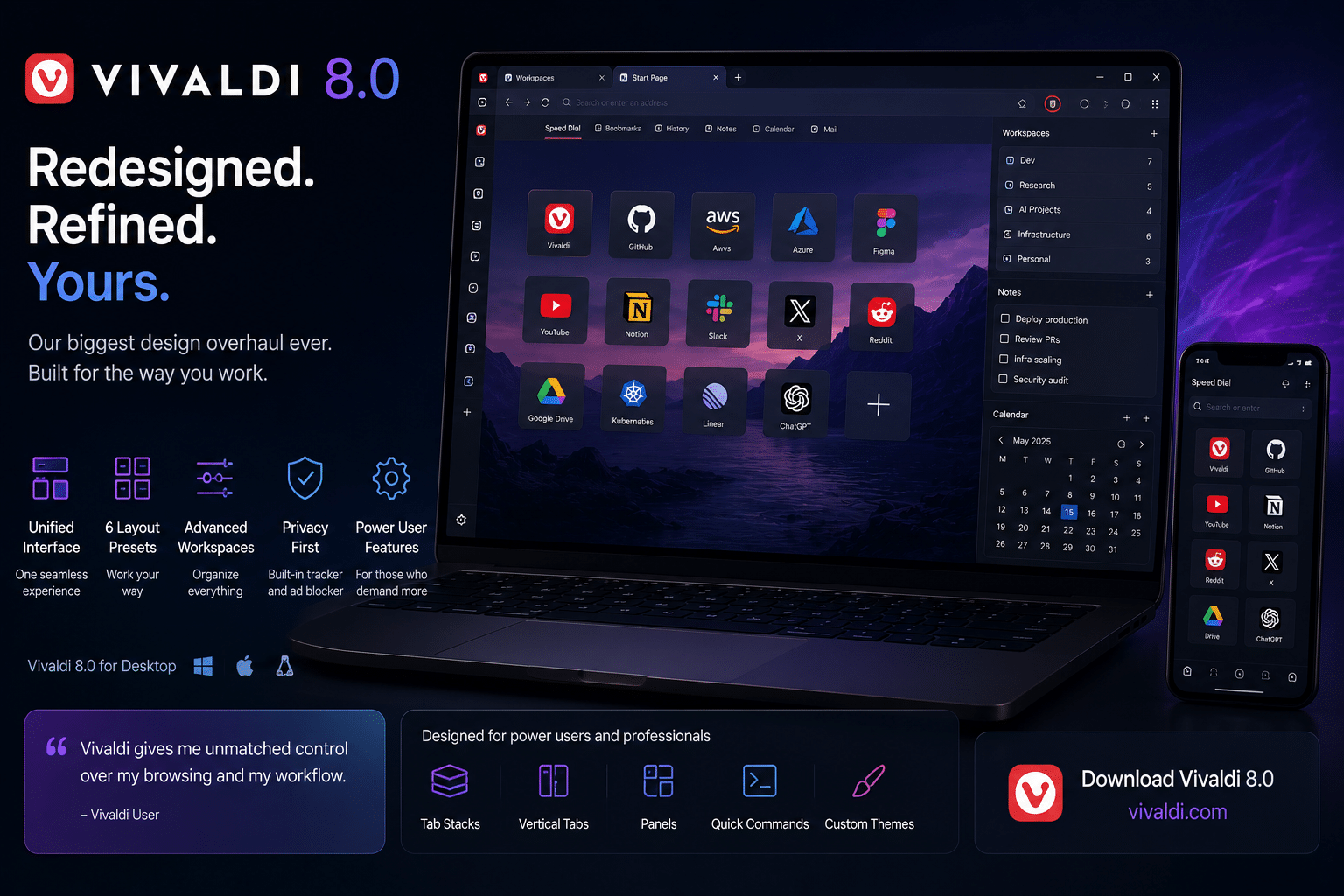
The release introduces what the company calls its most significant redesign ever, centered around a “Unified Interface” concept.
This matters because modern workflows have become fragmented.
Power users often manage:
- Dozens of tabs
- Multiple workspaces
- Side panels
- Split-screen interfaces
- Monitoring dashboards
- Communication tools
- Documentation systems
- AI copilots simultaneously
Traditional browser layouts frequently become chaotic under these conditions.
Vivaldi’s redesign attempts to solve that problem.
The new interface creates:
- Better visual cohesion
- Smoother workflow transitions
- Improved workspace organization
- Reduced interface fragmentation
- More immersive multitasking environments
For remote engineering teams, these improvements are not cosmetic.
They directly affect productivity.
Why Workflow Design Matters in Engineering Environments
Engineering work is fundamentally context-heavy.
Developers constantly switch between:
- Logs
- Documentation
- Infrastructure consoles
- Git repositories
- Monitoring dashboards
- Communication channels
- Deployment pipelines
Frequent context switching reduces efficiency significantly.
Research across productivity and engineering psychology consistently shows that interruptions and fragmented workflows reduce deep-focus performance.
That makes workspace organization critical.
Vivaldi 8.0’s redesigned layout system helps users:
- Maintain operational clarity
- Group related workflows
- Reduce navigation friction
- Organize projects more efficiently
For example:
A DevOps engineer might simultaneously manage:
- Kubernetes dashboards
- Terraform repositories
- Grafana monitoring
- Incident channels
- Cloud infrastructure panels
A browser optimized for workflow continuity can dramatically reduce cognitive overload.
The Rise of Browser-Centric Engineering
Modern software development increasingly happens inside the browser.
Several industry trends are accelerating this shift:
1. Cloud-Native Development
Organizations increasingly deploy:
- Containers
- Kubernetes clusters
- Cloud-hosted services
- Serverless infrastructure
Most management interfaces now operate through browsers.
2. Browser-Based IDEs
Platforms like:
- GitHub Codespaces
- Gitpod
- StackBlitz
- Replit
allow developers to build directly inside cloud environments.
This reduces local setup complexity while increasing browser dependency.
3. AI-Assisted Engineering
AI copilots increasingly integrate directly into browser workflows.
Engineers now use browsers for:
- AI code generation
- Documentation assistance
- Infrastructure analysis
- Automation support
This increases browser resource demands substantially.
4. SaaS Infrastructure
Modern teams rely heavily on SaaS tools for:
- Collaboration
- Monitoring
- Security
- Documentation
- Analytics
- Communication
The browser effectively becomes the enterprise workspace layer.
Vivaldi 8.0 Targets Power Users Intentionally
One of the most important aspects of Vivaldi’s strategy is its refusal to simplify aggressively at the expense of advanced users.
Many mainstream browsers prioritize:
- Minimal interfaces
- Standardized workflows
- Simplified settings
- Controlled customization
Vivaldi moves in the opposite direction.
Version 8.0 continues emphasizing:
- Deep customization
- Advanced workspace management
- Flexible layouts
- Vertical tabs
- Panel systems
- Power-user workflows
This aligns naturally with:
- Linux users
- Developers
- DevOps engineers
- System administrators
- Security professionals
- Technical creators
These audiences typically prefer:
- Workflow flexibility
- Reduced abstraction
- Efficient multitasking
- High configurability
Six Layout Presets Reflect Modern Work Diversity
One particularly smart feature in Vivaldi 8.0 is the introduction of multiple layout presets.
Different technical professionals work differently.
For example:
| Role | Likely Workflow Style |
|---|---|
| AI Engineer | Dashboard-heavy multitasking |
| DevOps Engineer | Monitoring-focused layouts |
| Cloud Architect | Multi-console environments |
| Security Analyst | Dense operational interfaces |
| Technical Writer | Minimal distraction setup |
| Remote Developer | Flexible multitasking workflows |
Instead of forcing a single workflow philosophy, Vivaldi adapts to multiple work styles.
This flexibility is increasingly important in distributed organizations where teams operate across:
- Different time zones
- Different devices
- Different environments
- Different infrastructure stacks
Remote Engineering Is Reshaping Infrastructure
The shift toward distributed work fundamentally changes workstation architecture.
Remote engineering teams require:
- Persistent environments
- Secure remote access
- Consistent workspace continuity
- High-performance rendering
- Centralized management
However, modern browser-centric workflows are resource-intensive.
Heavy browser sessions can consume:
- Gigabytes of RAM
- Significant GPU resources
- Large CPU workloads
- Continuous network bandwidth
Organizations relying solely on local devices increasingly encounter:
- Performance inconsistency
- Security fragmentation
- Hardware inequality
- Maintenance complexity
This is where centralized remote workstation infrastructure becomes strategically valuable.
Why HOMERDP Fits Modern Browser Workflows Perfectly
As browser-centric engineering grows, organizations need infrastructure capable of delivering high-performance remote workspaces efficiently.
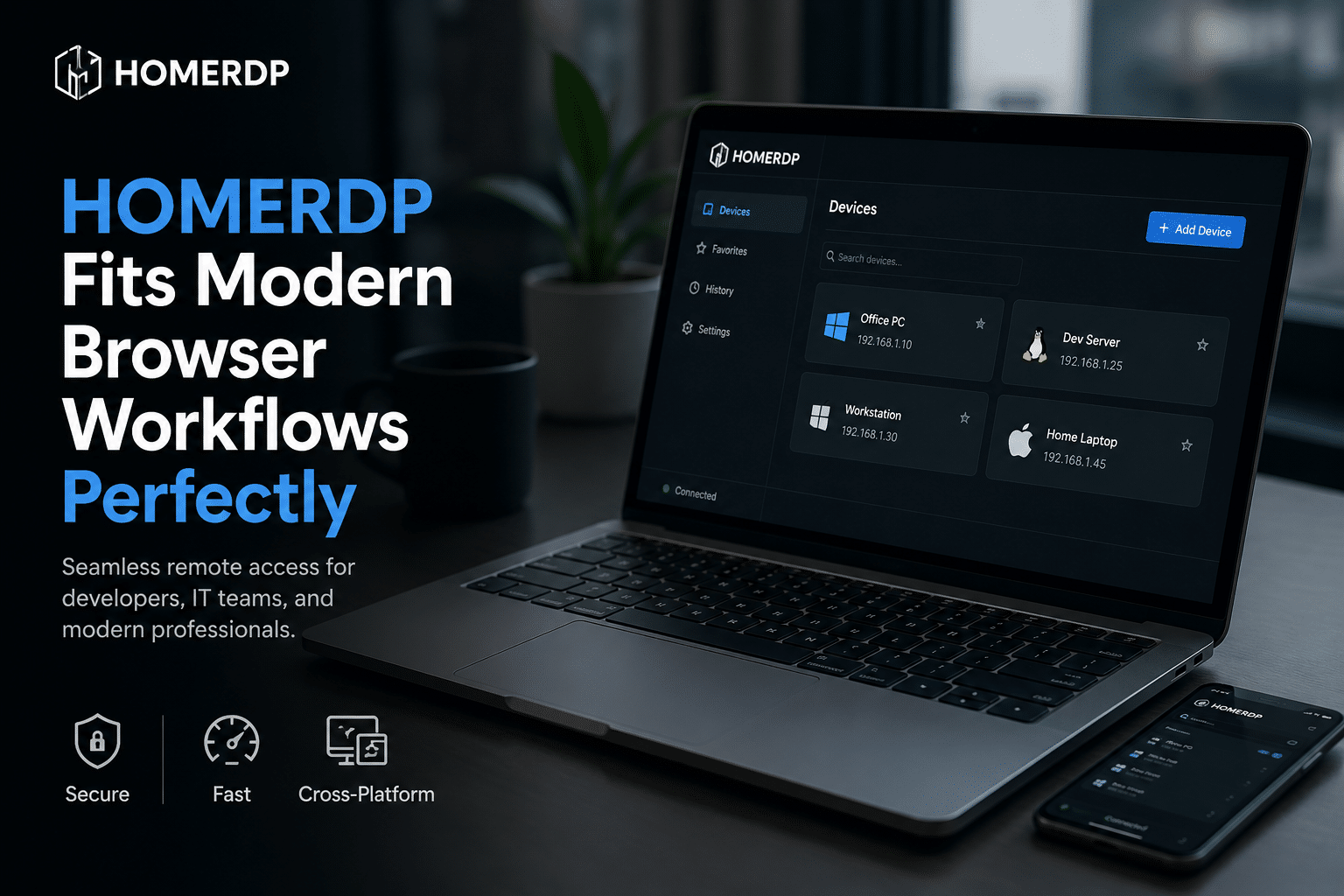
HOMERDP helps solve this challenge.
Instead of depending entirely on local hardware, companies can centralize powerful engineering environments while providing secure remote access to distributed teams.
This becomes especially valuable for:
- DevOps teams
- Cloud engineers
- AI developers
- Security analysts
- Remote software teams
- Distributed enterprises
Key Benefits of HOMERDP for Remote Engineering
1. Centralized Performance Infrastructure
Heavy browser workflows often overwhelm low-powered laptops.
Centralized infrastructure enables:
- Better CPU allocation
- More RAM availability
- GPU acceleration
- Improved browser responsiveness
Engineers gain workstation-level performance remotely.
2. Better Security Control
Remote browser workflows frequently involve:
- Infrastructure credentials
- Cloud access
- Sensitive dashboards
- Enterprise repositories
Centralized environments reduce security exposure by keeping sensitive operations inside managed infrastructure.
3. Faster Onboarding
New remote employees can receive fully configured environments immediately.
Organizations avoid:
- Complex local setup
- Dependency conflicts
- Device inconsistencies
- Environment fragmentation
4. Consistent Productivity
Distributed teams often use:
- Different devices
- Different internet conditions
- Different hardware capabilities
Centralized remote infrastructure creates more consistent experiences across the organization.
5. Easier Scaling
As engineering teams grow, centralized infrastructure simplifies:
- Resource allocation
- Workspace provisioning
- Security management
- Environment replication
Modern Browsers Are Becoming GPU Workloads
One overlooked trend is how graphically intensive browsers have become.
Modern browsers now handle:
- Video conferencing
- AI rendering
- WebAssembly
- Advanced animations
- Real-time collaboration
- Complex dashboards
- Interactive visualizations
This increases GPU dependency substantially.
Vivaldi 8.0’s redesigned interface and enhanced visual cohesion reflect this evolution.
Modern browsers increasingly behave like graphical operating environments rather than document viewers.
This creates challenges for:
- Low-powered devices
- Legacy remote access systems
- Older infrastructure stacks
Remote workstation solutions like HOMERDP help organizations adapt by centralizing GPU-capable infrastructure.
Browser Performance Directly Impacts Productivity
Small delays accumulate rapidly in engineering workflows.
For example:
- 2-second dashboard lag
- Slow tab switching
- Delayed rendering
- Workspace instability
- Session interruptions
can collectively waste hours every week across large engineering teams.
Browser optimization is no longer a minor concern.
It directly affects:
- Development velocity
- Operational efficiency
- Incident response
- Collaboration speed
- Deployment cycles
Vivaldi 8.0’s workflow-centric design aims to reduce these friction points significantly.
The Rise of Digital Workspaces
The concept of the “digital workspace” is evolving rapidly.
Modern digital workspaces now combine:
- Cloud infrastructure
- Browser environments
- Remote desktops
- Collaboration systems
- AI assistants
- Persistent workflows
Instead of isolated applications, professionals increasingly operate inside interconnected environments.
This shift favors:
- Flexible browsers
- Remote accessibility
- Cross-device continuity
- Centralized infrastructure
Vivaldi’s redesign aligns closely with this direction.
Linux and Browser Workflows Are Converging
Technical users increasingly combine Linux systems with browser-centric operations.
This combination offers:
- Flexible development environments
- Strong automation support
- Native container tooling
- Efficient scripting workflows
- Better infrastructure integration
In many organizations:
- The browser becomes the operational layer
- Linux becomes the foundational platform
This convergence is accelerating due to:
- Kubernetes adoption
- Cloud-native tooling
- Remote engineering growth
- AI development ecosystems
AI Is Accelerating Browser Evolution
Artificial intelligence is rapidly transforming browser workflows.
Developers now use AI tools directly inside browser environments for:
- Code generation
- Infrastructure analysis
- Documentation writing
- Automation scripting
- Workflow optimization
This increases browser complexity significantly.
AI-assisted workflows require:
- Better multitasking
- Faster rendering
- Efficient memory handling
- Stable session management
Vivaldi’s emphasis on workflow organization becomes increasingly valuable under these conditions.
Privacy and Customization Matter More Than Ever
Technical professionals increasingly care about:
- Data privacy
- Workflow control
- Reduced telemetry
- Customization flexibility
Vivaldi positions itself strongly in this space.
Unlike some competitors, Vivaldi continues emphasizing:
- User control
- Interface customization
- Workflow personalization
- Independent browsing philosophy
This resonates strongly with technical communities.
Challenges Organizations Must Prepare For
Modern browser-centric workspaces also introduce challenges.
Enterprises must manage:
- Browser memory consumption
- GPU requirements
- Remote rendering quality
- Workspace persistence
- Security enforcement
- Infrastructure scaling
Not all remote systems are prepared for modern browser workloads.
Older remote access technologies frequently struggle with:
- Graphics acceleration
- High-resolution displays
- Multi-monitor environments
- Real-time rendering
This makes modern remote infrastructure increasingly important.
Vivaldi 8.0 Reflects a Larger Industry Transformation
The significance of Vivaldi 8.0 extends beyond browser design.
It reflects broader shifts happening across the technology industry:
| Trend | Impact |
|---|---|
| Browser-based productivity | Web apps replacing desktop software |
| Remote engineering | Distributed infrastructure demand |
| Cloud-native development | Browser-centric operations |
| AI-assisted workflows | Increased browser complexity |
| Workspace personalization | Higher customization demand |
| GPU acceleration | More advanced rendering requirements |
These trends are reshaping how organizations build digital infrastructure.
The Future of Engineering Workspaces
The future workplace will likely combine:
- Browser-first workflows
- Cloud-native infrastructure
- AI-assisted productivity
- Remote workstation access
- Persistent digital environments
Traditional desktop computing models are gradually fading.
Instead of isolated local machines, professionals increasingly work inside:
- Connected ecosystems
- Persistent cloud sessions
- Centralized infrastructure layers
Vivaldi 8.0 demonstrates how browsers are adapting to this reality.
Final Thoughts
Vivaldi 8.0 is far more than a visual redesign.
It represents a strategic evolution toward:
- Browser-centric engineering
- Workflow-focused productivity
- Remote-first digital workspaces
- Highly customizable operational environments
For developers, DevOps teams, cloud architects, AI engineers, and remote technical organizations, these changes matter enormously.
At the same time, modern browser workflows create new infrastructure requirements.
Organizations increasingly need:
- Centralized remote workstations
- GPU-capable infrastructure
- Secure browser environments
- High-performance remote access
- Scalable digital workspace management
That is where HOMERDP becomes strategically valuable.
As browsers evolve into complete operational ecosystems, infrastructure quality becomes just as important as the browser itself.
Vivaldi 8.0 offers a glimpse into the future of professional computing: customizable, immersive, cloud-connected, and built for serious technical work.
EXPLORE MORE ; Singapore RDP: Updates on the Highly anticipated cloud-based platform

READ OUR BLOGS