

Ultramarine 44 Arrives: 10 Features That Make This Fedora-Based Linux Distro Stand Out
The Linux desktop landscape continues to evolve at an impressive pace. While several distributions compete for attention by offering either bleeding-edge packages or long-term stability, only a few successfully strike a balance between innovation, usability, and developer productivity. Ultramarine Linux has steadily positioned itself in this category, and the release of Ultramarine 44 further reinforces its reputation as one of the most promising Fedora-based Linux distributions available today.
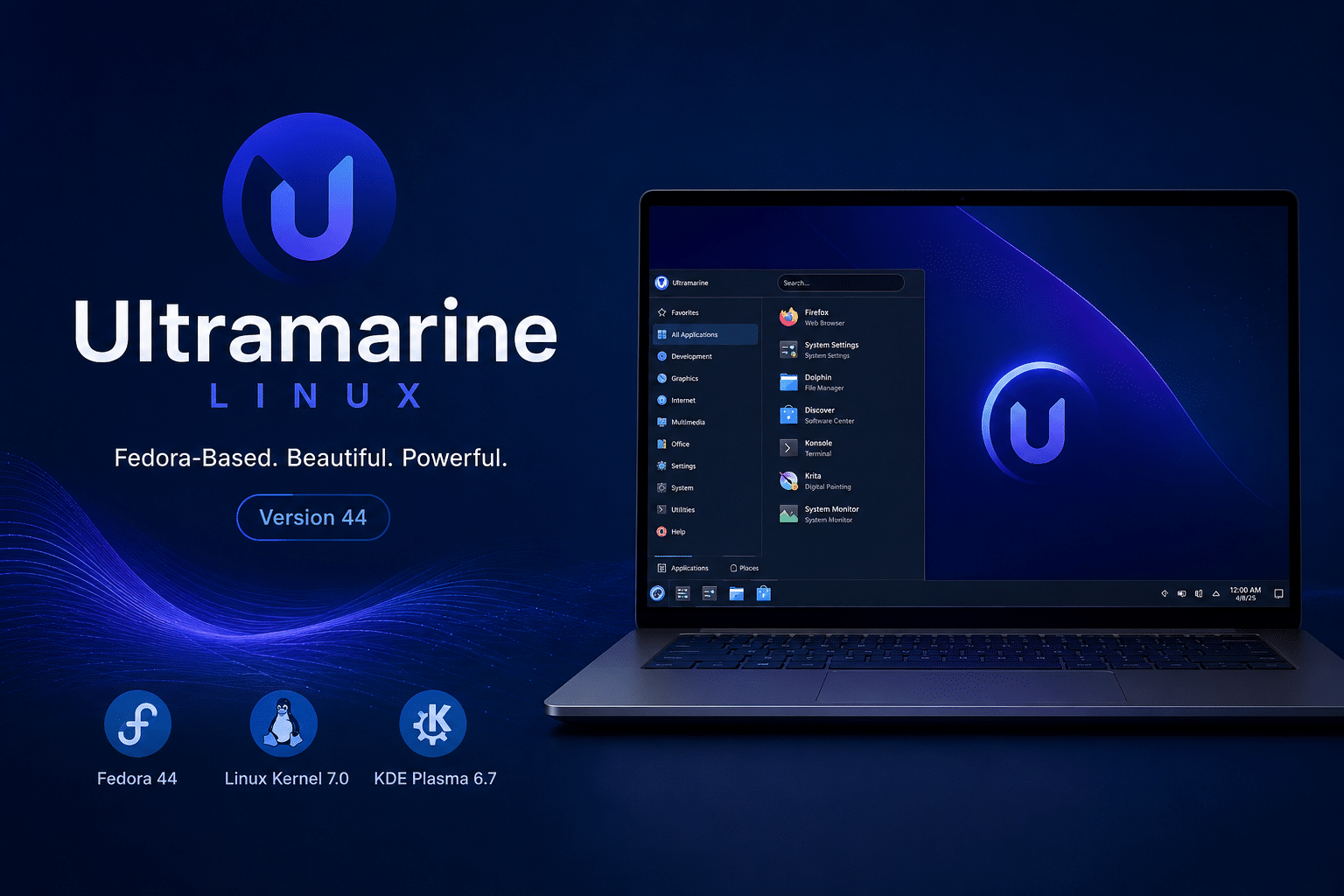
Built on Fedora Linux 44, powered by the Linux 7.0 kernel, and shipping with KDE Plasma 6.7, Ultramarine 44 delivers a refined desktop experience that caters to newcomers, power users, software developers, and enterprise professionals alike.
Unlike many Linux distributions that expect users to spend hours tweaking repositories, installing codecs, and configuring essential software after installation, Ultramarine adopts a different philosophy. It provides a polished, ready-to-use environment from the moment users log in for the first time.
For developers and IT professionals who need modern tools without unnecessary complexity, Ultramarine 44 is shaping up to be one of the most compelling Linux desktop releases of the year.
What Is Ultramarine Linux?
Ultramarine Linux is a community-driven operating system built on Fedora. The project aims to offer a more user-friendly experience while preserving Fedora’s cutting-edge technologies and robust package ecosystem.
Fedora has long been recognized as an innovation platform where technologies often debut before finding their way into enterprise Linux distributions. However, some users consider vanilla Fedora slightly intimidating due to its minimal default setup and reliance on post-installation configuration.
Ultramarine addresses these concerns by delivering:
- Better out-of-the-box usability
- Preconfigured software repositories
- Hardware-friendly defaults
- Simplified onboarding
- Enhanced desktop customization
- Developer-oriented tooling
- Multiple desktop environment options
The result is a Linux distribution that feels modern, approachable, and production-ready from day one.
Why Ultramarine 44 Matters
Linux adoption continues to accelerate across multiple industries.
Software engineering teams increasingly rely on Linux for:
- Cloud-native development
- Container orchestration
- Artificial intelligence workloads
- DevOps pipelines
- Cybersecurity research
- Edge computing
- Remote development environments
At the same time, everyday users seek operating systems that are secure, responsive, and easy to maintain.
Ultramarine 44 attempts to satisfy both audiences by combining Fedora’s latest innovations with practical usability enhancements.
Let’s examine the ten features that make this release particularly noteworthy.
1. Built on Fedora Linux 44
The most significant aspect of Ultramarine 44 is its foundation.
Fedora Linux has earned a reputation for being one of the most technologically progressive Linux distributions in existence. It often introduces technologies that later become standards throughout the Linux ecosystem.
Fedora 44 brings numerous improvements, including:
Updated Development Stack
Developers gain access to:
- Newer compilers
- Updated programming languages
- Modern runtime libraries
- Recent container tooling
- Enhanced package versions
For software engineers, this means less time spent maintaining outdated dependencies and more time focusing on application development.
Improved Performance
Fedora 44 introduces several optimizations that improve:
- Package management speed
- Boot performance
- Resource utilization
- System responsiveness
Enhanced Security
Modern security technologies continue to receive improvements through:
- Updated cryptographic libraries
- Stronger package verification
- Improved sandboxing
- Better isolation mechanisms
Because Ultramarine inherits Fedora’s technology stack, users receive these improvements while benefiting from a more polished desktop experience.
2. Powered by Linux Kernel 7.0
The Linux kernel remains one of the most actively developed software projects in the world.
The arrival of Linux Kernel 7.0 brings significant enhancements that directly affect desktop users, developers, and system administrators.
Better Hardware Compatibility
Hardware support remains one of Linux’s biggest strengths.
Kernel 7.0 improves compatibility with:
- Modern processors
- Integrated graphics solutions
- Dedicated GPUs
- New storage controllers
- Wireless chipsets
- Peripheral devices
This means users are less likely to encounter driver issues when deploying Ultramarine 44 on newly released hardware.
Improved Scheduling
The kernel includes numerous scheduling optimizations that improve:
- Multitasking
- Desktop responsiveness
- Application performance
- CPU efficiency
Developers running multiple workloads simultaneously—such as Docker containers, IDEs, browsers, and virtual machines—will particularly appreciate these improvements.
Better Memory Management
Memory handling has received continued optimization.
Benefits include:
- Reduced memory overhead
- Improved cache efficiency
- Faster application switching
- Better resource allocation
These improvements help create a smoother desktop experience, especially during heavy multitasking scenarios.
3. KDE Plasma 6.7 Delivers a Modern Desktop Experience
One of the most exciting aspects of Ultramarine 44 is its adoption of KDE Plasma 6.7.
KDE Plasma has evolved into one of Linux’s most sophisticated desktop environments.
Its reputation stems from several strengths:
- Extensive customization
- Excellent performance
- Attractive visual design
- Advanced productivity features
Plasma 6.7 further refines these qualities.
Improved Window Management
Users benefit from:
- Smoother animations
- Better desktop transitions
- Enhanced multitasking
- Improved responsiveness
More Polished Interface
KDE developers continue to improve:
- Notification systems
- System settings organization
- User interface consistency
- Accessibility features
Better Wayland Support
Wayland has become increasingly important across Linux desktops.
Plasma 6.7 delivers improvements in:
- Multi-monitor configurations
- Touch input
- Graphics performance
- Security
The desktop feels more responsive and polished than ever before.
4. Ready-to-Use Out of the Box
Many Linux distributions expect users to perform significant post-installation work.
Common tasks often include:
- Adding repositories
- Installing multimedia codecs
- Configuring package sources
- Adjusting system settings
- Installing drivers
Ultramarine dramatically reduces this setup burden.
The distribution arrives with sensible defaults and practical configurations that allow users to become productive immediately.
This approach provides significant advantages:
Faster Deployment
Users can install the operating system and begin working within minutes.
Lower Learning Curve
New Linux users encounter fewer obstacles.
Better First Impressions
A polished first experience significantly increases user satisfaction and retention.
For organizations deploying Linux desktops at scale, reducing setup complexity can save considerable time and administrative effort.
5. Developer-Friendly Environment
Linux remains the preferred operating system for developers worldwide.
Ultramarine 44 continues this tradition by offering an exceptional development platform.
Developers typically require:
- Recent compilers
- Container runtimes
- Virtualization support
- Multiple language ecosystems
- Modern package versions
Ultramarine provides access to all of these capabilities.
Excellent Programming Language Support
Developers can work with:
- Python
- Java
- Go
- Rust
- C
- C++
- JavaScript
- TypeScript
Strong Container Ecosystem
Modern software engineering increasingly relies on containers.
Ultramarine supports:
- Docker
- Podman
- Kubernetes tooling
- OCI-compatible environments
This makes the distribution highly suitable for cloud-native application development.
6. Better Hardware Support and Device Compatibility
Hardware compatibility remains essential for widespread Linux adoption.
Ultramarine 44 benefits from Fedora’s aggressive hardware enablement strategy.
The distribution generally performs exceptionally well on:
Modern Laptops
Support includes:
- Wi-Fi adapters
- Bluetooth devices
- Power management
- Audio systems
- Touchpads
Desktop Workstations
Users benefit from:
- Multi-monitor support
- High-resolution displays
- Dedicated graphics cards
- USB peripherals
Developer Machines
Professionals using:
- Multiple displays
- External storage
- Docking stations
- High-performance hardware
can generally expect excellent compatibility.
This broad hardware support significantly reduces deployment friction.
7. Strong Security Foundations
Security remains one of Linux’s strongest advantages.
Ultramarine inherits Fedora’s security-first approach.
Several security technologies contribute to its robust foundation.
SELinux
Security-Enhanced Linux provides mandatory access controls that restrict application behavior.
Benefits include:
- Reduced attack surface
- Better process isolation
- Enhanced application security
- Stronger policy enforcement
Signed Packages
Software integrity receives additional protection through package signing and verification mechanisms.
Rapid Security Updates
Because Ultramarine follows Fedora’s release cadence, users gain access to security patches relatively quickly.
For professionals handling sensitive workloads, these security improvements are highly valuable.
8. Excellent Virtualization and Remote Development Capabilities
Remote development has become increasingly important.
Many developers now work across:
- Distributed teams
- Hybrid workplaces
- Cloud environments
- Multiple devices
Linux desktops increasingly serve as gateways to remote infrastructure.
Ultramarine 44 excels in this area because it supports:
- Virtual machines
- Containers
- SSH workflows
- Cloud-native development environments
- Remote administration
Pairing Ultramarine 44 with HOMERDP Infrastructure
Many organizations prefer separating local desktop environments from high-performance development environments.
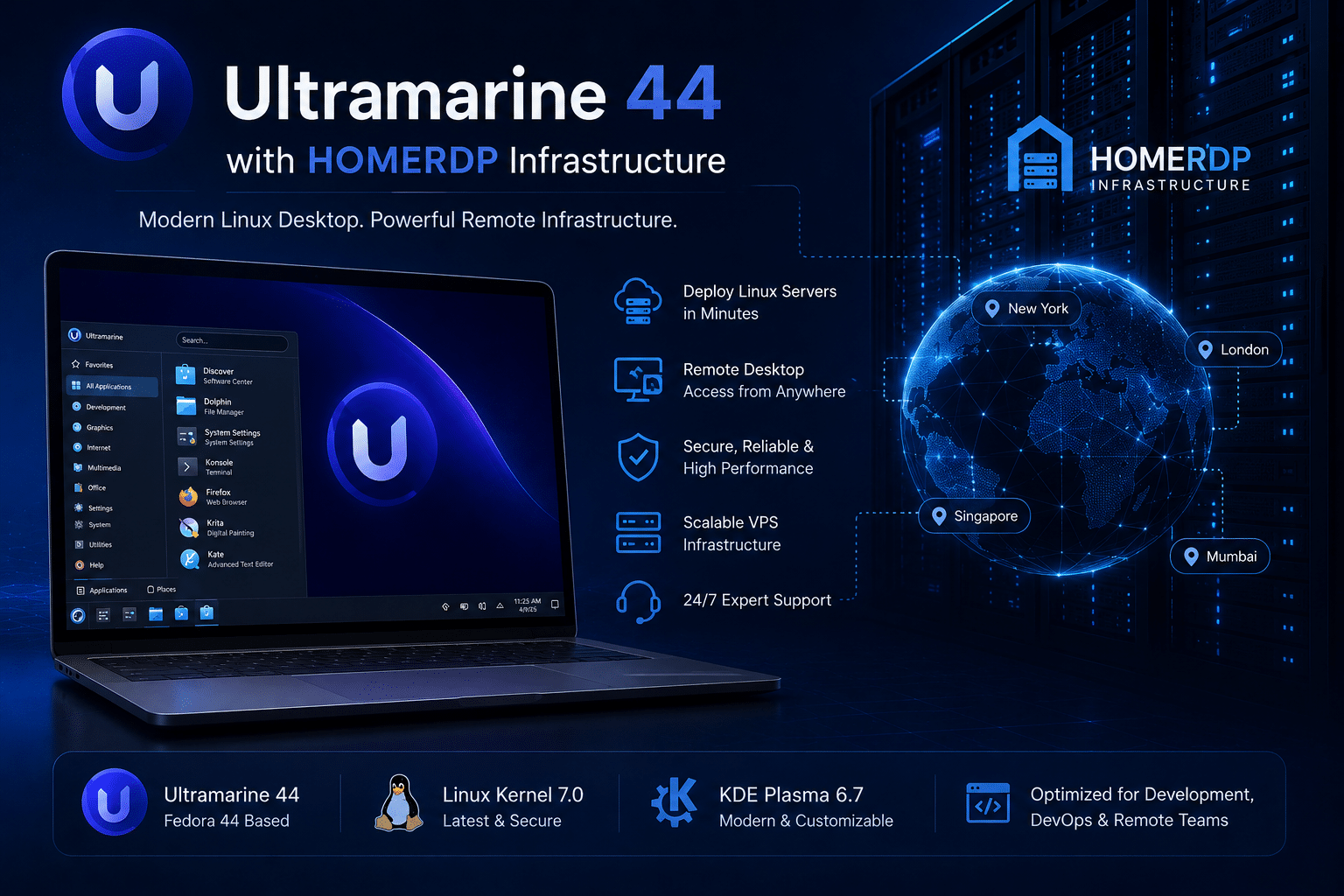
This is where HOMERDP’s Linux VPS and Remote Desktop services become especially useful.
Developers can use HOMERDP to:
Create Dedicated Development Servers
Remote environments can host:
- Large codebases
- Build pipelines
- Databases
- Container clusters
- CI/CD systems
Access Linux from Anywhere
Remote desktops allow developers to:
- Continue projects across devices
- Maintain consistent environments
- Collaborate efficiently
- Access powerful computing resources remotely
Build Testing Labs
Organizations can deploy isolated Linux environments for:
- Software testing
- Quality assurance
- Security research
- Development experimentation
Reduce Infrastructure Costs
Instead of continually upgrading local hardware, businesses can scale development resources using remote Linux environments.
For teams evaluating modern distributions like Ultramarine 44, HOMERDP provides a practical platform for spinning up Linux instances quickly and efficiently.
9. Highly Customizable Desktop Experience
Customization remains one of KDE Plasma’s greatest strengths.
Ultramarine 44 fully embraces this flexibility.
Users can personalize:
- Panels
- Themes
- Icons
- Window behavior
- Keyboard shortcuts
- Workspaces
- Widgets
This flexibility benefits several categories of users.
Developers
Can optimize workflows for coding and multitasking.
Designers
Can create visually pleasing workspaces.
Power Users
Can build highly efficient productivity environments.
Unlike operating systems that restrict user customization, Ultramarine encourages experimentation and personalization.
10. A Distribution Suitable for Beginners and Experts Alike
Perhaps Ultramarine 44’s greatest achievement is balancing accessibility with power.
Linux distributions often struggle to satisfy both new users and experienced professionals.
Ultramarine manages to serve both audiences effectively.
For Beginners
Benefits include:
- Friendly installation process
- Sensible defaults
- Reduced setup complexity
- Modern interface
- Excellent hardware compatibility
For Developers
Advantages include:
- Recent packages
- Modern toolchains
- Container support
- Virtualization capabilities
- Cloud development readiness
For Enterprises
Organizations gain:
- Security
- Stability
- Scalability
- Manageability
- Deployment flexibility
This broad appeal significantly increases Ultramarine’s potential adoption across various use cases.
Why Ultramarine 44 Is More Than Just Another Fedora Spin
Fedora has inspired numerous derivative distributions over the years.
However, Ultramarine differentiates itself through its philosophy.
The project does not merely repackage Fedora.
Instead, it focuses on delivering:
- Better usability
- Practical defaults
- Improved onboarding
- Enhanced productivity
- Polished desktop experiences
This approach addresses many barriers that have traditionally prevented wider Linux desktop adoption.
By reducing complexity without sacrificing flexibility, Ultramarine appeals to both newcomers and seasoned Linux professionals.
Final Thoughts
Ultramarine 44 represents another impressive step forward for Fedora-based Linux distributions. By combining the latest innovations from Fedora Linux 44, Linux Kernel 7.0, and KDE Plasma 6.7, the distribution delivers a desktop experience that feels modern, responsive, and highly capable.
Its strengths become particularly evident in ten key areas:
- Fedora 44 foundation
- Linux Kernel 7.0 improvements
- KDE Plasma 6.7 enhancements
- Ready-to-use configuration
- Developer-friendly ecosystem
- Excellent hardware support
- Strong security model
- Virtualization and remote development capabilities
- Extensive customization
- Broad appeal across user segments
For developers, system administrators, students, and enterprise users seeking a modern Linux desktop that minimizes friction while maximizing productivity, Ultramarine 44 deserves serious consideration.
As remote work and cloud-native development continue to shape the future of computing, pairing a modern Linux desktop like Ultramarine 44 with scalable infrastructure solutions such as HOMERDP’s Linux VPS and Remote Desktop services creates a powerful combination. Users gain the flexibility of an elegant local desktop while accessing high-performance remote Linux environments whenever projects demand additional computing resources.
The Linux desktop ecosystem continues to mature, and Ultramarine 44 stands as compelling evidence that Linux can be innovative, user-friendly, developer-focused, and enterprise-ready—all at the same time.
EXPLORE MORE ; Why COSMIC Is Linux’s Most Exciting Desktop Project
READ OUR BLOGS