

Stop Your ISP from Tracking Your DNS: Turn On This Windows 11 Feature
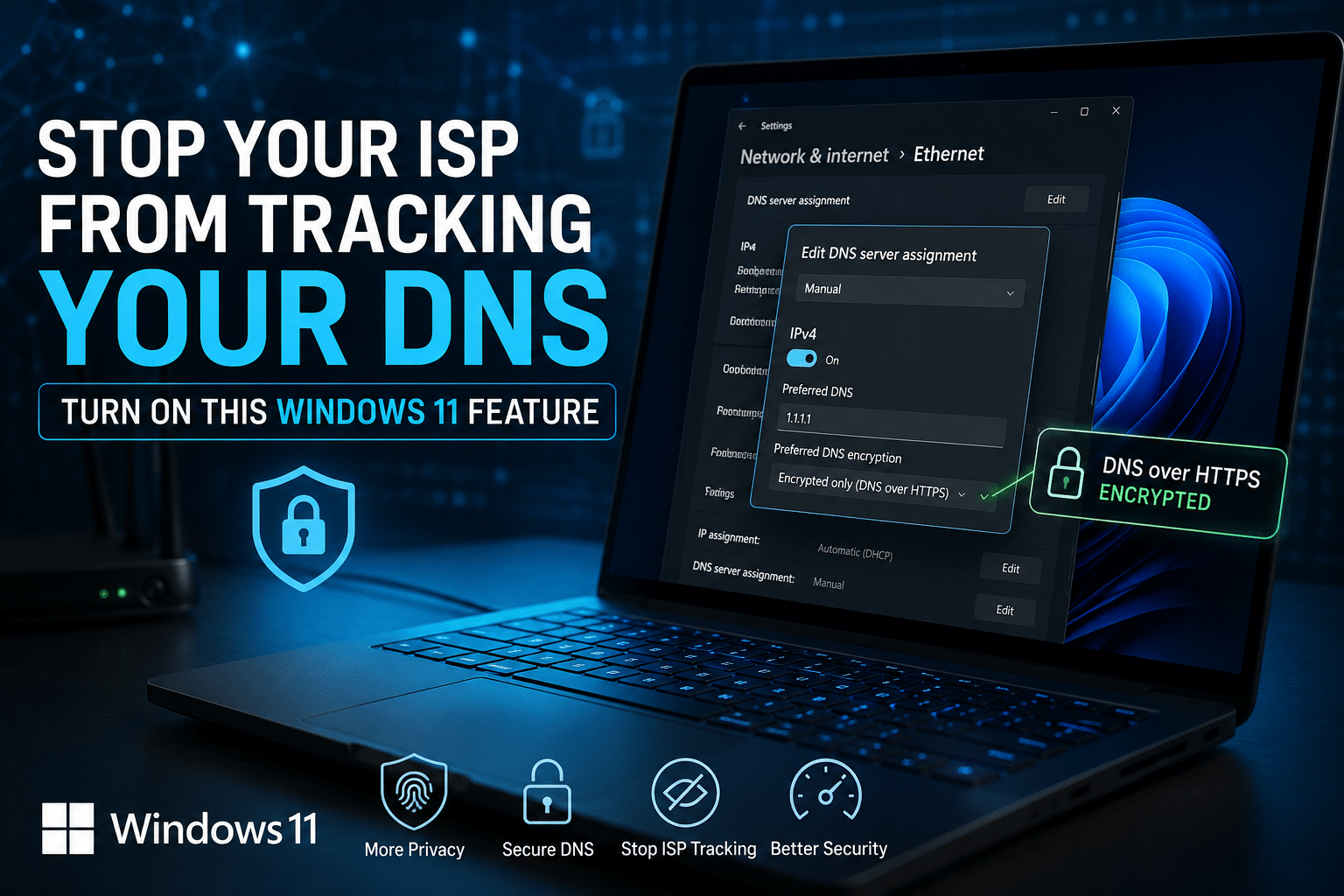
Most Windows 11 users spend time installing antivirus software, enabling two-factor authentication, and keeping their systems updated. Yet many overlook one of the simplest privacy improvements already built into the operating system: DNS over HTTPS (DoH).
Every time you type a website address into your browser, your device asks a Domain Name System (DNS) server to translate that domain name into an IP address. Traditionally, these requests are sent in plain text. That means your Internet Service Provider (ISP), administrators on public Wi-Fi, and other intermediaries can often see which websites you’re trying to visit, even if the website itself uses HTTPS.
Windows 11 includes native support for DNS over HTTPS, which encrypts these DNS requests before they leave your computer. The result is better privacy, stronger protection against DNS manipulation, and a more secure browsing experience without installing extra software.
Whether you’re a student, remote employee, developer, gamer, system administrator, or business owner, enabling DoH is one of the easiest upgrades you can make in just a few minutes.
What Is DNS?

DNS stands for Domain Name System, often called the internet’s phonebook.
Instead of remembering long numerical IP addresses, people use domain names like:
- google.com
- microsoft.com
- github.com
When you enter a website into your browser, Windows contacts a DNS server to determine the correct IP address before connecting to the website.
This process happens thousands of times every day on a typical computer.
Every application that accesses the internet—including browsers, games, cloud software, Windows Update, and Remote Desktop—relies on DNS.
The Problem with Traditional DNS
Traditional DNS was designed decades ago when internet privacy wasn’t a major concern.
Standard DNS traffic is usually transmitted without encryption.
This creates several privacy problems.
Your ISP Can See DNS Requests
Although your ISP cannot read encrypted HTTPS webpage content, it can often see the DNS lookups made before those connections are established.
This allows providers to build browsing profiles and collect metadata about internet usage.
Public Wi-Fi Isn’t Always Safe
Coffee shops, airports, hotels, and libraries often operate public Wi-Fi networks.
Without encrypted DNS, network operators may observe DNS requests or interfere with them.
DNS Manipulation Exists
Cybercriminals sometimes perform attacks such as:
- DNS spoofing
- DNS hijacking
- DNS cache poisoning
- Redirect attacks
These techniques attempt to redirect users toward fake websites or intercept internet traffic.
What Is DNS over HTTPS (DoH)?
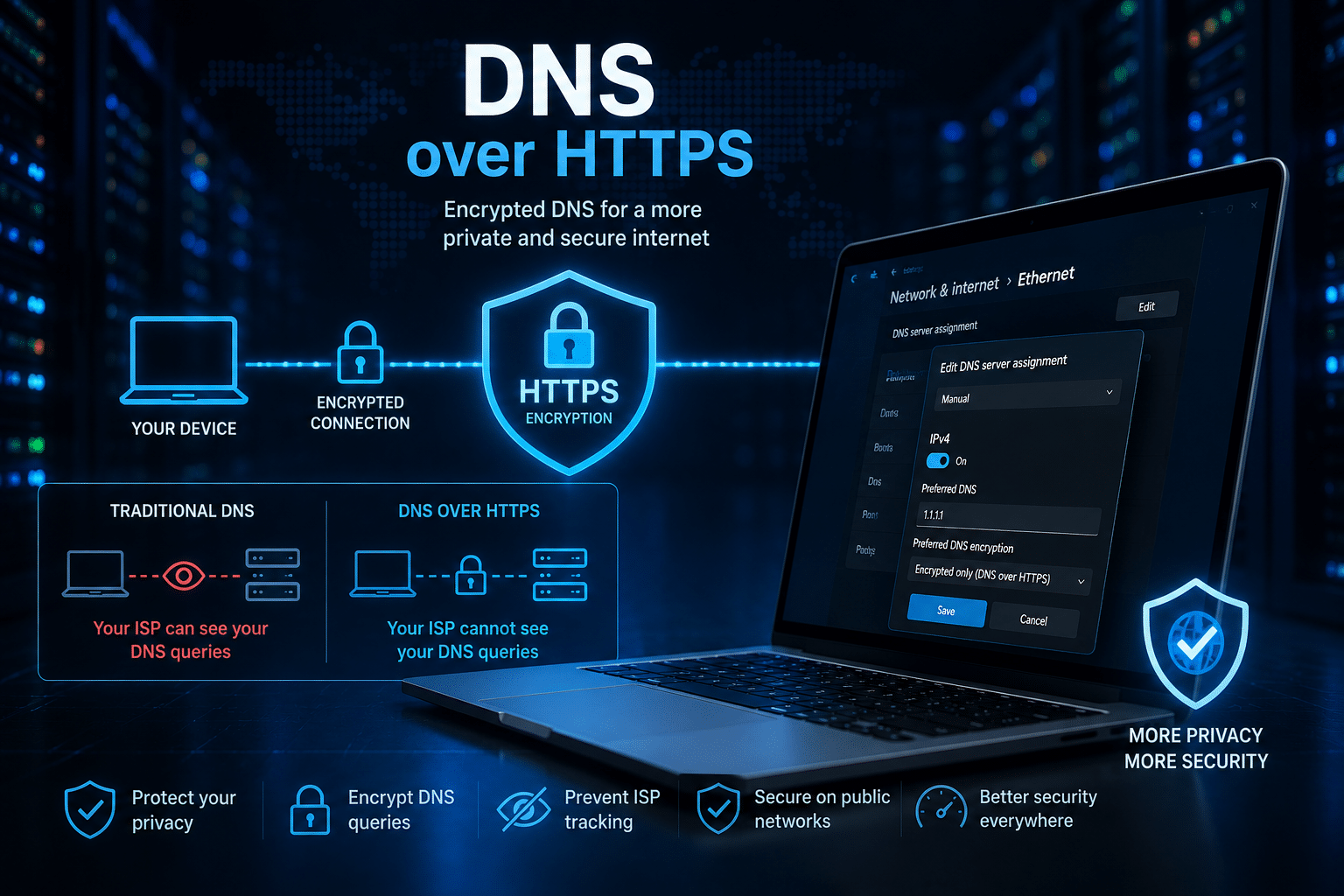
DNS over HTTPS encrypts DNS requests using the HTTPS protocol.
Instead of sending plain-text DNS queries, Windows sends encrypted requests through secure HTTPS connections to a trusted DNS provider.
Anyone monitoring your internet connection sees encrypted HTTPS traffic instead of readable DNS requests.
Benefits include:
- Improved privacy
- Encrypted DNS traffic
- Reduced ISP visibility
- Better protection against DNS tampering
- Safer browsing on public Wi-Fi
- Stronger security for remote work
Why Windows 11 Includes DNS over HTTPS
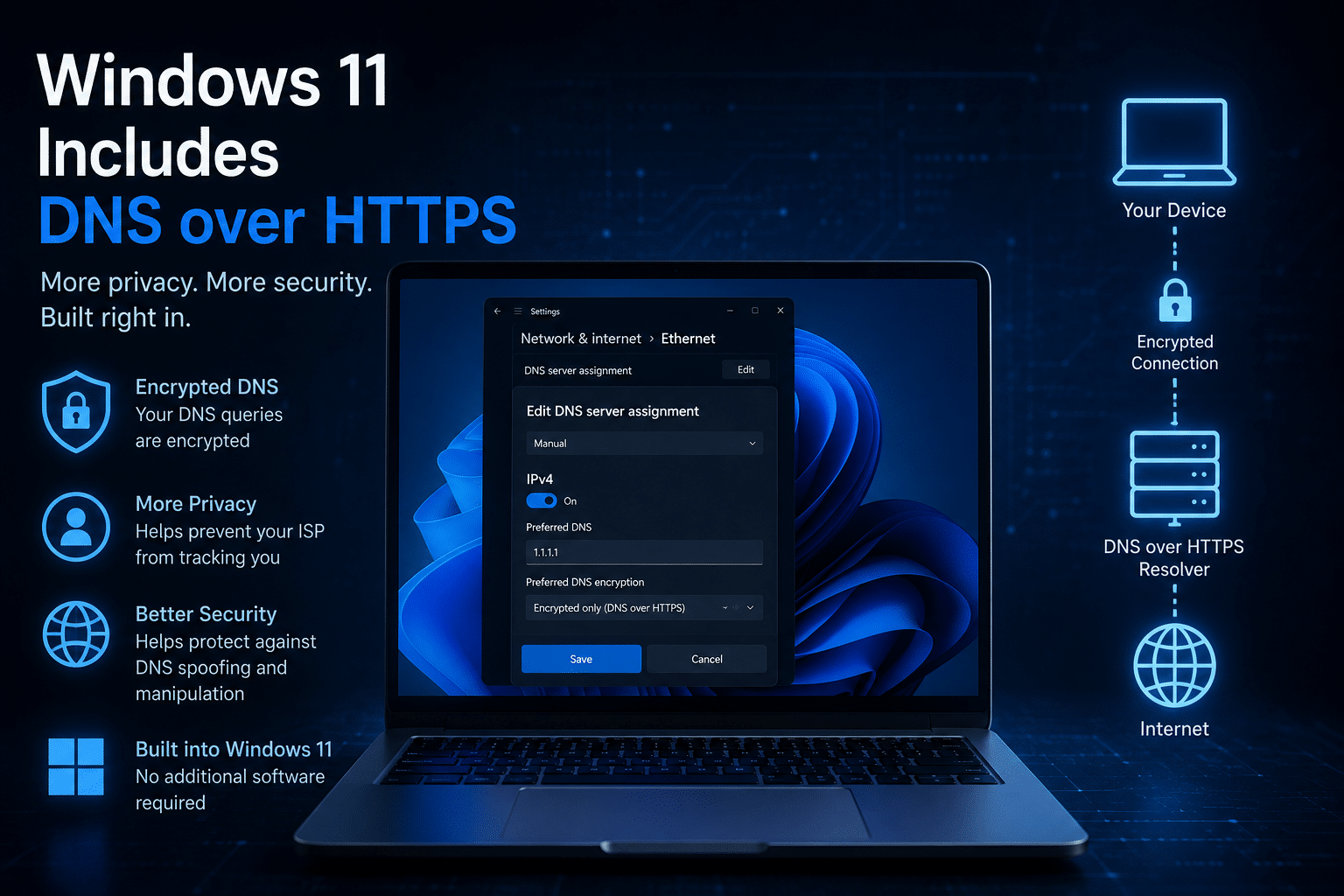
Microsoft introduced DoH support because internet privacy expectations have changed dramatically.
Modern users:
- Work remotely
- Store data in the cloud
- Access banking websites
- Manage cryptocurrency wallets
- Use remote desktops
- Connect to corporate VPNs
- Access AI platforms
Protecting DNS traffic is now considered an important security layer rather than an optional feature.
How DNS over HTTPS Works
The process is simple.
Without DoH:
- You type a website address.
- Windows sends a plain DNS request.
- DNS server replies.
- Browser opens the website.
With DoH:
- You type a website address.
- Windows encrypts the DNS request.
- The encrypted request travels over HTTPS.
- A trusted DNS resolver decrypts it.
- The browser connects normally.
The experience feels exactly the same for the user, but your DNS traffic gains an important layer of privacy.
Major Advantages of DNS over HTTPS
1. Better Privacy
The biggest advantage is privacy.
Encrypted DNS reduces the amount of browsing metadata visible to your ISP and other network observers.
2. Stronger Security
Encryption makes DNS requests harder to intercept or manipulate.
This reduces exposure to certain network-based attacks.
3. Public Wi-Fi Protection
If you frequently work from airports, cafés, hotels, or coworking spaces, DoH helps prevent local network monitoring of your DNS traffic.
4. No Additional Software Required
Unlike VPN software or third-party security tools, Windows 11 already supports DoH.
You simply enable it in Settings.
5. Minimal Performance Impact
Modern DNS providers optimize encrypted DNS services for speed.
For most users, the performance difference is negligible.
Who Should Enable DNS over HTTPS?
Almost everyone.
It is especially valuable for:
- Remote workers
- Students
- Developers
- IT administrators
- Gamers
- Small businesses
- Digital marketers
- Freelancers
- Cloud engineers
- Content creators
- Server administrators
If your work depends on internet privacy, encrypted DNS is worth enabling.
Why Remote Desktop Users Should Care
Remote Desktop users often access:
- Company servers
- Windows VPS
- Financial dashboards
- Development environments
- Customer databases
- AI workloads
- Cloud management portals
Although Remote Desktop Protocol (RDP) encrypts session traffic, DNS requests generated by the operating system also deserve protection.
Using encrypted DNS helps reduce unnecessary exposure of browsing and service lookup information.
How HOMERDP Users Can Benefit
If you use HOMERDP for Windows Remote Desktop, VPS hosting, GPU-powered RDP, or dedicated cloud desktops, enabling DNS over HTTPS complements your existing security practices.
For example, developers connecting to remote Windows environments often access code repositories, package managers, cloud APIs, and administrative dashboards. Encrypting DNS lookups helps keep those requests private while they work.
Professionals using HOMERDP can strengthen their workflow by combining:
- High-performance Windows RDP
- Reliable cloud infrastructure
- Encrypted RDP sessions
- Windows Defender
- Multi-factor authentication
- DNS over HTTPS
Whether you’re running AI tools, video editing software, CAD applications, trading platforms, automation scripts, or enterprise software on a remote desktop, secure DNS adds another valuable layer of protection.

How to Enable DNS over HTTPS in Windows 11
Follow these steps:
- Open Settings.
- Select Network & Internet.
- Choose your active Ethernet or Wi-Fi connection.
- Open Hardware Properties.
- Locate DNS Server Assignment.
- Click Edit.
- Select Manual.
- Enter your preferred DNS server.
- Choose Encrypted Only (DNS over HTTPS).
- Save the changes.
The entire process usually takes less than five minutes.
DNS over HTTPS vs Traditional DNS
| Feature | Traditional DNS | DNS over HTTPS |
|---|---|---|
| Encryption | No | Yes |
| ISP Visibility | High | Lower |
| Public Wi-Fi Security | Limited | Improved |
| DNS Tampering Protection | Limited | Better |
| Privacy | Basic | Enhanced |
Does DNS over HTTPS Replace a VPN?
No.
A VPN encrypts much more of your internet traffic and masks your IP address from websites.
DNS over HTTPS focuses specifically on encrypting DNS queries.
Using both together provides stronger overall privacy than using either one alone.
Common Myths
Myth 1: HTTPS Already Protects Everything
HTTPS encrypts website content, but DNS requests may still reveal the domains you are trying to access if DoH is not enabled.
Myth 2: Only Businesses Need It
Anyone using the internet benefits from protecting DNS traffic.
Myth 3: It Slows Down Browsing
Most users notice little or no speed difference because modern DoH providers use highly optimized infrastructure.
Myth 4: It’s Difficult to Configure
Windows 11 includes built-in support, making setup straightforward through the Settings app.
Additional Security Tips
DNS over HTTPS is only one part of a secure Windows setup.
For better protection:
- Keep Windows updated.
- Enable Microsoft Defender.
- Turn on Windows Firewall.
- Use BitLocker if available.
- Enable Multi-Factor Authentication.
- Use a password manager.
- Avoid downloading software from untrusted sources.
- Use strong, unique passwords.
- Back up important files regularly.
Why Businesses Should Enable DoH
Organizations with remote teams can improve their security posture by enabling encrypted DNS across employee devices.
Benefits include:
- Better privacy
- Reduced DNS interception risks
- Improved protection on public networks
- Stronger support for hybrid work environments
- Enhanced trust in DNS resolution
Combined with secure endpoint management and reliable Remote Desktop infrastructure, encrypted DNS helps create a safer environment for employees and customers alike.
Final Thoughts
Privacy on today’s internet is built layer by layer. While DNS over HTTPS will not replace antivirus software, firewalls, or VPNs, it closes an often-overlooked gap by encrypting one of the first steps your computer performs whenever it connects to an online service.
Windows 11 already includes this capability, and enabling it takes only a few minutes. In return, you gain improved privacy, stronger protection against DNS-based attacks, and greater confidence when using public or shared networks.
If you rely on remote Windows environments, combining DNS over HTTPS with a dependable infrastructure provider like HOMERDP can further strengthen your workflow. HOMERDP’s Windows RDP, VPS, and GPU-powered desktop solutions offer the performance professionals need, while simple security practices—such as enabling DoH, keeping Windows updated, and using multi-factor authentication—help protect the systems you depend on every day.
A small change in your Windows settings today can make your online experience more private and more secure tomorrow.

FAQs
Does DNS over HTTPS make my internet faster?
Usually, browsing speed remains the same. Some users may even notice faster DNS responses depending on the provider they choose.
Can my ISP still see that I’m connected to the internet?
Yes. Your ISP can still see that you are online and the IP addresses you connect to, but DoH encrypts the DNS requests that reveal the domain names you look up.
Is DNS over HTTPS free?
Yes. Windows 11 includes support for DoH, and trusted providers such as Cloudflare, Google Public DNS, and Quad9 offer free encrypted DNS services.
Should I enable DoH on my Windows RDP server?
Yes. If your workloads rely on external domain lookups, enabling DoH can improve privacy by encrypting DNS queries generated from the server.
Is DoH enough to protect my privacy?
No. DoH is one layer of security. Pair it with system updates, strong authentication, endpoint protection, secure browsing habits, and, where appropriate, a VPN for more comprehensive protection.
EXPLORE MORE ; Why Enterprises Are Replacing VPNs with RustDesk and Tailscale

READ OUR BLOGS