


Top Linux Apps for Students Preparing for Technical Careers
In today’s competitive technical landscape, students cannot rely on theory alone. Employers expect hands-on skills, command-line confidence, and familiarity with real Linux environments. Whether you are preparing for careers in IT, software development, system administration, data science, or technical government roles, Linux proficiency gives you a serious edge.
This article highlights top Linux apps students should try this weekend to build practical skills, strengthen technical foundations, and gain confidence—all while using a remote Linux desktop powered by HOMERDP for seamless learning.
Why Linux Skills Matter for Technical Careers
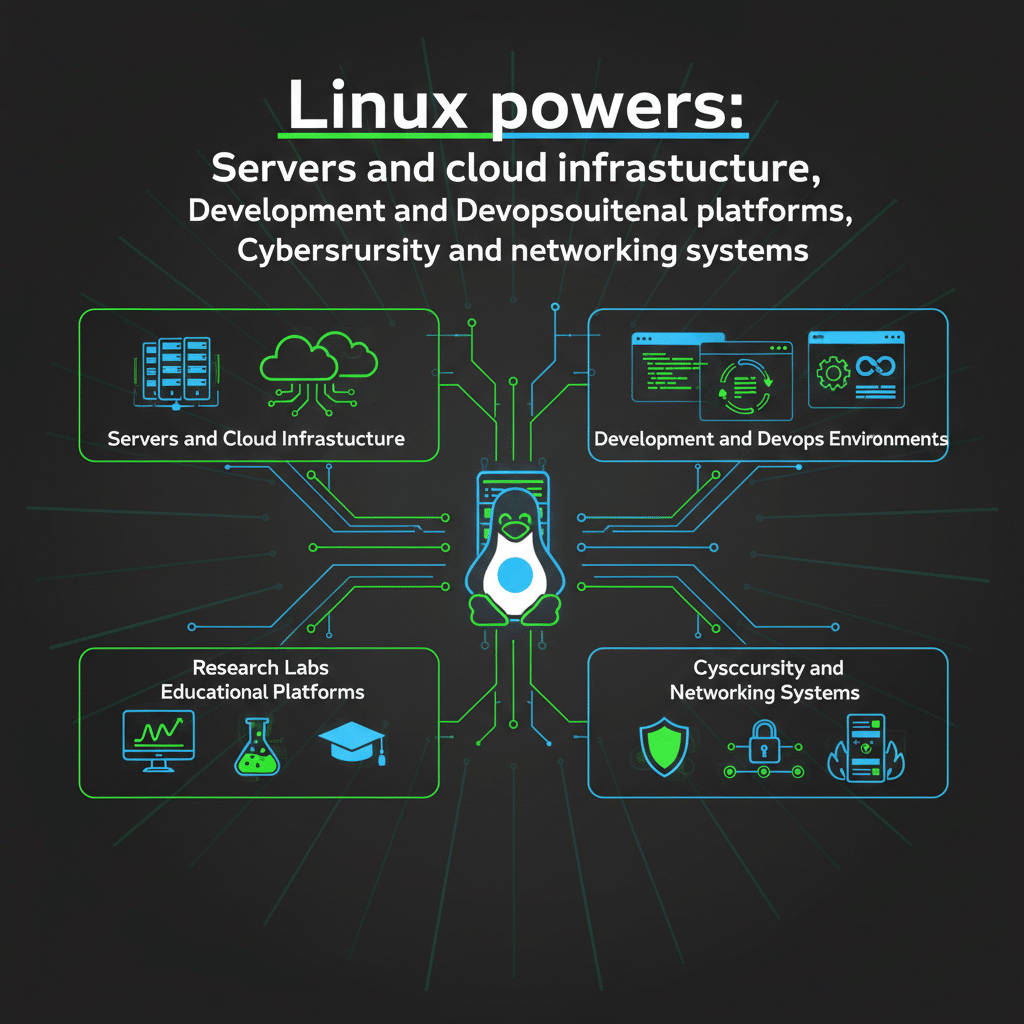
Linux powers:
- Servers and cloud infrastructure
- Development and DevOps environments
- Research labs and educational platforms
- Cybersecurity and networking systems
Most technical interviews test Linux basics, terminal usage, and problem-solving ability. Students who practice Linux daily stand out naturally.
However, many students face challenges such as:
- No dedicated Linux machine
- Low-end laptops
- Fear of breaking their primary system
A Linux RDP from HOMERDP solves these problems by providing a clean, powerful, and safe Linux environment accessible from anywhere.
1. KStars – Develop Scientific Thinking and Visualization Skills
KStars is a Linux-based desktop planetarium application that introduces students to data visualization, simulation, and scientific software interaction.
How KStars Helps Technical Students
- Encourages analytical thinking and observation
- Teaches data interpretation through star maps
- Demonstrates how graphical Linux applications work
- Useful for students in science, education, and research-oriented careers
KStars helps students understand how complex software systems present large datasets visually, a critical concept in modern technical roles.
Why Run KStars on HOMERDP
Running graphical applications locally may strain student laptops. With HOMERDP’s Linux RDP, students get:
- Smooth graphical performance
- No local installation risk
- Access from low-end devices
This makes HOMERDP ideal for STEM students and educators exploring Linux-based applications.
2. Tuner – Build Focus and Productivity in Technical Learning
While Tuner may appear simple, it plays a powerful role in a student’s technical journey.
Tuner is an internet radio application that allows students to stream music and educational broadcasts while working.
Why Tuner Matters for Students
- Improves focus during coding or reading
- Helps maintain long study sessions
- Encourages structured work habits
- Lightweight and resource-efficient
Many developers and engineers work with background audio to stay productive. Learning to manage focus is an underrated technical skill.
Tuner on a Linux RDP
Using Tuner on a HOMERDP Linux desktop allows students to:
- Separate study environment from personal distractions
- Maintain a professional workspace
- Work consistently across devices
This is especially useful for students juggling multiple subjects or exam preparations.
3. TLDR – Master Linux Commands for Technical Interviews
If one tool can dramatically improve a student’s Linux skills, it is tldr.
TLDR simplifies Linux command learning by offering short, example-based explanations instead of long manuals.
How TLDR Prepares Students for Technical Careers
- Builds command-line confidence
- Helps memorize real-world command usage
- Reduces fear of terminal-based tasks
- Ideal for beginners and intermediate learners
Linux interviews often test commands like ls, grep, chmod, tar, and systemctl. TLDR makes learning these commands fast and practical.
Why Use TLDR on HOMERDP
Practicing commands on a remote Linux desktop ensures:
- No risk to your local system
- Clean environments for repeated practice
- Exposure to real server-like setups
HOMERDP provides students with a professional Linux environment, similar to what they’ll encounter in jobs or labs.
Why Students Should Use HOMERDP for Linux Learning
HOMERDP bridges the gap between theory and real-world practice.
Key Advantages for Students
- Dedicated Linux desktops
- High performance without hardware upgrades
- Safe experimentation environment
- Perfect for long-term learning and revision
- Accessible anytime, anywhere
Instead of installing Linux repeatedly or using unstable setups, students get consistent, reliable access to Linux.
👉 Explore Linux RDP solutions at: https://www.homerdp.com
How These Apps Align with Career Goals
For Software & IT Students
- Practice Linux commands daily
- Understand GUI and terminal interaction
- Build confidence for interviews
For Competitive Exam Aspirants
- Improve technical literacy
- Learn system basics efficiently
- Study without system distractions
For Future Educators & Researchers
- Explore educational Linux software
- Develop scientific tools familiarity
- Teach and learn using real systems
HOMERDP supports all these use cases by offering a professional-grade Linux learning platform.
Weekend Learning Plan for Students
Here’s a simple plan students can follow:
Day 1
- Log in to your Linux RDP
- Explore KStars for 30–45 minutes
- Understand Linux GUI basics
Day 2
- Use TLDR to practice 10–15 Linux commands
- Keep Tuner running for focus
- Revise commands and notes
This routine builds technical consistency, which matters more than intensity.
Build Skills Before You Need Them
Technical careers reward preparation. Students who invest time in Linux today reduce stress tomorrow.
Applications like KStars, Tuner, and TLDR help students:
- Learn Linux practically
- Develop discipline and curiosity
- Prepare confidently for technical roles
When paired with a Linux RDP from HOMERDP, learning becomes smoother, safer, and more professional.
Don’t wait for your career to demand Linux skills.
Start building them now.
👉 Begin your Linux learning journey with HOMERDP:
https://www.homerdp.com
EXPLORE MORE;Why Linux File Managers Are Faster Than Windows Explorer
READ OUR BLOGS