How to Install .NET Framework 3.5 on Windows Server
.NET Framework 3.5 builds incrementally on the new features added in Dot NET Framework 3.0. For example, feature sets in Windows Workflow Foundation (WF), Windows Communication Foundation (WCF), Windows Presentation Foundation (WPF), and Windows CardSpace. In addition, .NET Framework contains a number of new features in several technology areas which have been added as new assemblies to avoid breaking changes.
Install Process using the Server Manager
- Open Server Manager Console Using Search Button.
- Click On Search Button And Type "Server Manager" and press Enter.
- It will open Windows Server Manager Console.
- In the Server Manager, open the Add Roles and Features Wizard by clicking Manage -> Add Roles and Features.
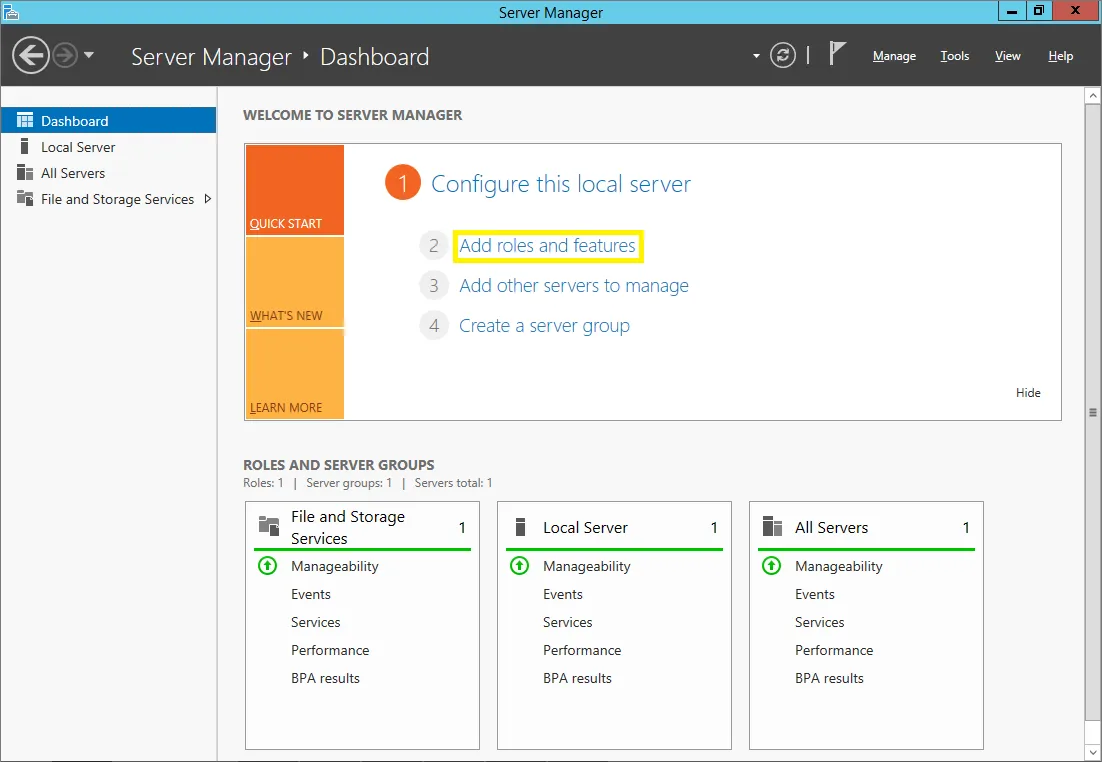
- After that, Step forward to Installation Type, select Role-based or feature-based installation.
- Ensure that you have selected the correct server in the step Server Selection.
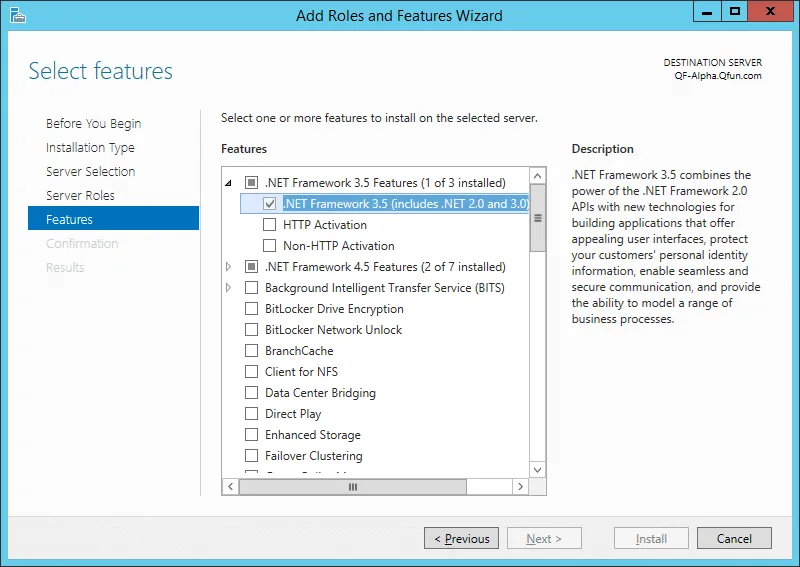
- Continue to the step Select features. After that, select the (Sub-)feature .NET Framework 3.5 (includes .NET 2.0 and 3.0).
- After that, On the Confirm installation selections screen, Click on the Install button.
- It can take some time to install, after finish install reboots your Server.
Buy Full Root Admin Access Non-Shared USA RDP Starting from $ 22.99/M
If you would like to suggest any additions or updates to this page, please let us know.
Run it on HomeRDP
Windows VPS
Windows Server VPS with admin access and NVMe storage.