


10 Must-Have Linux Mint Extensions That Supercharge Your Productivity
Linux Mint has earned its reputation as one of the most reliable and beginner-friendly Linux distributions. But beyond its simplicity lies a powerful truth: Linux Mint becomes exponentially more productive when you customize it with the right extensions.
If you’re using the Cinnamon desktop (Mint’s flagship environment), extensions, applets, and desklets can transform your workflow from “good enough” to high-performance and deeply personalized.
In this guide, we’ll explore 10 must-have Linux Mint extensions, explain their real-world impact, and show how combining them with HOMERDP unlocks a modern, portable, and scalable Linux workspace.
Why Extensions Matter More Than You Think
Out of the box, Linux Mint is stable and efficient—but it’s intentionally conservative. Extensions allow you to:
- Add missing functionality
- Improve multitasking
- Optimize UI/UX
- Automate repetitive actions
- Reduce friction in daily workflows
Unlike heavy applications, extensions are:
- Lightweight
- Modular
- Easy to enable/disable
Think of them as micro-upgrades that compound into massive productivity gains.
Understanding the Ecosystem: Extensions vs Applets vs Desklets
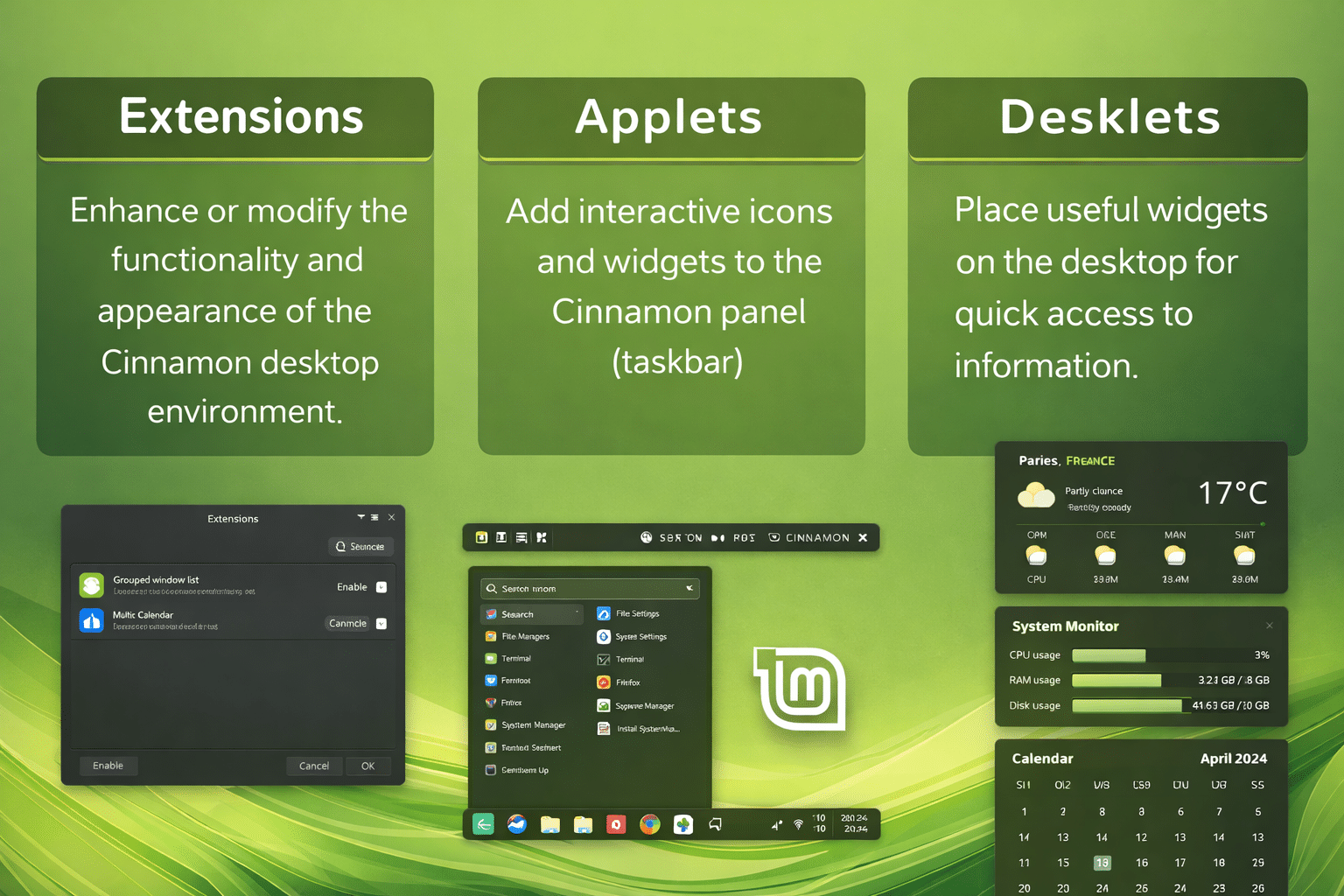
Before diving in, it’s important to distinguish:
🔹 Extensions
- Modify desktop behavior
- Affect system-level interactions
🔹 Applets
- Live in the panel (taskbar)
- Provide quick-access tools
🔹 Desklets
- Sit on the desktop
- Display persistent information
Most productivity gains come from a combination of all three.
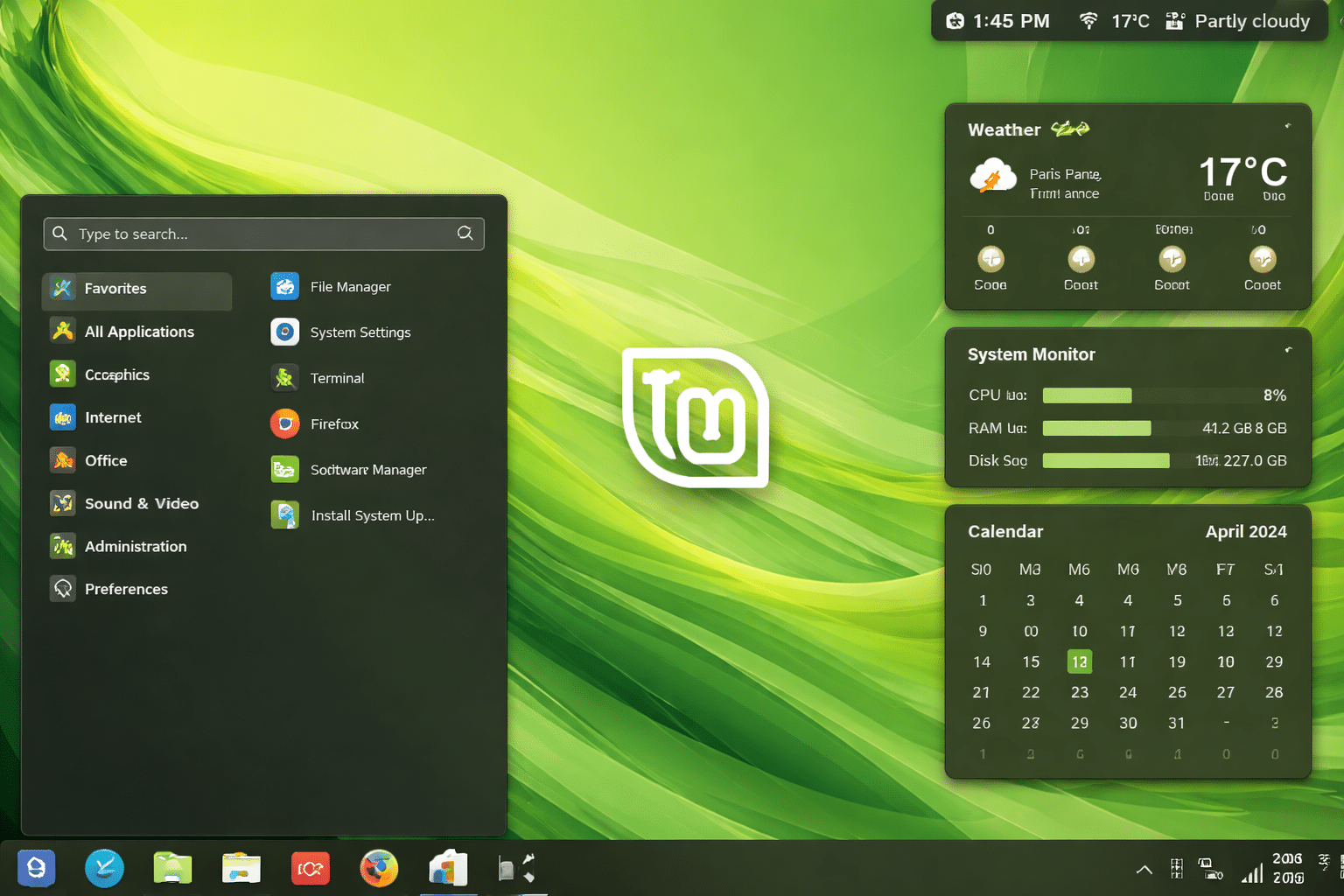
10 Must-Have Linux Mint Extensions
Let’s break down the most impactful ones.
1. Transparent Panels
What it does:
Dynamically adjusts panel transparency based on window focus.
Why it matters:
- Reduces visual clutter
- Enhances focus on active applications
Productivity boost:
- Cleaner workspace = better concentration
- Ideal for long coding or writing sessions
2. Workspace Grid / Advanced Workspace Manager
What it does:
- Enables grid-based virtual desktops
- Improves navigation between workspaces
Why it matters:
- Essential for multitasking
- Helps separate workflows (e.g., coding, browsing, docs)
Productivity boost:
- Faster task switching
- Better mental organization
3. Clipboard Manager (Clipboard History)
What it does:
- Stores multiple copied items
- Allows reuse of clipboard history
Why it matters:
The default clipboard holds only one item—this fixes that limitation.
Productivity boost:
- Huge time saver for developers, writers, and researchers
- Eliminates repetitive copy-paste cycles
4. System Monitor Applet
What it does:
Displays:
- CPU usage
- RAM consumption
- Network activity
Why it matters:
- Real-time visibility into system performance
Productivity boost:
- Detect performance issues instantly
- Prevent crashes during heavy workloads
5. Window List Grouping / Smart Taskbar
What it does:
- Groups similar windows
- Improves taskbar organization
Why it matters:
- Essential when working with multiple apps or browser windows
Productivity boost:
- Reduces clutter
- Speeds up navigation
6. Application Launcher Enhancer
What it does:
- Improves search-based app launching
- Adds faster navigation and categorization
Why it matters:
- Default menu can feel slow for power users
Productivity boost:
- Launch apps instantly
- Reduces dependency on mouse navigation
7. Network Indicator (IP & Speed Monitor)
What it does:
- Displays IP address
- Shows network speed in real time
Why it matters:
- Useful for developers, sysadmins, and remote workers
Productivity boost:
- Quick diagnostics without terminal commands
8. Weather Desklet
What it does:
- Displays real-time weather info on desktop
Why it matters:
- Helps plan work schedules (especially for remote workers)
Productivity boost:
- Context awareness without opening apps
9. Sticky Notes Desklet
What it does:
- Adds quick notes directly on desktop
Why it matters:
- Great for reminders, ideas, and quick tasks
Productivity boost:
- Reduces reliance on external note apps
- Keeps important info visible
10. Window Effects & Animation Tweaks
What it does:
- Enhances animations and transitions
- Improves visual feedback
Why it matters:
- Makes the desktop feel responsive and modern
Productivity boost:
- Better UX → smoother workflow
- Reduced cognitive friction
Data-Driven Insight: Why Fewer Extensions = More Productivity
A common mistake is installing too many extensions.
What research and expert workflows suggest:
- Use 5–10 high-impact extensions
- Avoid redundancy
- Focus on solving real problems
Why this works:
- Reduces system overhead
- Minimizes bugs/conflicts
- Keeps UI clean and fast
The Modern Limitation: Your Setup Is Still Local
Here’s the challenge:
All these optimizations exist only on your machine.
But today’s workflows are:
- Remote-first
- Multi-device
- Cloud-based
So what happens when you:
- Switch devices?
- Work remotely?
- Use a different system?
You lose your customized environment.
HOMERDP: Taking Linux Mint Beyond One Machine
This is where HOMERDP becomes a game-changer.
HOMERDP allows you to:
- Access your Linux Mint desktop remotely
- Maintain persistent sessions
- Use your customized environment anywhere
Your Personalized Desktop, Anywhere
With HOMERDP:
- All extensions remain configured
- Your layout stays intact
- Your workflow continues seamlessly
Your desktop becomes portable
Session Continuity
Start work:
- On your home PC
Continue:
- On your laptop
- From another city
- On a cloud instance
Everything stays the same.
High-Performance Remote Linux
HOMERDP enables:
- Low-latency access
- Stable sessions
- Always-on environments
When combined with extensions:
- Clipboard history still works
- Workspace layouts remain
- Monitoring tools stay active
Security + Flexibility
HOMERDP adds:
- Encrypted remote access
- Secure environments
- Centralized control
Perfect for:
- Developers
- Freelancers
- Remote teams
Real-World Workflow Example
Scenario: Developer Setup
You use:
- Workspace grid → separate projects
- Clipboard manager → reuse code snippets
- System monitor → track performance
With HOMERDP:
- Access same setup remotely
- Resume work instantly
- No reconfiguration needed
Scenario: Content Creator
You use:
- Sticky notes → ideas
- Transparent panels → focus
- App launcher → speed
With HOMERDP:
- Continue work from anywhere
- Maintain creative flow
The Future of Linux Mint Workflows
Linux Mint continues to evolve with:
- Better Cinnamon features
- Improved performance
- Enhanced customization
At the same time:
- Remote work is becoming standard
- Cloud desktops are rising
The winning combination is clear:
Local customization + Remote persistence

Final Thoughts
Linux Mint extensions are not just tweaks—they are productivity multipliers.
They allow you to:
- Customize your workflow
- Eliminate inefficiencies
- Work faster and smarter
But when combined with HOMERDP:
- Your environment becomes portable
- Your productivity becomes uninterrupted
- Your workflow becomes future-ready
This is the next evolution of Linux desktops: Customized. Persistent. Accessible from anywhere.
Key Takeaways
- Extensions dramatically improve Linux Mint productivity
- Focus on quality over quantity
- Clipboard, workspace, and monitoring tools are essential
- HOMERDP extends your setup beyond a single device
- Together, they create a powerful modern workflow
EXPLORE MORE ; Orion Browser vs Chromium on Linux

READ OUR BLOGS