

From Hardware to Virtualization: How MikroTik VPS Can Transform Network Management
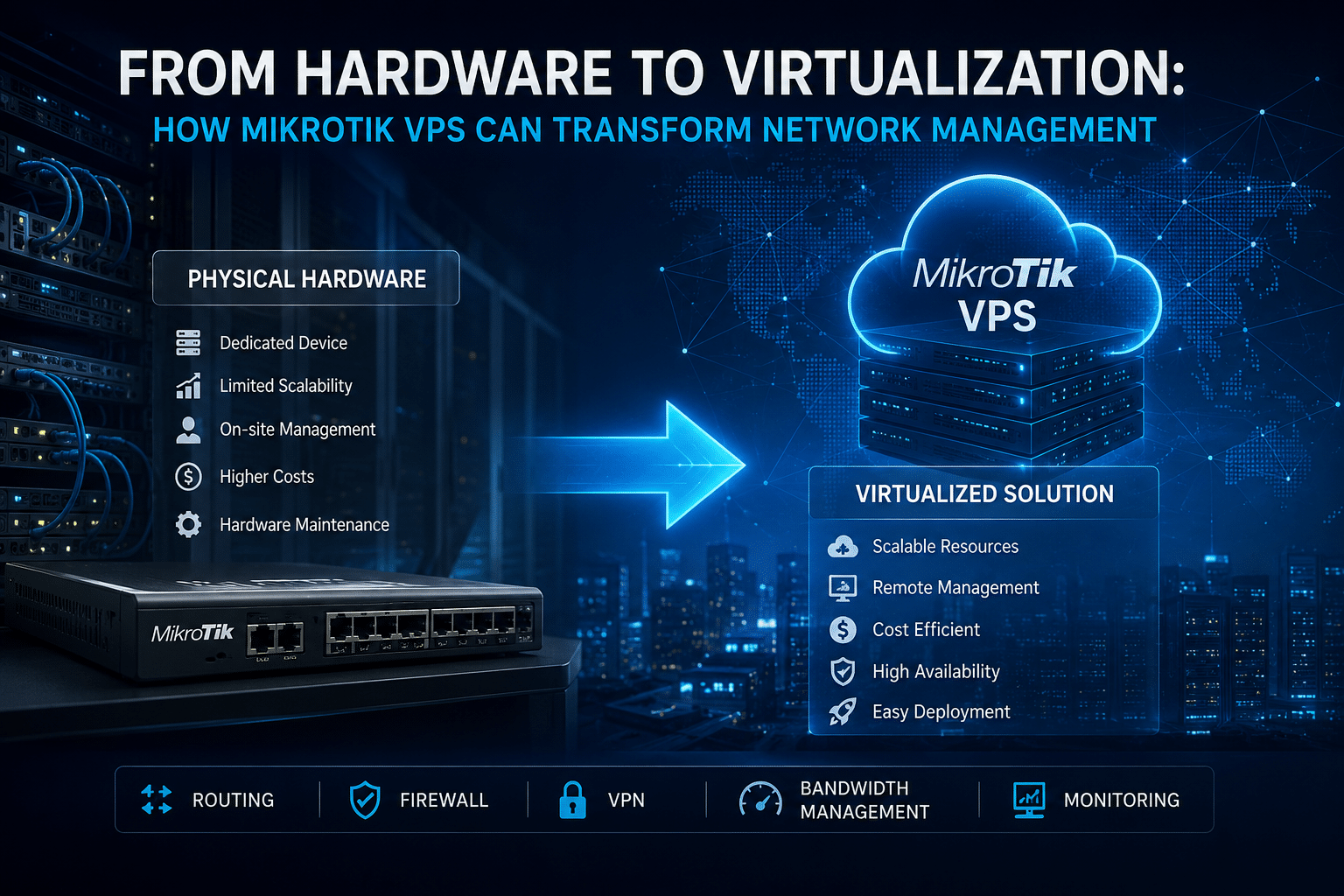
Network infrastructure has changed dramatically over the last decade.
Businesses once built their networks almost entirely around physical routers, switches, servers, cables, and dedicated networking appliances. That model still works—and in many environments, it remains the right choice. But the growth of cloud computing, remote work, distributed applications, virtualization, and software-defined infrastructure has changed what organizations expect from their networks.
Today, network administrators increasingly want infrastructure that they can deploy quickly, manage remotely, scale without replacing hardware, and integrate into broader cloud environments.
That is where MikroTik VPS hosting enters the picture.
A MikroTik VPS allows organizations to run MikroTik RouterOS in a virtualized environment rather than relying exclusively on a physical router. MikroTik’s Cloud Hosted Router (CHR) is specifically designed to run RouterOS in x86_64 virtual environments and provides core routing, firewall, VPN, and network-management capabilities associated with RouterOS.
For startups, developers, IT professionals, network administrators, managed-service providers, and growing businesses, this approach can introduce a more flexible way to build and manage network infrastructure.
More importantly, virtualization does not simply replace one piece of hardware with a virtual machine. It changes the operational model.
Instead of asking, “Which physical router should we buy?”, organizations can start asking:
“How should we deploy, manage, secure, and scale our network services?”
This shift can make network infrastructure more adaptable to modern business requirements.
What Is a MikroTik VPS?
A MikroTik VPS combines a virtual private server environment with MikroTik RouterOS, typically using Cloud Hosted Router (CHR) for virtualized deployments.
MikroTik describes CHR as a virtualized RouterOS edition designed for x86_64 virtual environments. The platform supports core networking functions such as routing, firewalling, VPN services, and management.
Instead of purchasing a physical MikroTik appliance and installing it inside an office or data center, an organization can deploy its RouterOS environment on virtual infrastructure.
The basic architecture looks like this:
Users / Branch Offices / Applications → Internet → MikroTik VPS → Network Services
Depending on the deployment, the MikroTik VPS can provide functions such as:
- Routing
- Firewall management
- Network Address Translation (NAT)
- VPN connectivity
- Traffic management
- Policy-based routing
- Network segmentation
- Remote administration
- Network monitoring
RouterOS also supports advanced routing technologies, including static routing, VRF, policy-based routing, ECMP, OSPF, BGP, IPv6 routing, and other networking capabilities.
That makes the virtualized model useful for far more than basic internet access.
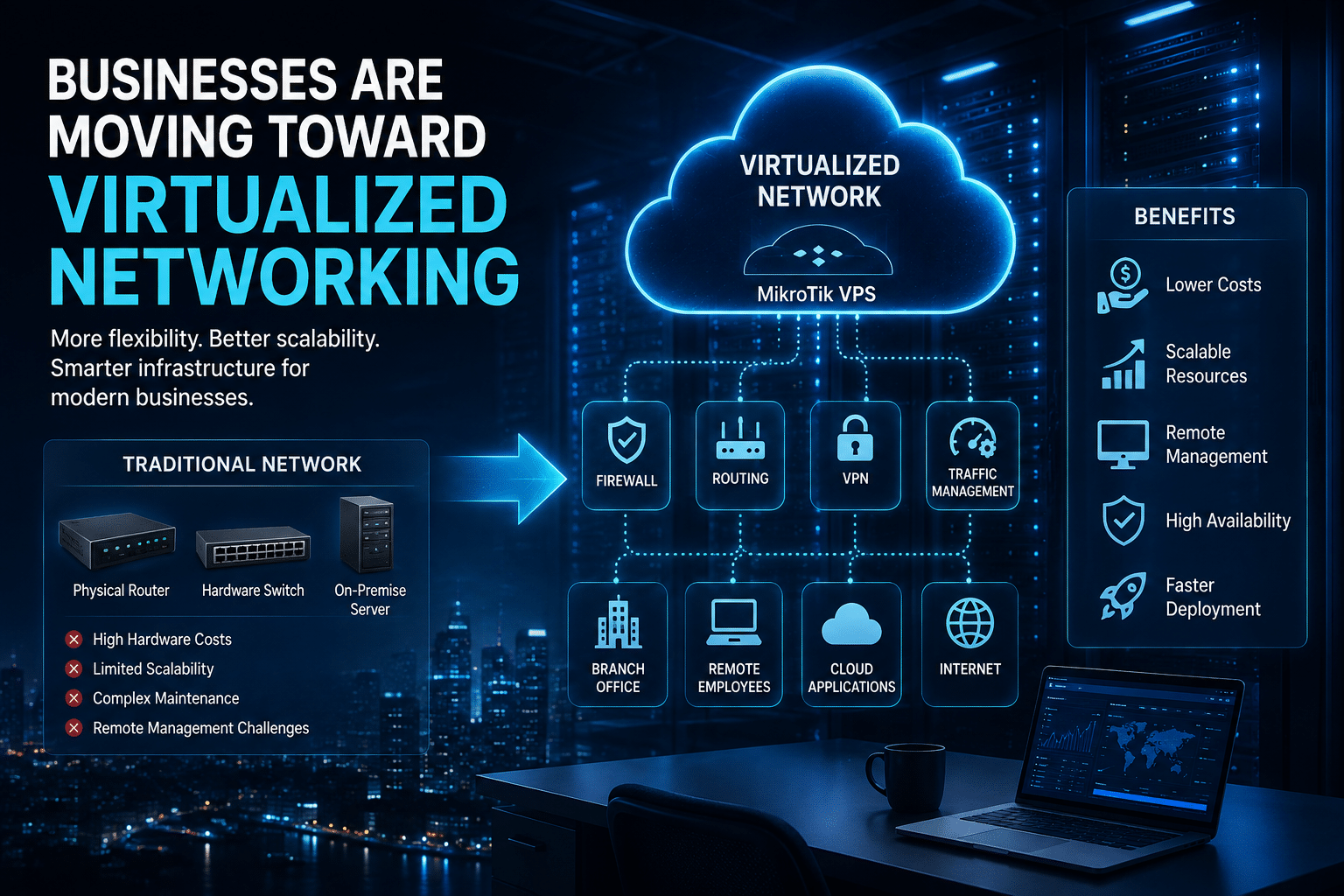
Why Businesses Are Moving Toward Virtualized Networking
The move toward virtualization does not mean physical networking equipment is becoming obsolete.
Instead, organizations are building hybrid infrastructure.
They may use:
- Physical routers at the network edge
- Virtual routers in cloud environments
- Cloud firewalls
- Virtual private networks
- Software-defined networking
- Physical switches
- Virtual machines
- Containers
This approach lets businesses choose the most appropriate infrastructure for each workload.
For example, a company may use physical hardware for high-performance local switching while deploying a MikroTik CHR instance in the cloud to manage VPN connectivity, routing, testing, or distributed network services.
Virtualization therefore becomes another tool in the network administrator’s toolbox.
1. Remote Network Management Becomes More Practical
One of the biggest advantages of a MikroTik VPS is remote accessibility.
A physical router normally sits at a specific location. If an administrator needs to troubleshoot it, the administrator may have to connect remotely through an existing management path or physically access the equipment.
A VPS is designed around remote infrastructure.
HOMERDP’s MikroTik VPS plans include Winbox and SSH access, giving administrators familiar ways to manage their RouterOS environment remotely.
That can simplify everyday administrative work.
For example, an administrator can remotely:
- Review routing tables
- Modify firewall rules
- Configure VPN services
- Inspect network traffic
- Update policies
- Troubleshoot connectivity
- Manage interfaces
- Review logs
- Perform configuration changes
This becomes especially valuable for organizations with distributed teams.
Imagine an IT administrator responsible for infrastructure across several locations. A hardware-centric approach may require separate equipment at each site and additional management procedures. A virtualized architecture can centralize selected networking functions in a remotely accessible environment.
The result is not automatically simpler—but it gives administrators another architecture to work with.

2. Virtualization Reduces Direct Dependence on Physical Hardware
Physical routers require physical infrastructure.
Organizations need to purchase equipment, install it, power it, cool it, maintain it, and eventually replace it.
A virtual router still runs on physical servers somewhere. The difference is that the customer does not have to manage the underlying server hardware directly.
The hosting provider manages the physical infrastructure while the customer focuses on the virtual networking environment.
This abstraction can simplify infrastructure planning.
Instead of managing:
Router hardware + server hardware + power + rack + cooling
the organization manages:
Virtual networking environment + configuration + security + monitoring
That does not eliminate operational responsibilities. It moves some responsibilities to the hosting layer.
3. Faster Provisioning Can Improve Infrastructure Agility
Traditional hardware deployments often involve multiple steps:
- Select hardware.
- Purchase hardware.
- Wait for delivery.
- Install equipment.
- Connect networking interfaces.
- Configure the router.
- Test connectivity.
- Deploy production traffic.
Virtual infrastructure can shorten that process.
A VPS environment can be provisioned without waiting for a physical router to arrive at the office.
This matters when organizations need to:
- Launch a new network environment
- Test a configuration
- Create a temporary VPN endpoint
- Build a development network
- Expand infrastructure
- Deploy networking services in another geographic location
The benefit is not simply speed.
It is agility.
When infrastructure becomes easier to provision, administrators can respond more quickly to changing business requirements.
4. MikroTik VPS Can Make Scaling More Flexible
Network requirements change.
A startup may initially need only a small networking environment. As it grows, it may introduce:
- More users
- More VPN connections
- More traffic
- Additional routing policies
- More applications
- Multiple offices
- Cloud services
- Remote workers
A physical router may eventually require replacement or expansion.
With a VPS model, administrators can evaluate whether additional virtual resources are appropriate.
HOMERDP currently lists four MikroTik VPS configurations:
| Plan | RAM | CPU | Bandwidth | Port | Listed Price |
|---|---|---|---|---|---|
| MikroTik VPS #1 | 256 MB | 1 Intel Xeon core | 1 TB/month | 1 Gbps | $8.99/month |
| MikroTik VPS #2 | 512 MB | 1 Intel Xeon core | 1 TB/month | 1 Gbps | $10.99/month |
| MikroTik VPS #3 | 1 GB | 1 Intel Xeon core | 1 TB/month | 1 Gbps | $14.99/month |
| MikroTik VPS #4 | 2 GB | 1 Intel Xeon core | 1 TB/month | 1 Gbps | $19.99/month |
HOMERDP lists one free IPv4 address, Winbox and SSH access, and 24×7 support with these plans.
The progression from 256 MB to 2 GB of RAM gives customers different resource levels rather than forcing every workload into the same configuration.
However, administrators should choose resources based on actual workload requirements.
More RAM does not automatically mean better network performance.
CPU, packet-processing requirements, interfaces, traffic patterns, virtualization overhead, and configuration complexity all matter.
MikroTik’s own documentation recommends at least 1 GB of RAM for CHR instances, while noting that requirements depend on CPU and interface configuration.
That makes resource planning particularly important when selecting a virtual router.
5. The Cost Model Can Become More Predictable
Physical networking can involve substantial upfront expenditure.
A business may need to purchase:
- Router hardware
- Backup hardware
- Rack equipment
- Power infrastructure
- Network accessories
- Replacement components
A VPS changes the financial model from primarily capital expenditure toward recurring operating expenditure.
HOMERDP’s current entry-level MikroTik VPS is listed at $8.99 per month. Its four listed plans range from $8.99 to $19.99 monthly.
That does not mean every business will spend less with VPS hosting.
A high-throughput enterprise network may justify dedicated hardware.
But for smaller workloads, development environments, remote network services, or organizations that want to avoid purchasing additional hardware, a monthly VPS model can be easier to evaluate and budget.
The important question is not:
“Is VPS always cheaper?”
It is:
“Does the virtualized model provide the required networking capabilities at an appropriate total cost?”
That is a much better infrastructure question.
6. Winbox and SSH Preserve Familiar Administration Workflows
Network administrators do not want to replace a familiar management workflow every time they change infrastructure.
MikroTik provides several management methods, including WinBox, WebFig, mobile applications, command-line tools, and SSH.
HOMERDP specifically advertises Winbox and SSH access with its MikroTik VPS plans.
That makes the transition from a physical RouterOS appliance to a virtual RouterOS environment easier for administrators already familiar with MikroTik.
The underlying infrastructure changes.
The management philosophy does not have to.
7. RouterOS Provides More Than Basic Routing
A virtual MikroTik installation can support sophisticated networking requirements.
RouterOS provides capabilities for:
- Static routing
- Policy-based routing
- VRF
- ECMP
- OSPF
- BGP
- IPv6
- NAT
- Firewall filtering
- Traffic classification
- Connection tracking
- Quality of Service
- VPN functionality
MikroTik’s documentation describes RouterOS firewall functionality as supporting both stateful and stateless filtering, NAT, connection tracking, traffic classification, address lists, and other controls.
This means a MikroTik VPS can become more than a virtual “internet router.”
It can become a programmable networking platform.
8. A MikroTik VPS Can Support Distributed Teams
Modern businesses rarely operate from one physical location.
Employees may work from:
- Headquarters
- Branch offices
- Home offices
- Co-working spaces
- Customer locations
- Different countries
Applications may also run across multiple environments.
A company may use:
- Public cloud
- Private infrastructure
- SaaS platforms
- Dedicated servers
- Remote offices
This creates networking complexity.
A virtual router can become one component of a centralized architecture.
For example:
Remote Employee → Secure VPN → MikroTik VPS → Internal Application
Or:
Branch Office → Encrypted Tunnel → MikroTik VPS → Cloud Infrastructure
The exact configuration depends on the organization’s requirements, but the virtualized router can serve as a centralized networking point.
9. Geographic Location Matters
Network latency depends partly on physical distance and routing paths.
For applications with geographically distributed users, choosing an appropriate hosting location can influence the user experience.
HOMERDP advertises multiple data-center locations and advises customers to select a location close to their target audience. Its page currently states that its infrastructure has locations in Texas, Colorado, and Missouri.
Organizations should therefore consider:
- Where users are located
- Where applications are hosted
- Where upstream services operate
- Expected traffic patterns
- Network latency
- Bandwidth requirements
A well-positioned VPS can help reduce unnecessary network distance for certain architectures.
However, administrators should measure latency from their actual users and networks rather than relying solely on geographic assumptions.
10. Security Must Remain a Priority
Virtualization does not automatically secure a network.
A VPS can provide a strong infrastructure foundation, but administrators still need to configure RouterOS correctly.
MikroTik explicitly recommends securing administrative access, using strong passwords, restricting public-facing management services, and using secure remote-access mechanisms such as WireGuard where appropriate.
A secure MikroTik VPS deployment should therefore include:
Strong credentials
Use long, unique administrative credentials and avoid default or predictable passwords.
Restricted management access
Do not expose Winbox, SSH, WebFig, or other management services to the entire internet unless the architecture genuinely requires it.
Firewall policies
Apply least-privilege rules and expose only required services.
Secure VPN access
Use an appropriate VPN for administrative access when possible.
Regular updates
Keep RouterOS maintained according to your operational and compatibility requirements.
Configuration backups
Maintain tested backups so administrators can recover from configuration mistakes.
Monitoring
Monitor logs, interfaces, resource utilization, and unusual traffic.
HOMERDP also advertises DDoS protection as part of its VPS infrastructure.
That can provide an additional infrastructure-level security layer, but it should not replace RouterOS hardening.
A Practical Example: Moving From a Physical Router to a MikroTik VPS
Consider a fictional company called CloudNova Solutions.
CloudNova has:
- 30 employees
- A small headquarters
- Remote developers
- Several cloud applications
- A requirement for secure remote access
- An IT administrator working remotely
Initially, the company uses a physical router at its office.
As the company grows, its networking requirements become more complicated.
The administrator now needs to:
- Maintain VPN connectivity
- Update firewall policies remotely
- Manage routing
- Support remote employees
- Test new network configurations
- Monitor traffic
The physical router still works.
But the management model becomes increasingly inconvenient.
CloudNova evaluates a MikroTik VPS.
The Migration Strategy
Rather than immediately moving every network function, CloudNova takes a staged approach.
Step 1: Document the Existing Environment
The administrator records:
- IP addressing
- Routing tables
- Firewall rules
- NAT policies
- VPN configuration
- DNS requirements
- Critical services
Documentation reduces migration risk.
Step 2: Select the VPS
The company evaluates CPU, RAM, bandwidth, IP requirements, expected connections, and geographic location.
Step 3: Deploy RouterOS/CHR
The organization deploys the appropriate virtualized RouterOS environment.
MikroTik provides CHR images for virtual environments and documents deployment across platforms including VMware, Proxmox, Hyper-V, VirtualBox, and several cloud platforms.
Step 4: Configure Networking
The administrator configures:
- Interfaces
- IP addresses
- Default routes
- DNS
- NAT
- Firewall
- VPN
Step 5: Secure Administration
The administrator restricts management access and establishes secure remote administration.
Step 6: Test
The team validates:
- Routing
- VPN connectivity
- Firewall behavior
- DNS
- Application access
- Remote management
Step 7: Migrate Gradually
The company moves selected services first.
This staged approach gives administrators an opportunity to identify problems before making the virtual environment production-critical.
Before and After: The Operational Difference
| Area | Traditional Hardware Model | MikroTik VPS Model |
|---|---|---|
| Router location | Physical site | Hosted virtual environment |
| Hardware procurement | Required | VPS provisioning |
| Physical maintenance | Customer responsibility | Hosting provider manages underlying hardware |
| Remote management | Depends on setup | Designed for remote administration |
| Scaling | May require hardware changes | Provider-dependent resource upgrade |
| Deployment | Physical installation | Virtual provisioning |
| Management | RouterOS tools | RouterOS tools such as Winbox/SSH |
| Geographic flexibility | Location-bound hardware | Multiple hosting locations may be available |
| Cost structure | Hardware + operating costs | Recurring VPS expense |
| Security | Hardware + configuration | Hosting controls + RouterOS hardening |
The virtual model does not eliminate infrastructure management.
Instead, it changes where and how that management happens.
What About Performance?
Performance deserves careful consideration.
A VPS is not automatically faster than a physical router.
A physical appliance may outperform a virtual machine for certain workloads, particularly where specialized hardware acceleration or very high packet-processing capacity matters.
A VPS can nevertheless provide sufficient performance for many appropriate workloads.
Administrators should evaluate:
- Packet-per-second requirements
- Throughput
- CPU utilization
- Number of interfaces
- Number of concurrent connections
- VPN encryption workload
- Firewall complexity
- Routing-table size
- Latency
- Bandwidth
MikroTik’s CHR documentation notes that RouterOS v7 supports Fast Path with vmxnet3 and virtio-net interfaces in supported virtualized environments.
This illustrates why the underlying virtualization platform and virtual network configuration matter.
The correct question is not simply:
“How fast is the VPS?”
It is:
“Can this VPS architecture consistently handle my actual networking workload?”
Benchmarking and monitoring provide the answer.
What About MikroTik Licensing?
Licensing is another important consideration.
MikroTik’s CHR licensing model differs from traditional RouterOS licensing.
MikroTik currently documents four CHR license levels, including a Free level and paid perpetual options, along with trial licensing for paid levels.
The Free CHR license has a bandwidth limitation, so production deployments should verify the applicable licensing requirements before going live.
This matters because the cost of the VPS is only one component of the total deployment cost.
Organizations should evaluate:
VPS cost + licensing + bandwidth + administration + backup + monitoring
HOMERDP’s MikroTik VPS page currently markets its plans as including free licenses, but customers should confirm the exact licensing arrangement and included terms with the provider before purchasing for production use.
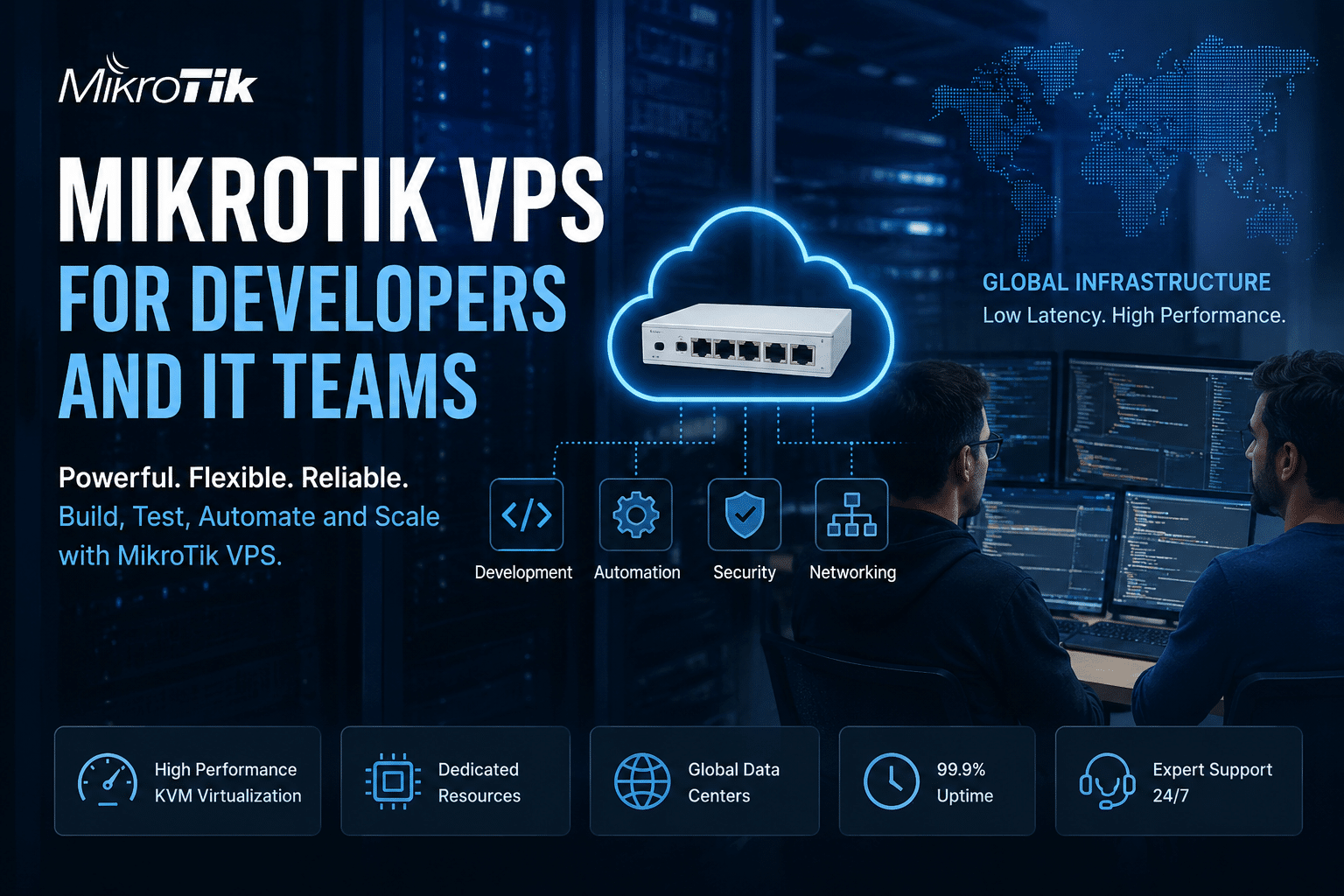
MikroTik VPS for Developers and IT Teams
A MikroTik VPS can also serve as a valuable learning and testing environment.
Developers and network engineers can use virtual networking environments to experiment with:
- Routing
- Firewall policies
- VPNs
- NAT
- Network segmentation
- Routing protocols
- Traffic management
- Automation
Virtualization makes these experiments easier because the environment does not require a dedicated physical router.
For an IT team, that can support a useful workflow:
Build → Test → Document → Validate → Deploy
Instead of experimenting directly on production hardware, administrators can create controlled environments for configuration testing.
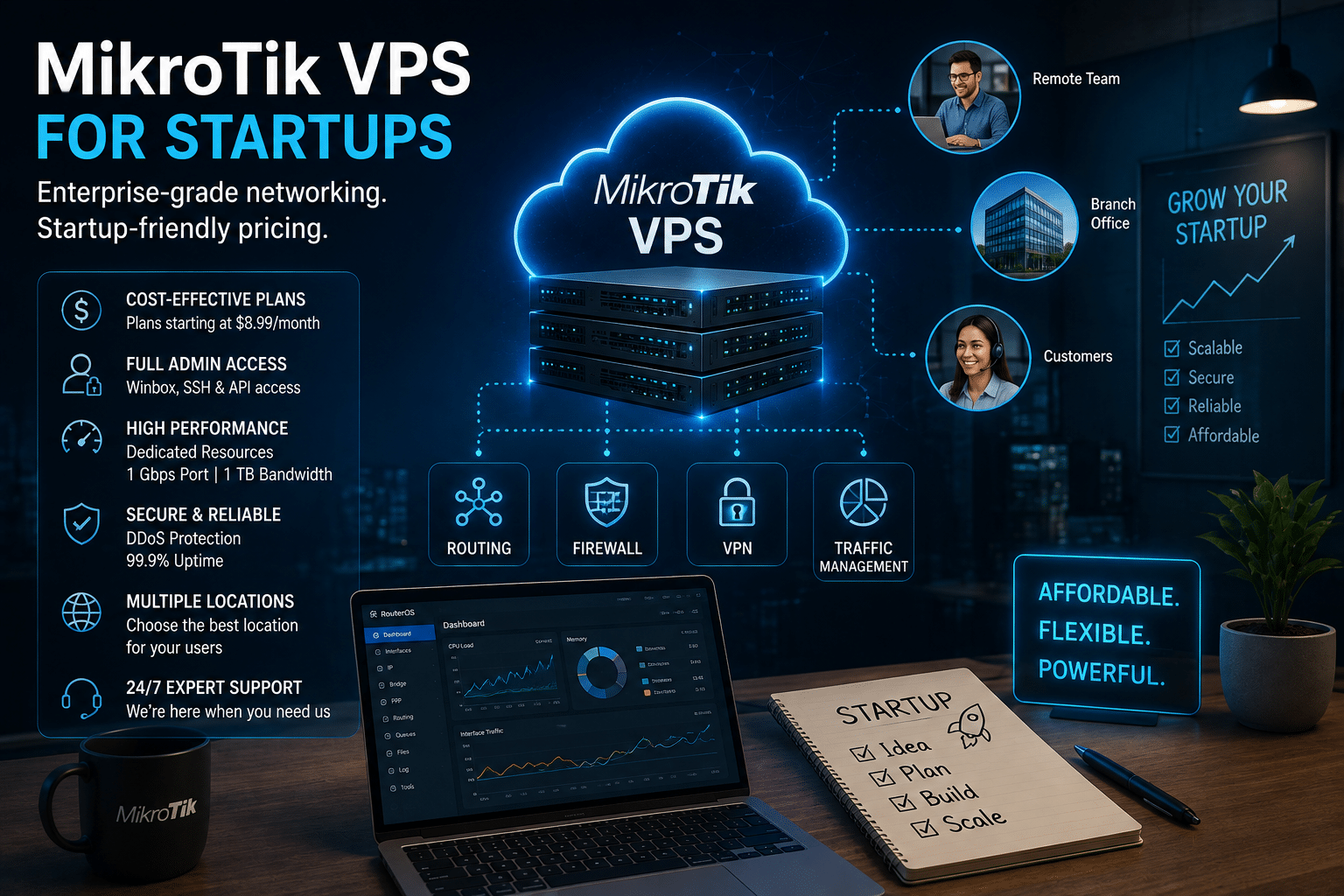
MikroTik VPS for Startups
Startups often need to balance technical requirements against limited infrastructure budgets.
Buying enterprise-grade hardware before the business understands its actual workload can create unnecessary capital expenditure.
A VPS gives startups another option.
They can begin with a modest virtual environment and evaluate actual usage.
If requirements increase, they can consider additional resources or a different architecture.
HOMERDP’s current MikroTik VPS lineup ranges from $8.99 to $19.99 per month, providing several resource tiers for different workloads.
Again, price alone should not determine the architecture.
Startups should evaluate:
- Expected traffic
- Security requirements
- Availability requirements
- VPN usage
- Application dependencies
- Compliance
- Growth projections
A cheap VPS is valuable only when it meets the technical requirements.
MikroTik VPS vs Physical Router: Which Should You Choose?
There is no universal winner.
Choose physical hardware when:
- You need specialized networking interfaces.
- You require extremely high packet-processing performance.
- Your network must continue operating independently of external hosting.
- You need direct local connectivity.
- Hardware acceleration is important.
- Your architecture requires local edge processing.
Consider MikroTik VPS when:
- Remote management matters.
- You need a virtual routing environment.
- You want to avoid purchasing additional physical hardware.
- You operate distributed infrastructure.
- You need a cloud-based VPN or routing endpoint.
- You want an environment for testing and development.
- You value flexible provisioning.
- You want a predictable monthly infrastructure model.
Consider a hybrid model when:
You need both local hardware and cloud networking.
For many organizations, hybrid infrastructure may provide the best balance.
Five Best Practices for a Successful MikroTik VPS Deployment
1. Start With Requirements, Not Price
Don’t select a plan simply because it is the cheapest.
Estimate:
- Traffic
- CPU needs
- RAM requirements
- VPN workload
- Interfaces
- Concurrent connections
Then choose the appropriate configuration.
2. Secure Management Before Production
Restrict administrative access from the beginning.
MikroTik specifically recommends securing management services and using firewall rules to restrict public access.
3. Keep Configuration Backups
Export and back up your RouterOS configuration regularly.
A backup is useful only if you know how to restore it, so test the recovery process.
4. Monitor the VPS
Track:
- CPU
- RAM
- Network traffic
- Connection counts
- Logs
- Latency
- Packet loss
Monitoring turns troubleshooting from guesswork into an evidence-based process.
5. Design for Failure
Ask:
What happens if the VPS becomes unavailable?
Depending on business requirements, you may need:
- Backup connectivity
- Secondary routing
- Redundant VPN endpoints
- Configuration backups
- Disaster-recovery procedures
Virtualization provides flexibility, but resilience still requires planning.
Why HOMERDP’s MikroTik VPS Is Worth Considering
For users specifically looking for hosted MikroTik infrastructure, HOMERDP provides a straightforward VPS-focused offering.
Its current MikroTik VPS page lists:
- Four resource tiers
- 256 MB to 2 GB RAM
- 1 Intel Xeon CPU core
- 1 TB monthly bandwidth
- 1 Gbps port
- One free IPv4 address
- Winbox and SSH access
- 24×7 support
- Multiple data-center locations
- DDoS protection
- Dedicated VPS resources
- Full administrative control
- Upgrade options
The listed starting price is $8.99/month, while the highest listed configuration is $19.99/month.
HOMERDP also states that its VPS environment provides dedicated resources and allows customers to expand their server environment through an upgrade request.
For a developer testing RouterOS, an IT administrator building a remote network environment, or a small business looking for virtualized networking, these characteristics make the service worth evaluating.
Explore the current offering: HOMERDP MikroTik VPS
The Future of Network Management Is Hybrid
The networking industry is not moving toward a world without physical infrastructure.
Instead, organizations are building increasingly hybrid environments.
A modern architecture may combine:
Physical hardware + virtual routers + cloud services + VPNs + software-defined networking + automation
This approach provides flexibility.
A physical router can handle local connectivity.
A MikroTik VPS can provide cloud-based routing or VPN services.
Cloud platforms can host applications.
Virtual machines can provide additional infrastructure.
Automation can connect everything together.
The network becomes less dependent on a single physical device.
That is the real significance of virtualization.
Final Thoughts
The transition from hardware-centric networking to virtualized infrastructure is not simply a technology upgrade.
It is a change in how organizations design, deploy, manage, and scale their networks.
A physical router remains an excellent solution for many environments. But organizations that need remote administration, flexible provisioning, cloud connectivity, testing environments, or scalable virtual networking can benefit from considering a MikroTik VPS.
MikroTik’s Cloud Hosted Router provides RouterOS specifically for virtualized environments and supports core routing, firewall, VPN, and management capabilities.
HOMERDP adds the hosting layer with MikroTik VPS plans currently starting at $8.99/month, multiple resource tiers, 1 Gbps ports, 1 TB monthly bandwidth, Winbox and SSH access, free IPv4, support, and other infrastructure features listed on its product page.
The most important lesson is that virtualization does not make physical networking irrelevant.
It gives network administrators another way to build infrastructure.
For the right workload, that can mean less dependence on physical hardware, faster deployment, easier remote administration, flexible resource planning, and a networking architecture that fits better into today’s cloud-first world.
As businesses continue to distribute their employees, applications, data, and infrastructure across locations, virtual networking will become increasingly important.
And for organizations already familiar with MikroTik RouterOS, moving from a physical appliance to a virtualized MikroTik environment can be a natural next step.
The future of network management isn’t hardware versus virtualization. It is choosing the right combination of both—and deploying each where it delivers the greatest technical and operational value.
Ready to explore virtualized MikroTik networking?
View HOMERDP MikroTik VPS plans
EXPLORE MORE ; LibreOffice 26.2.5 and Windows VPS
READ OUR BLOGS