

Why GNOME 51 Is Replacing System Monitor
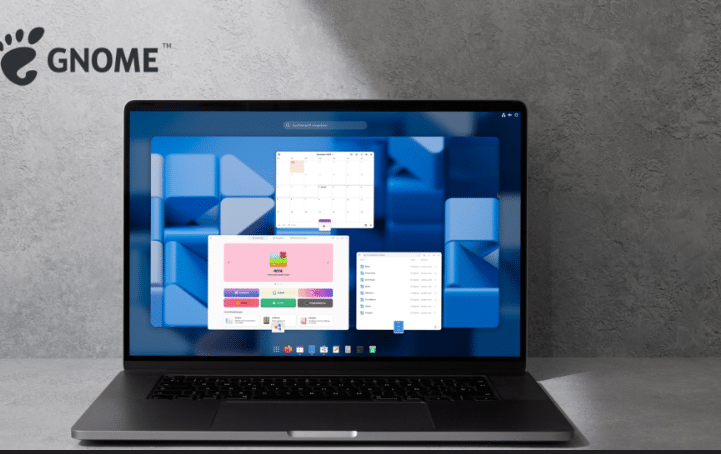
The Linux desktop has always evolved in deliberate, architectural steps rather than flashy overhauls. With GNOME 51, however, the project is preparing a change that looks simple on the surface but runs deep in its implications: replacing the legacy System Monitor with the modern Resources app.
This is not a cosmetic tweak. It reflects how computing itself has shifted—from single-machine workloads to multi-core, GPU-accelerated, cloud-connected environments. And if you’re running remote desktops or cloud RDP stacks like HOMERDP, this change becomes even more significant.
Let’s break down the technical reasoning, performance motivations, and strategic implications behind this transition.
The Legacy Problem: Why System Monitor No Longer Fits
For years, GNOME’s System Monitor has been a reliable tool. It provided:
- Process lists
- CPU and memory usage
- Basic network and disk activity
But modern workloads have outgrown its design.
Core limitations of System Monitor:
- Built on older GTK frameworks (GTK3 era)
- Limited visibility into GPU and accelerator usage
- Poor representation of multi-core scaling
- Inefficient rendering in Wayland sessions
- Not optimized for remote desktop environments
In a world where CPUs have 16+ cores, GPUs handle compute tasks, and AI accelerators are entering consumer hardware, these limitations are no longer acceptable.
Enter GNOME Resources: A Modern Replacement
The Resources app is GNOME’s answer to modern performance monitoring.
It is designed from the ground up using:
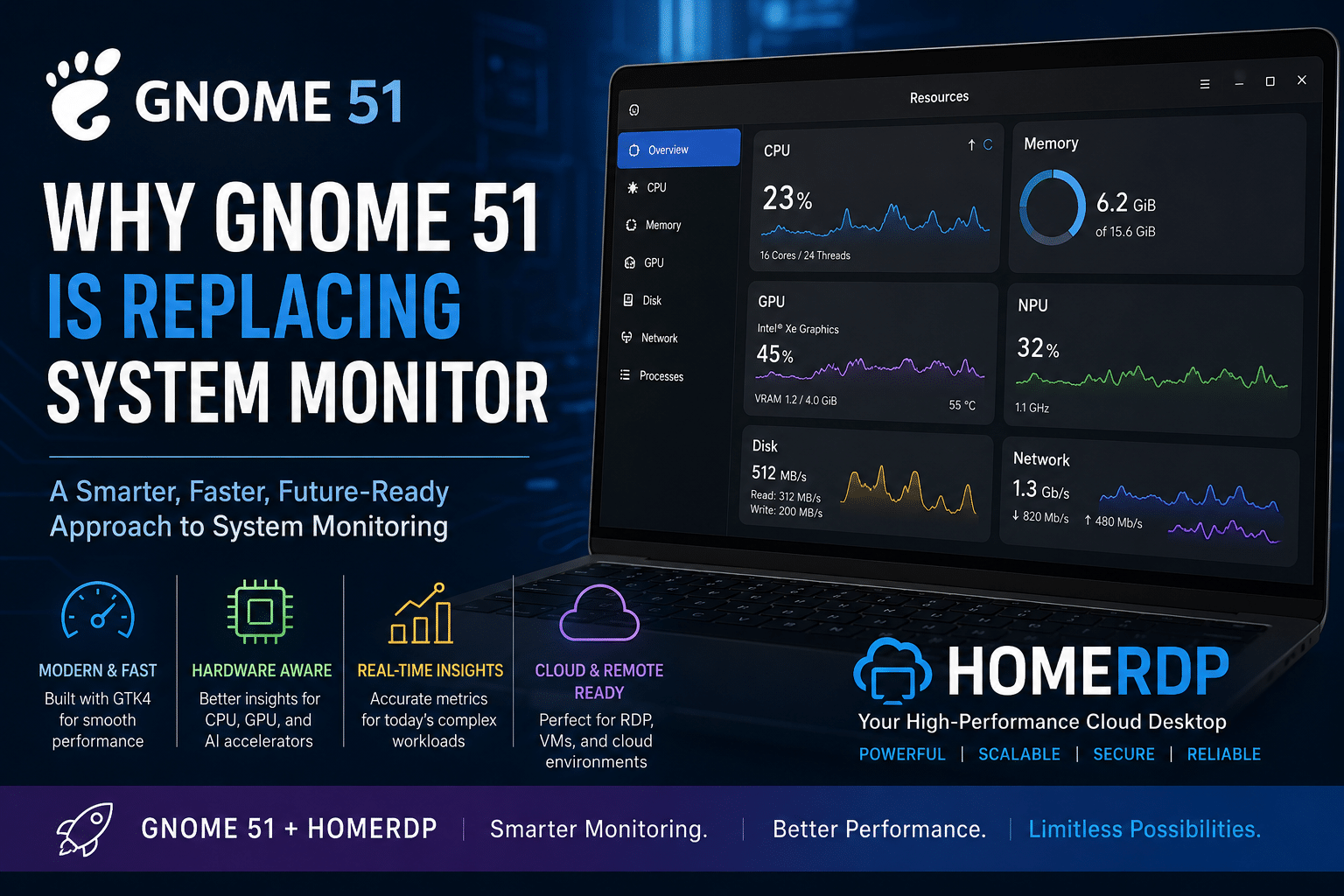
- GTK4
- libadwaita
- Modern GNOME Human Interface Guidelines (HIG)
Key Design Goals:
- Real-time responsiveness
- Hardware-aware monitoring
- Minimal overhead
- Clean, distraction-free UI
This isn’t just a new app—it’s a redefinition of system observability in GNOME.
Built for Modern Hardware Architectures
1. Multi-Core and Hybrid CPU Awareness
Modern CPUs from Intel and AMD feature:
- Performance cores (P-cores)
- Efficiency cores (E-cores)
- Complex scheduling behavior
Resources visualizes:
- Per-core utilization
- Thread distribution
- Load balancing patterns
This gives developers and sysadmins fine-grained insight into CPU behavior.
2. GPU and Accelerator Monitoring
System Monitor barely scratches the surface of GPU tracking.
Resources, on the other hand, is designed to support:
- Integrated GPUs (Intel Xe, AMD RDNA)
- Discrete GPUs (NVIDIA, AMD)
- Emerging AI accelerators (NPUs)
This is critical because:
- AI workloads are becoming mainstream
- GPU compute is no longer limited to gaming
- Remote desktops increasingly rely on GPU acceleration
3. Real-Time Performance Metrics
Resources improves:
- Update frequency
- Graph smoothness
- Data accuracy
This matters in scenarios like:
- Debugging performance bottlenecks
- Monitoring live server workloads
- Observing spikes in containerized environments
Data-Driven Evolution: Why GNOME Had to Act
Recent GNOME releases have already pushed performance boundaries:
- Improved Wayland rendering pipeline
- Better GPU scheduling and power management
- Enhanced remote desktop capabilities
- Reduced latency in UI rendering
These advancements created a mismatch:
The system got faster—but the monitoring tool stayed outdated.
Replacing System Monitor with Resources aligns tooling with capability.
The Cloud Factor: Why This Matters More Than Ever
Modern Linux usage is no longer confined to local machines.
Developers and businesses increasingly rely on:
- Cloud desktops
- Remote development environments
- Virtual machines
- RDP/VNC sessions
This is where HOMERDP becomes strategically important.
GNOME 51 + HOMERDP: A High-Performance Stack
Combining GNOME 51’s Resources app with HOMERDP creates a powerful ecosystem.
1. Real-Time Monitoring Inside Remote Sessions
With Resources running on a HOMERDP instance:
- Track CPU, RAM, and disk usage live
- Detect performance bottlenecks instantly
- Optimize workloads without physical access
This is crucial for remote developers and DevOps teams.
2. Efficient Resource Allocation
In cloud environments:
- Every CPU cycle costs money
- Every GB of RAM matters
Resources helps:
- Identify idle processes
- Detect memory leaks
- Optimize instance sizing
Result: Lower cloud costs + higher efficiency
3. Better Debugging for Distributed Systems
Modern apps are:
- Containerized
- Microservice-based
- Distributed across nodes
Resources enables:
- Monitoring local containers in RDP sessions
- Observing performance anomalies
- Diagnosing system-level issues quickly
4. Enhanced Remote UX
GNOME 51 improvements + HOMERDP infrastructure:
- Smooth animations
- Low-latency input
- Efficient rendering
Resources complements this by ensuring:
- No hidden performance drains
- Clear visibility into system load
Architectural Shift: GTK4 and libadwaita
One of the biggest reasons for replacing System Monitor is the transition to GTK4.
Why GTK4 matters:
- GPU-accelerated rendering
- Better frame scheduling
- Lower CPU overhead
- Improved animation pipeline
libadwaita ensures:
- Consistent UI across GNOME apps
- Adaptive layouts
- Modern design language
System Monitor, built on GTK3, simply cannot leverage these improvements.
UX Philosophy: Simplicity Meets Power
GNOME follows a clear philosophy:
Show what matters, hide what doesn’t.
Resources reflects this:
✔️ Clean dashboards
✔️ Minimal clutter
✔️ Focus on actionable metrics
But don’t mistake simplicity for weakness.
Under the hood, it delivers:
- Advanced telemetry
- Accurate system insights
- Scalable performance tracking
GNOME vs KDE: A Competitive Perspective
While KDE Plasma offers powerful tools like KSysGuard and Plasma System Monitor, GNOME is taking a different path:
| Feature | GNOME Resources | KDE System Monitor |
|---|---|---|
| UI Philosophy | Minimal | Feature-rich |
| Framework | GTK4 | Qt |
| Learning Curve | Low | Moderate |
| Performance Overhead | Low | Moderate |
GNOME’s bet:
Most users prefer clarity over complexity.
Future-Ready Monitoring
The Resources app is not just for today—it’s built for the next decade.
Future capabilities may include:
- AI workload tracking
- Power efficiency analytics
- Cloud-native monitoring hooks
- Integration with container runtimes
This aligns with trends like:
- Edge computing
- AI-assisted development
- Remote-first workflows
Strategic Insight: Why This Change Matters
This transition signals three major shifts:
1. Linux is becoming cloud-first
2. Monitoring is becoming hardware-aware
3. UI frameworks are driving performance
And GNOME is aligning itself with all three.
Final Thoughts
Replacing System Monitor with Resources in GNOME 51 is not just an upgrade—it’s a necessary evolution.
It reflects:
- The rise of multi-core and GPU-heavy workloads
- The importance of cloud and remote computing
- The need for modern, efficient UI frameworks
When combined with HOMERDP, the impact multiplies:
- Better monitoring
- Smarter scaling
- Higher performance
This is what the future of Linux desktops looks like:
Fast, intelligent, and cloud-integrated.
Key Takeaways
- GNOME 51 is set to replace System Monitor with Resources
- Resources is built on GTK4 and optimized for modern hardware
- It offers better CPU, GPU, and real-time monitoring
- It aligns with cloud and remote desktop trends
- HOMERDP enhances its value in scalable environments
EXPLORE MORE ; GNOME Extensions and RDP for Ubuntu Users

READ OUR BLOGS