

Why Tennis CLI Alone Isn’t Enough — Scale CSV Workflows with HOMERDP

In the modern data ecosystem, CSV files remain one of the most universally accepted formats for storing and exchanging structured data. From startups analyzing user metrics to enterprises processing millions of transaction records, CSV continues to power critical workflows.
Recently, a lightweight terminal-based tool called Tennis CLI has gained attention for transforming how developers visualize CSV data directly in the command line. It brings clarity, structure, and readability to what was traditionally a messy and inefficient experience.
But here’s the reality:
Visualization is only one piece of the data workflow puzzle.
When datasets grow larger, teams expand, and workflows become more complex, Tennis CLI alone starts to hit limitations. That’s where HOMERDP’s cloud-powered remote desktop infrastructure becomes essential.
This article dives deep into why Tennis CLI is a great starting point—but not a complete solution—and how combining it with HOMERDP unlocks a scalable, high-performance CSV workflow.
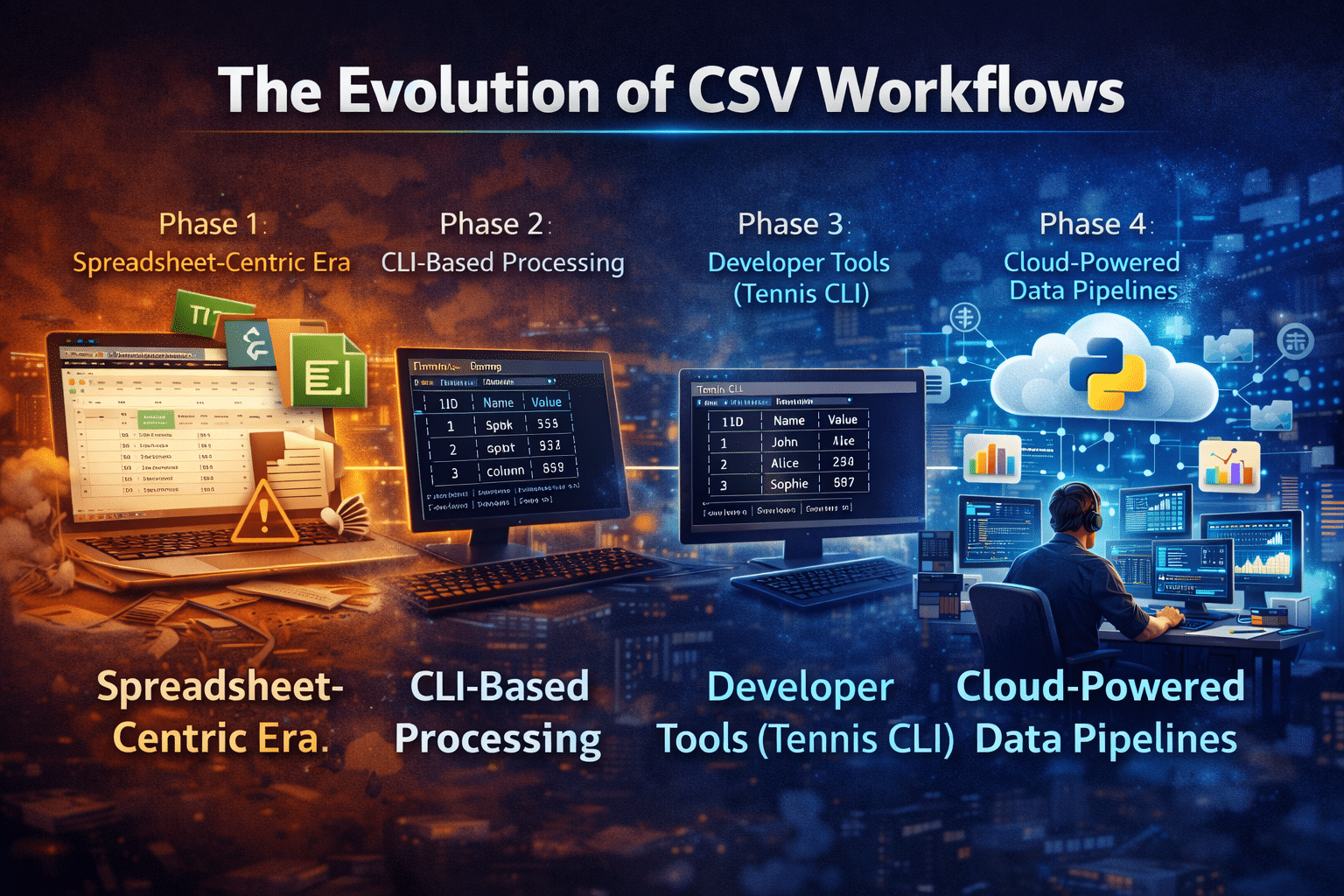
The Evolution of CSV Workflows
Before diving into tools, let’s understand how CSV workflows have evolved:
Phase 1: Spreadsheet-Centric Era
- Excel and Google Sheets dominated
- Limited scalability (~1M rows max in Excel)
- Frequent crashes with large datasets
Phase 2: CLI-Based Processing
- Tools like
awk,sed,cut, andcolumn - More control, but poor readability
- Steep learning curve
Phase 3: Developer Tools (Tennis CLI)
- Clean tabular display
- Terminal-native visualization
- Faster data inspection
Phase 4: Cloud-Powered Data Pipelines
- Remote desktops and cloud computing
- Scalable processing
- Collaborative workflows
Tennis CLI belongs to Phase 3—but modern needs demand Phase 4.
What Tennis CLI Does Exceptionally Well
Tennis CLI is a modern utility designed to solve a very specific problem: making CSV files readable in the terminal.
Core Strengths
Clean Visualization
- Converts raw CSV into formatted tables
- Borders, alignment, and spacing improve readability
Developer-Friendly
- Works seamlessly in terminal environments
- Ideal for SSH sessions and remote servers
Lightweight Performance
- Written in Zig (fast and efficient)
- Minimal system overhead
Customization Options
- Column width adjustments
- Row numbering
- Decimal precision handling
Example Use Case
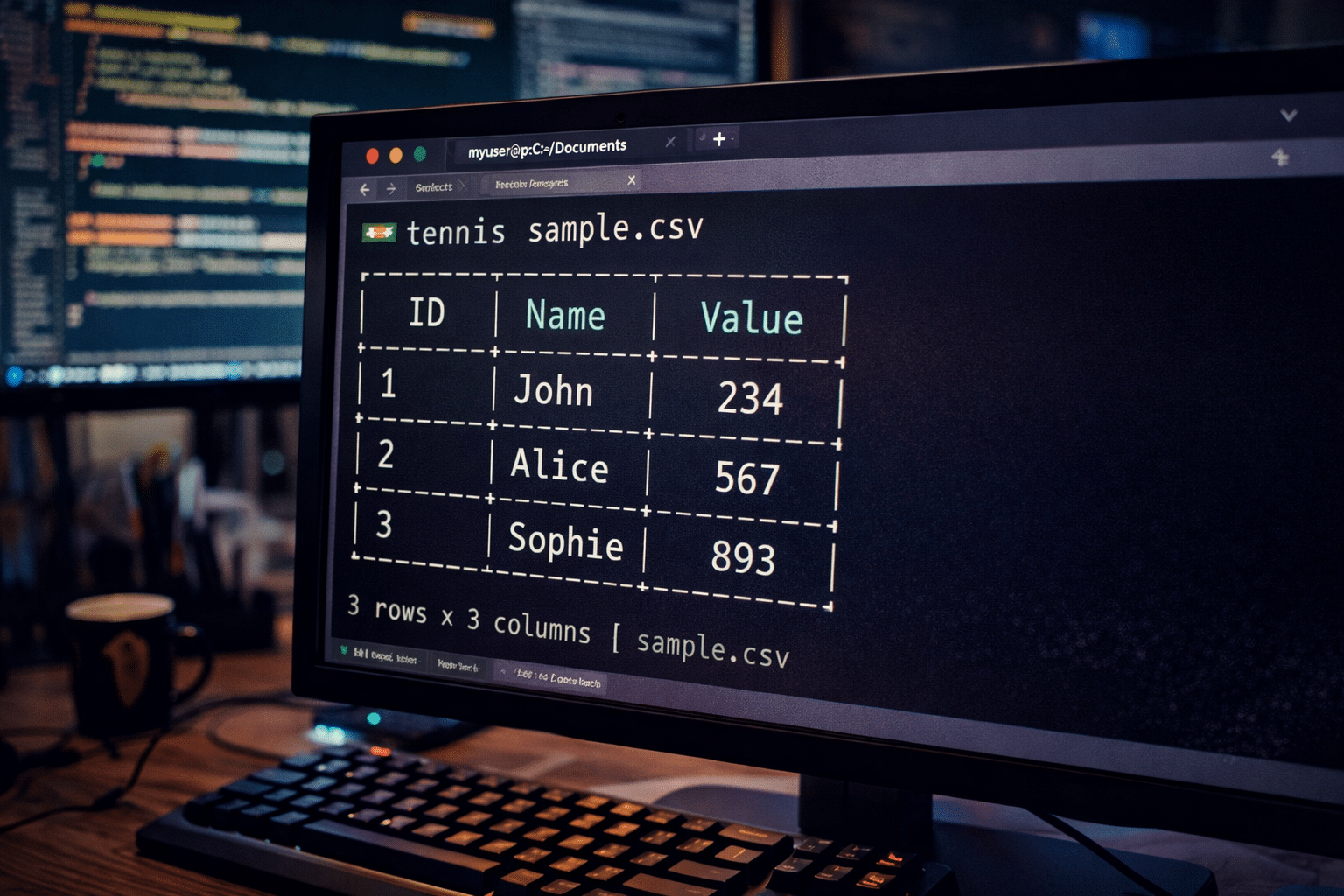
Imagine debugging logs stored in CSV format:
Without Tennis:
id,name,value
1,John,234
2,Alice,567
With Tennis:
+----+-------+-------+
| ID | Name  | Value |
+----+-------+-------+
| 1  | John  | 234   |
| 2  | Alice | 567   |
+----+-------+-------+
👉 Instant clarity, zero confusion.
Where Tennis CLI Falls Short
Despite its strengths, Tennis CLI is not designed for heavy data workflows.
Let’s break down its key limitations:
1. No Large-Scale Processing Capability
Tennis CLI is a viewer—not a processing engine.
- Cannot handle transformations on large datasets
- No built-in filtering, aggregation, or joins
- Limited to display functionality
For datasets with millions of rows, you still need tools like Python, SQL, or Spark.
2. Dependent on Local System Resources
Your performance depends entirely on your machine:
- Low RAM → slow rendering
- Weak CPU → laggy experience
- Storage limitations → file handling issues
This becomes a bottleneck for serious data work.
3. No Collaboration Features
Modern workflows are team-based:
- No shared environment
- No real-time collaboration
- No centralized data access
Teams end up sharing CSV files manually—inefficient and error-prone.
4. Limited Workflow Integration
Tennis CLI works in isolation:
- No pipeline orchestration
- No automation capabilities
- No integration with data ecosystems
It’s a tool—not a platform.
Enter HOMERDP: Scaling CSV Workflows Beyond Limits
To overcome these limitations, you need infrastructure—not just tools.
HOMERDP provides high-performance remote desktop environments that transform how CSV workflows operate.
What HOMERDP Brings to the Table
1. High-Performance Computing Power
Run Tennis CLI on powerful remote machines with:
- 16GB–128GB+ RAM
- Multi-core CPUs
- NVMe SSD storage
Handle massive CSV files without slowing down your local device.
2. Work From Anywhere
HOMERDP allows you to:
- Access your environment from any device
- Work on low-end laptops or tablets
- Maintain consistent performance everywhere
Your hardware no longer limits your productivity.
3. Full Data Stack Integration
Inside a HOMERDP environment, you can combine:
- Tennis CLI → Visualization
- Python (Pandas) → Data processing
- DuckDB → SQL queries on CSV
- CSVKit → CLI-based transformations
Build a complete data pipeline in one place.
4. Seamless Team Collaboration
HOMERDP enables:
- Shared environments
- Unified configurations
- Secure data access
No more “it works on my machine” problems.
5. Scalable Infrastructure
Scale resources as needed:
- Increase RAM for large datasets
- Add CPU power for heavy computations
- Expand storage dynamically
Pay only for what you use.
Tennis CLI + HOMERDP: The Perfect Combination
Instead of replacing Tennis CLI, HOMERDP enhances its capabilities.
Hybrid Workflow Architecture
Step 1: Upload Data
Store CSV files in HOMERDP environment
Step 2: Visualize
Use Tennis CLI for quick inspection
Step 3: Process
Run Python scripts or SQL queries
Step 4: Analyze
Generate insights and reports
Step 5: Collaborate
Share results with team members instantly
Real-World Scenarios
Data Analysts
Challenge: Handling large datasets
Solution:
- Use Tennis CLI for preview
- Process data in Pandas on HOMERDP
Developers
Challenge: Debugging logs
Solution:
- Visualize logs with Tennis
- Run scripts in remote environment
Startups
Challenge: Limited hardware budgets
Solution:
- Use HOMERDP instead of upgrading laptops
- Scale resources as needed
Enterprises
Challenge: Team collaboration & data consistency
Solution:
- Centralized RDP environments
- Secure and controlled access
Performance Comparison
| Feature | Tennis CLI (Local) | Tennis CLI + HOMERDP |
|---|---|---|
| Visualization | ✅ Excellent | ✅ Excellent |
| Large Data Handling | ❌ Limited | ✅ Scalable |
| Speed | ❌ Hardware dependent | ✅ High-performance |
| Collaboration | ❌ None | ✅ Built-in |
| Accessibility | ❌ Device-bound | ✅ Anywhere |
| Workflow Integration | ❌ Minimal | ✅ Full ecosystem |
The Future of CSV Workflows
The data landscape is shifting rapidly:
- Local processing is becoming obsolete
- Cloud-based workflows are becoming standard
- Performance demands are increasing
- Remote collaboration is the norm
Tools like Tennis CLI represent innovation at the interface level
Platforms like HOMERDP represent innovation at the infrastructure level
Final Thoughts
Tennis CLI is a brilliant tool for improving CSV readability in the terminal. It solves a real problem and does it exceptionally well.
But in 2026, data workflows demand more than visualization:
- You need processing power
- You need scalability
- You need collaboration
- You need flexibility
That’s exactly what HOMERDP delivers.
EXPLORE MORE; 10 Must-Have Linux Mint Extensions

READ OUR BLOGS