

Headscale vs Tailscale: Why Self-Hosting Your Mesh Network Is WorthIt
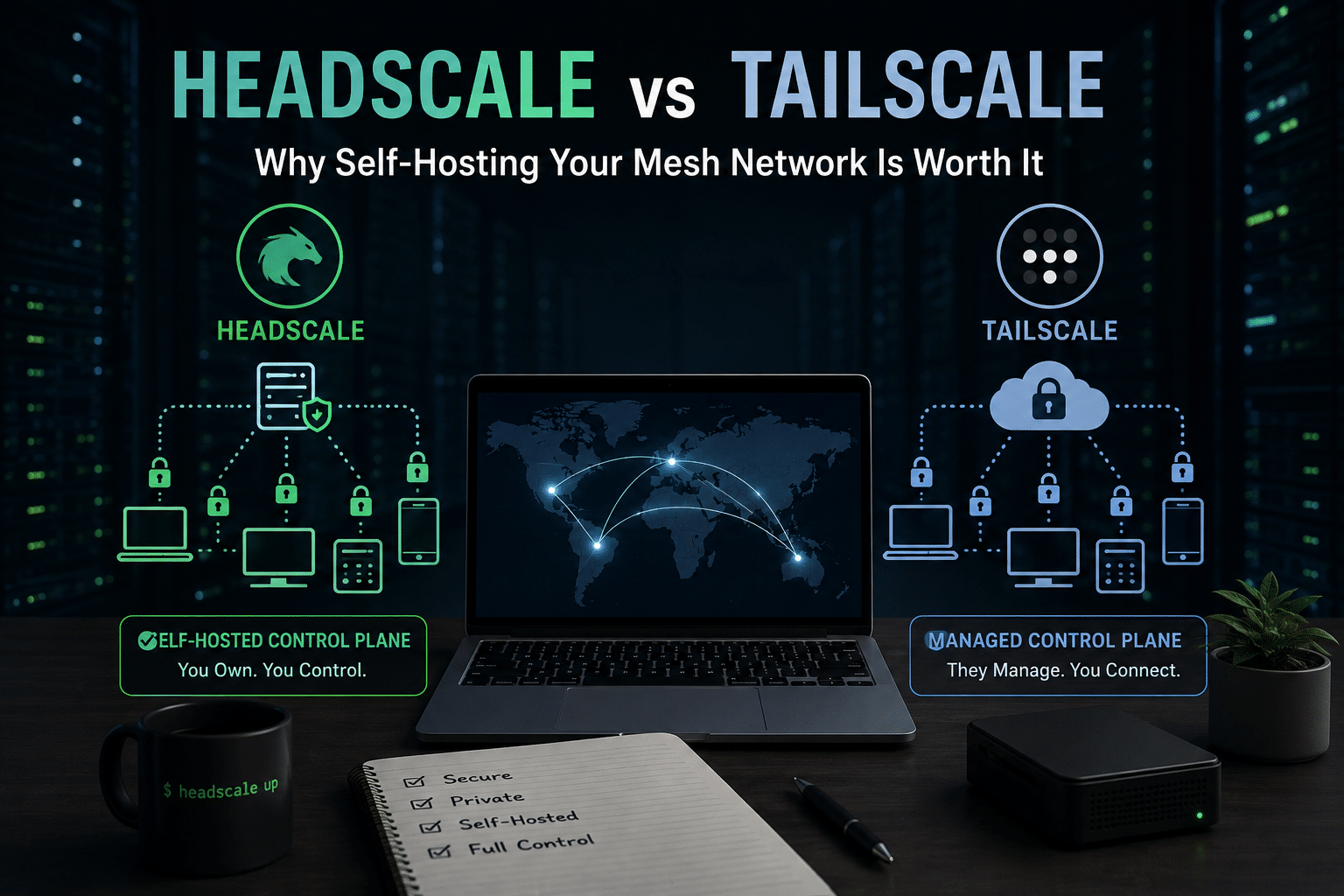
Modern infrastructure has changed the way devices communicate.
A developer may work from a laptop while deploying applications to a cloud server. A company may operate infrastructure across multiple cloud providers. A homelab enthusiast may need secure access to a NAS, Raspberry Pi, media server, and desktop PC from anywhere in the world.
Traditionally, connecting these systems required a complicated combination of VPN servers, port forwarding, firewall rules, static IP addresses, and network troubleshooting.
Mesh networking has changed that equation.
Instead of manually building tunnels between every location, modern overlay networking platforms allow devices to discover and securely communicate with one another across the internet.
Tailscale has become one of the best-known platforms in this space. It provides an identity-based networking approach built around WireGuard and removes much of the complexity traditionally associated with VPN infrastructure.
But there is another option for people who want greater control over their infrastructure:
Headscale.
Headscale is an open-source, self-hosted implementation of the Tailscale control server. Its goal is to provide self-hosters and smaller organizations with an independently operated control plane for compatible clients.
This creates an important architectural choice:
Should you use Tailscale’s fully managed networking platform, or should you operate your own control plane with Headscale?
The answer depends on what you value.
Tailscale prioritizes convenience, managed infrastructure, and an increasingly broad set of enterprise features. Headscale prioritizes infrastructure ownership, self-hosting, and the freedom to operate your own coordination server.
Neither approach is universally better.
However, for developers, homelab enthusiasts, privacy-conscious users, and infrastructure teams that already manage Linux servers, self-hosting can provide compelling advantages.
This article explores Headscale vs Tailscale, explains the differences between the two platforms, and shows why a self-hosted mesh networking architecture—especially one deployed on a reliable Linux VPS—can be worth considering.
Understanding Mesh Networking Before Comparing Headscale and Tailscale
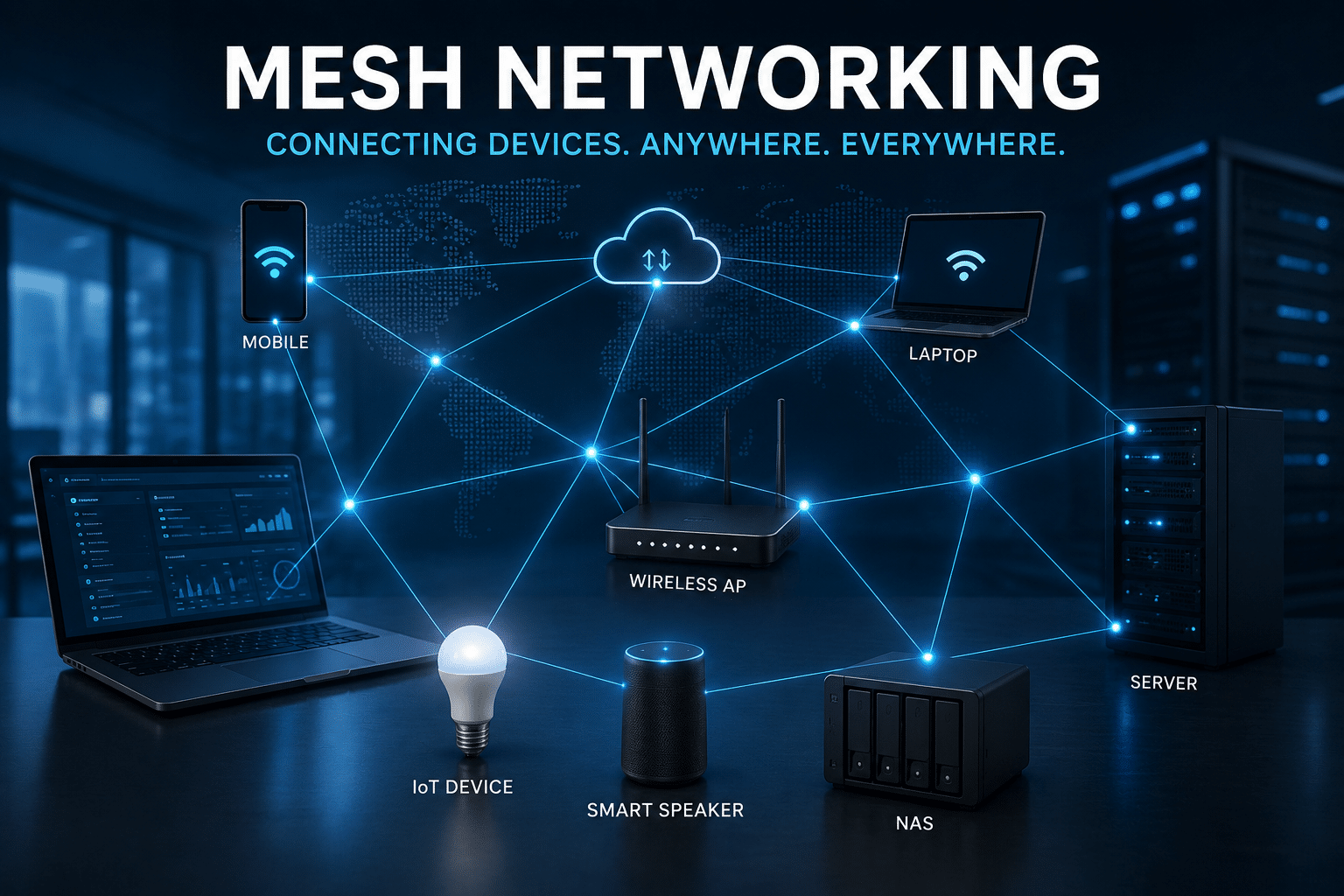
Before comparing the two platforms, it helps to understand the problem they solve.
Imagine you have the following devices:
- A laptop
- A desktop computer
- A home server
- A NAS
- A Raspberry Pi
- A cloud VPS
- A remote development server
These devices may sit behind completely different networks.
Your laptop might connect through public Wi-Fi.
Your home server might sit behind a consumer router.
Your VPS might run inside a cloud data center.
Traditionally, connecting them securely could require:
- Opening firewall ports
- Configuring port forwarding
- Managing dynamic DNS
- Running a VPN server
- Handling NAT traversal
- Creating SSH tunnels
- Managing public IP addresses
Mesh networking simplifies this architecture.
Instead of exposing every service publicly, devices join a private overlay network.
Once authenticated, authorized devices can communicate securely across the network.
The result looks something like this:
                Private Mesh Network

       Laptop ──────────────── Cloud VPS
          │                         │
          │                         │
          │                         │
      Home Server ─────────── NAS Device
          │
          │
      Raspberry Pi
The physical locations do not matter as much.
The devices behave as though they belong to the same private network.
This is the fundamental value proposition behind modern mesh networking.
What Is Tailscale?
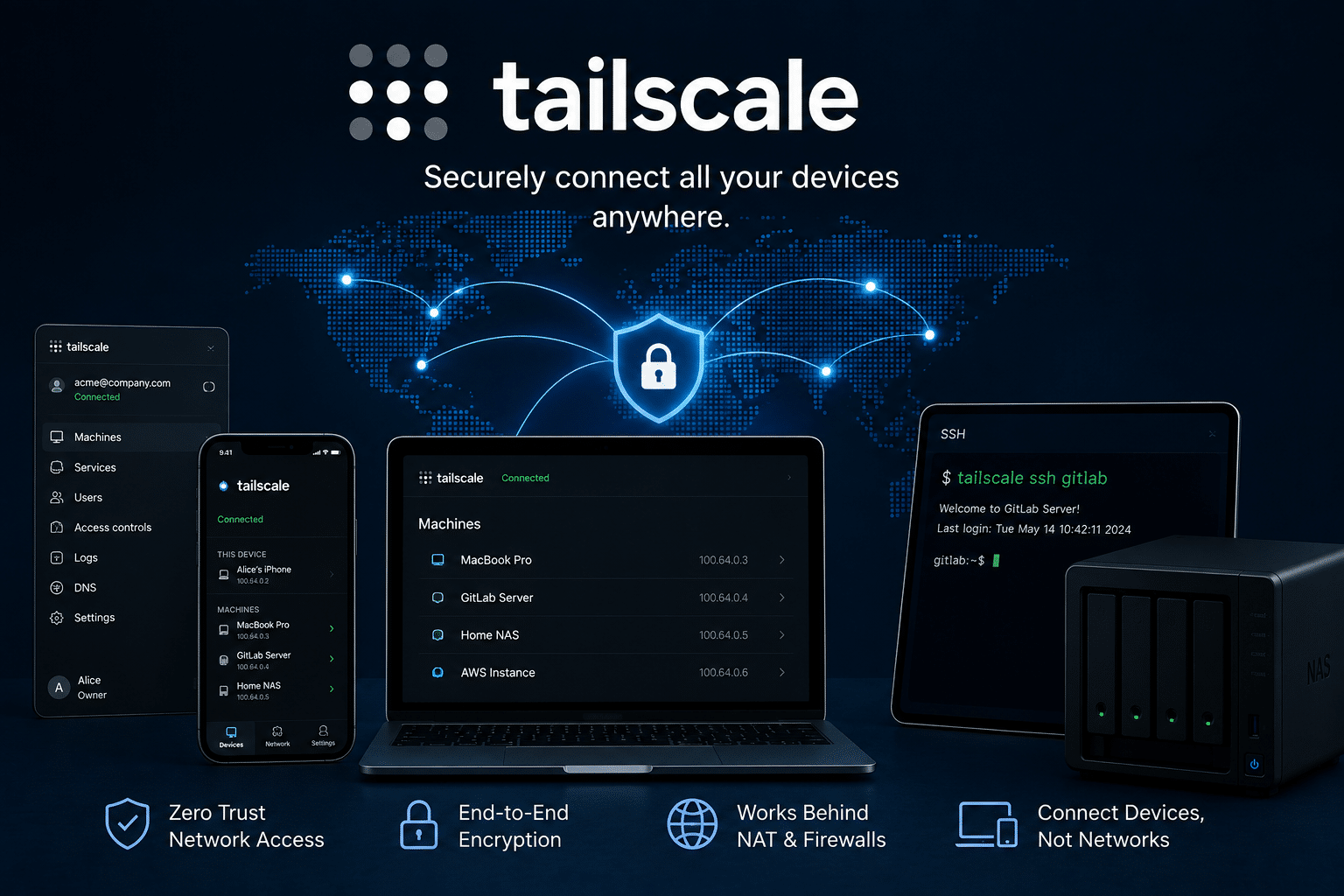
Tailscale is a managed identity-based connectivity platform designed to securely connect devices, users, services, cloud infrastructure, CI/CD environments, and other distributed workloads.
At a high level, Tailscale makes networking easier by handling much of the complexity that traditionally falls on system administrators.
Users install the client.
They authenticate.
Their devices join a private network, commonly referred to as a tailnet.
From there, devices can establish secure connectivity.
Tailscale also offers a large and expanding ecosystem of networking and infrastructure features, including:
- Access control
- MagicDNS
- Subnet routers
- Exit nodes
- Device sharing
- Tags
- Tailscale SSH
- Tailnet APIs
- OAuth integrations
- SCIM provisioning
- Device posture features
- Site-to-site networking
- Serve
- Funnel
- Peer relays
- Kubernetes integrations
Its feature documentation reflects how Tailscale has expanded beyond being simply an easy VPN alternative into a broader connectivity platform.
The biggest advantage of Tailscale is convenience.
You do not need to operate the control plane yourself.
Tailscale manages that infrastructure.
For many users, that is exactly what they want.
Install the software.
Sign in.
Connect devices.
Done.
But convenience also means relying on an externally managed coordination service.
That is where Headscale changes the equation.
What IsHeadscale?
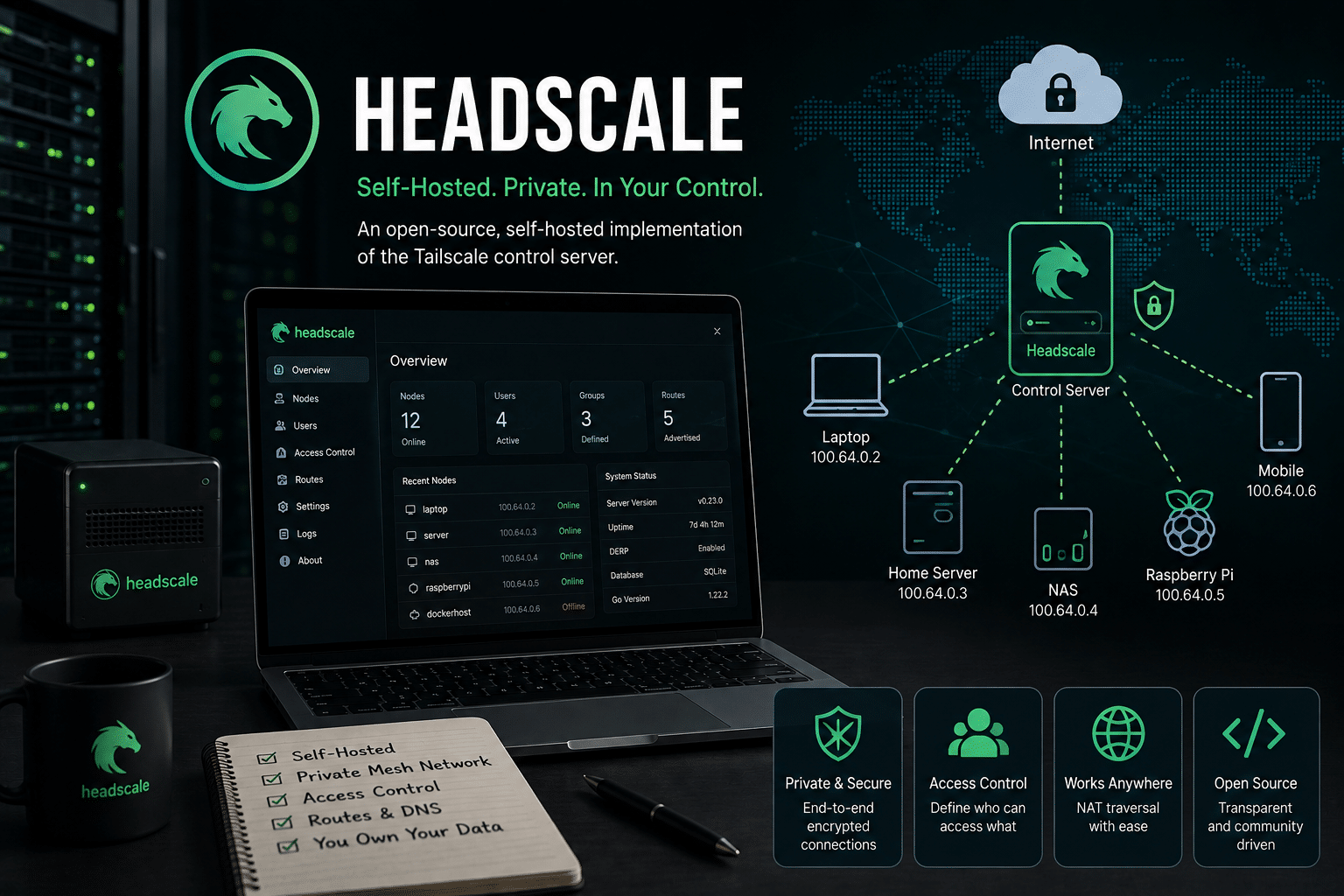
Headscale is an open-source, self-hosted implementation of the Tailscale control server.
Its official design goal focuses on providing self-hosters and hobbyists with an independently operated control server suitable for projects, labs, personal use, and smaller open-source organizations.
The key word here is:
Control plane.
Headscale does not attempt to replace every component of the networking ecosystem.
Instead, it focuses on the coordination layer.
This allows administrators to operate their own server while using compatible Tailscale clients.
Tailscale itself documents the ability to configure clients with a custom control server URL, including a self-managed Headscale deployment.
That means the architecture can change from:
Devices
   │
   ▼
Managed Tailscale Control Plane
   │
   ▼
Private Mesh Network
to:
Devices
   │
   ▼
Your Self-Hosted Headscale Server
   │
   ▼
Private Mesh Network
For the connected devices, the experience can remain remarkably similar.
The major difference happens behind the scenes.
You own and operate the coordination infrastructure.
Headscale vs Tailscale: The Core Difference
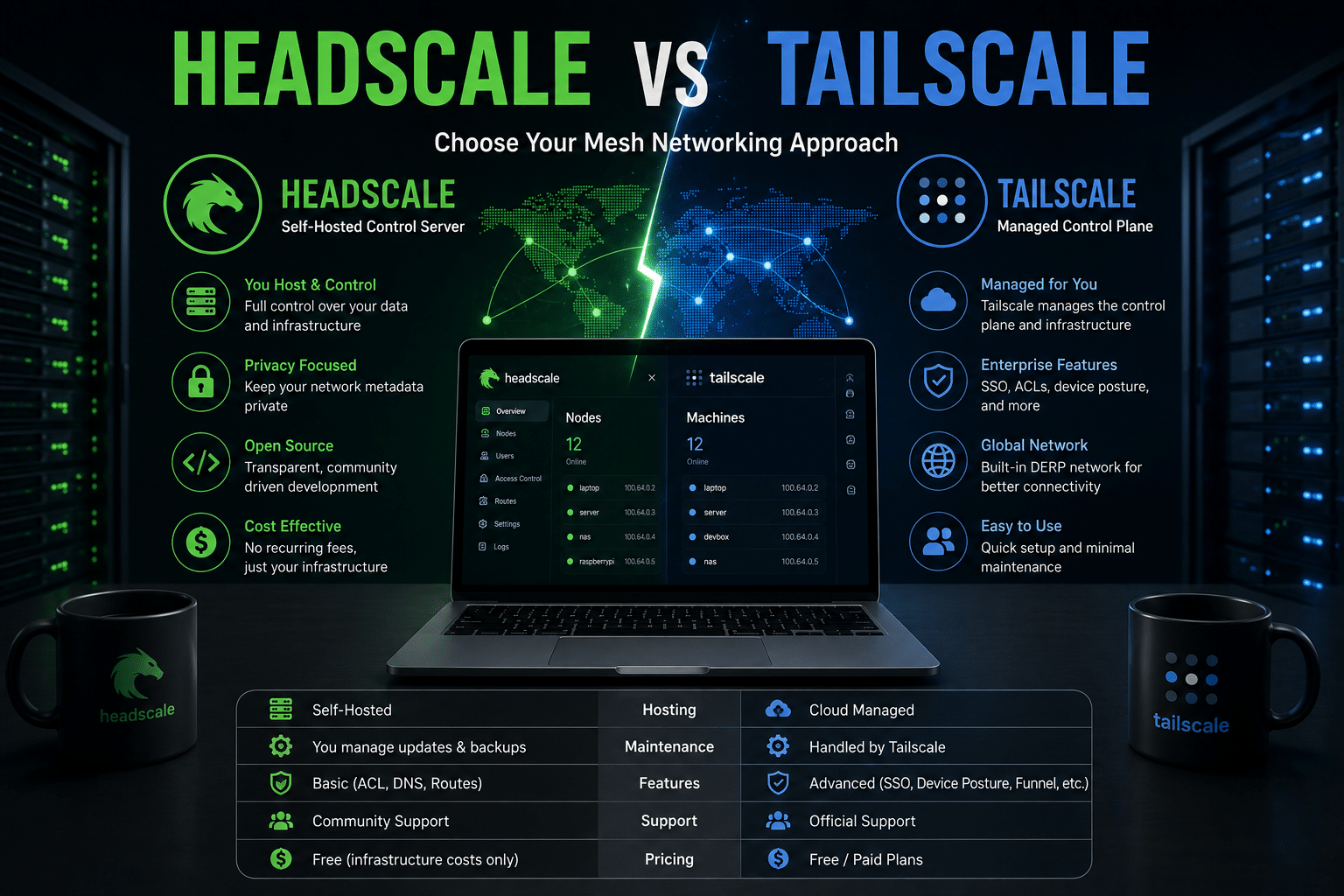
The simplest comparison looks like this:
| Feature | Tailscale | Headscale |
|---|---|---|
| Control Plane | Managed | Self-hosted |
| Infrastructure Maintenance | Tailscale | You |
| Setup Difficulty | Easier | More technical |
| Server Management | Not required | Required |
| Infrastructure Ownership | Managed externally | Self-controlled |
| Target Users | Individuals to enterprises | Self-hosters and smaller organizations |
| Support Model | Commercial managed platform | Community-maintained project |
| Operational Complexity | Lower | Higher |
| Custom Deployment | Limited to platform architecture | High infrastructure flexibility |
The biggest difference is not encryption.
It is not the client.
It is not whether devices can form a private network.
The biggest difference is:
Who operates the coordination infrastructure?
With Tailscale, Tailscale operates it.
With Headscale, you operate it.
That distinction influences everything from maintenance and monitoring to privacy and infrastructure ownership.
Why Self-Hosting Your Mesh Network Is Worth Considering
Self-hosting is not automatically the correct choice.
Managed infrastructure exists for a reason.
It saves time.
It reduces operational responsibilities.
It allows teams to focus on applications instead of infrastructure.
However, self-hosting becomes attractive when control itself provides value.
Here are several reasons why Headscale can make sense.
1. You Control the Networking Control Plane
Infrastructure ownership matters.
When you deploy Headscale, you choose:
- Where the server runs
- Which operating system it uses
- How backups work
- How updates happen
- Which monitoring tools you deploy
- How logs are retained
- Which infrastructure provider hosts the service
This flexibility matters to infrastructure-focused users.
You are not simply consuming a networking service.
You are operating part of the networking architecture yourself.
That can be particularly attractive for:
- Homelab users
- Linux enthusiasts
- DevOps engineers
- Infrastructure teams
- Privacy-conscious users
- Open-source projects
- Small development teams
Headscale gives these users a way to integrate mesh networking directly into their existing infrastructure.
2. Infrastructure Sovereignty Becomes Possible
Infrastructure sovereignty is becoming a more important discussion.
Organizations increasingly ask:
- Where does our infrastructure run?
- Who controls our critical services?
- Can we migrate between hosting providers?
- How dependent are we on a single vendor?
- What happens if a service changes its pricing or product strategy?
Self-hosting does not eliminate dependencies.
You still depend on:
- Operating systems
- Hosting providers
- Internet connectivity
- Hardware
- Open-source software
But it can reduce dependence on a specific managed control plane.
Headscale provides another layer of architectural choice.
You can run the service:
- On a cloud VPS
- In your home lab
- On dedicated hardware
- In a private data center
- On your own virtual infrastructure
That flexibility is one of the strongest arguments for self-hosting.
3. You Can Build Around Your Existing Linux Infrastructure
Many developers already operate Linux servers.
They may have infrastructure running:
- Docker
- Nginx
- Caddy
- PostgreSQL
- Redis
- Git services
- Monitoring platforms
- Automation tools
Adding Headscale to this ecosystem can feel natural.
Instead of introducing an entirely separate networking model, administrators can incorporate the control plane into their existing infrastructure stack.
For example:
                Linux VPS
                    │
        ┌───────────┼────────────┐
        │           │            │
        ▼           ▼            ▼
    Headscale    Monitoring   Private DNS
        │
        ▼
   Mesh Devices
        │
 ┌──────┼─────────┬───────────┐
 ▼      ▼         ▼           ▼
Laptop  NAS    Home Server   Cloud VM
The VPS becomes an infrastructure hub.
And this is where a reliable Linux server becomes strategically important.
Why a Linux VPS Is an Ideal Home for Headscale
Headscale needs a stable environment.
Its requirements recommend a server with a public IP address, HTTPS access, and a modern Linux or BSD-based operating system. The official documentation also recommends HTTPS on port 443 for production-oriented deployments.
That makes a cloud VPS an attractive deployment option.
A Linux VPS provides several advantages.
Always-Online Infrastructure
Unlike a laptop or desktop computer, a VPS is designed to remain available continuously.
Public Connectivity
Cloud servers typically provide a public IP address, simplifying deployment.
Root-Level Control
You can configure:
- Firewall rules
- TLS certificates
- Services
- Monitoring
- Backups
- System updates
Flexible Resource Scaling
You can begin with modest resources and upgrade when requirements grow.
Geographic Flexibility
You can select infrastructure closer to your users or other workloads.
For self-hosted networking, these characteristics matter more than raw computing power.
The control plane does not necessarily need massive hardware.
It needs a reliable place to run.
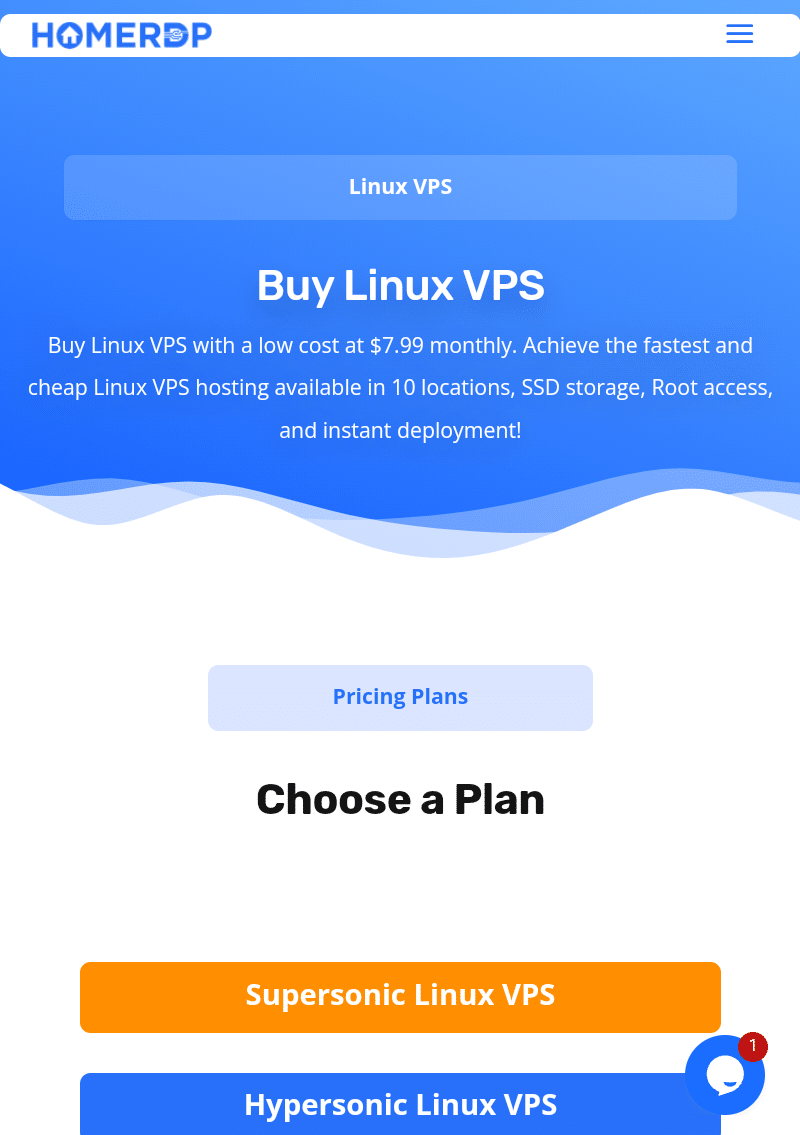
How HOMERDP Linux VPS Fits Into a Headscale Deployment
This is where HOMERDP’s Linux VPS service becomes relevant.
A Headscale deployment needs an always-available server with Linux compatibility, public connectivity, and administrative control.
HOMERDP offers Linux VPS plans with root access, NVMe/SSD storage, 1 Gbps connectivity, and scalable configurations. Its listed plans range from lightweight instances to significantly larger configurations, allowing users to match server resources to their workloads.
For a self-hosted networking project, that flexibility is valuable.
You can use a Linux VPS as a stable foundation for:
- Headscale
- Monitoring
- Private DNS
- Automation tools
- Container workloads
- Reverse proxies
- Development environments
Instead of purchasing specialized networking hardware, you can deploy software-defined infrastructure.
That is a major shift in modern computing.
A virtual server is no longer just a machine for hosting websites.
It can become a programmable infrastructure building block.
Tailscale Wins on Simplicity
It is important to be fair in this comparison.
Tailscale has a major advantage:
It is easier.
You do not need to:
- Deploy a control server
- Configure TLS
- Monitor server uptime
- Manage databases
- Plan backups
- Patch the operating system
- Troubleshoot your own coordination infrastructure
Tailscale handles those responsibilities.
This matters.
Infrastructure has a cost.
Even if software is open source, your time is not free.
A self-hosted deployment introduces operational work.
Tailscale’s managed approach removes much of that burden.
Tailscale also positions its managed service around broader organizational capabilities such as governance, enterprise support, identity integrations, and support for more complex production requirements. Tailscale explicitly describes Headscale as community-maintained and narrower in scope, while positioning its managed offering for users who prioritize simplicity, reliability, governance, and support.
So if your primary requirement is:
“I want secure networking with minimal administration.”
Tailscale is often the better choice.
Headscale Wins on Control
Headscale becomes more interesting when your priority changes.
Instead of asking:
“How do I spend the least time managing networking?”
You might ask:
“How do I control the infrastructure behind my networking?”
That question leads naturally toward self-hosting.
Headscale allows administrators to decide:
- Where the control server runs
- How the infrastructure is secured
- When upgrades happen
- How data is backed up
- Which monitoring tools are used
This level of control creates responsibility.
But for infrastructure enthusiasts, responsibility can also be a feature.
You learn how the system works.
You understand the architecture.
You can integrate it into your existing environment.
Feature Comparison: Headscale Is Not Simply “Free Tailscale”
One of the biggest mistakes people make is assuming Headscale provides a perfect drop-in replacement for every Tailscale feature.
That is not the right way to think about it.
Headscale has its own design goals.
Its official documentation focuses on a narrower scope centered around a single tailnet for personal use and smaller organizations.
However, Headscale supports a substantial collection of networking features.
The project’s feature documentation includes capabilities such as:
- Node registration
- DNS
- MagicDNS
- Split DNS
- Tags
- Routes
- Subnet routers
- Exit nodes
- IPv4 and IPv6
- Ephemeral nodes
- Embedded DERP functionality
- Peer relays
- ACLs and policy features
- Tailscale SSH compatibility
- OpenID Connect registration
The project continues to evolve, so administrators should always validate current feature compatibility before designing a production deployment.
Tailscale, however, offers a broader managed platform with enterprise-oriented features and integrations that may not map directly to a Headscale environment.
Therefore, the decision should not be based only on price.
It should be based on requirements.
The Hidden Advantage: Separation of Control Plane and User Experience
One of the most interesting aspects of Headscale is architectural abstraction.
Applications generally do not care who operates the coordination server.
They care about connectivity.
If your laptop can reach your server, your application works.
If DNS resolves correctly, the connection works.
If authorization allows traffic, the service becomes available.
This separation allows infrastructure teams to change internal architecture without forcing users to completely change their workflow.
Consider a developer using SSH.
The workflow remains:
ssh private-server
The developer does not need to know:
- Which cloud provider hosts the control plane
- Which database stores coordination state
- Which monitoring tool tracks uptime
Good infrastructure hides unnecessary complexity.
This is why a successful migration can feel almost invisible.
The architecture underneath changes.
The workflow above remains stable.
A Real-World Use Case: Connecting a Distributed Development Environment
Imagine a developer with the following infrastructure:
Local Environment
- Laptop
- Desktop workstation
Home Lab
- NAS
- Raspberry Pi
- Media server
Cloud Infrastructure
- Application VPS
- Database server
- CI/CD runner
The traditional approach might require multiple access methods.
For example:
SSH → Cloud Server

VPN → Home Network

Port Forwarding → NAS

Separate Authentication → CI/CD
A mesh network simplifies this architecture.
Now imagine:
                 HEADSCALE
                     │
            Running on Linux VPS
                     │
          Private Mesh Coordination
                     │
       ┌─────────────┼──────────────┐
       │             │              │
       ▼             ▼              ▼
    Laptop      Home Server      Cloud VPS
       │             │              │
       └─────────────┼──────────────┘
                     │
                 NAS / IoT
Every authorized device becomes part of the private infrastructure.
The public internet becomes the transport layer.
The applications communicate through the encrypted overlay network.
This architecture can significantly simplify remote infrastructure management.
Headscale for Homelabs: A Powerful Combination
Homelab users often have unique requirements.
They want remote access without exposing every service publicly.
Typical services include:
- Jellyfin
- Nextcloud
- Home Assistant
- NAS systems
- Game servers
- Development environments
- Raspberry Pi projects
Opening ports for every service creates complexity.
Each exposed service potentially requires:
- Firewall configuration
- TLS certificates
- Security monitoring
- Patch management
A private mesh network provides a different model.
Instead of making every service public, users can make services accessible only to authorized devices.
Headscale allows the coordination infrastructure itself to remain self-hosted.
For users who enjoy controlling their entire technology stack, this approach can be extremely attractive.
The Operational Cost of Self-Hosting
Self-hosting sounds attractive.
But it comes with responsibilities.
This should not be ignored.
When you operate Headscale, you need to think about:
Updates
Keep the operating system and Headscale software updated.
Security
Configure firewalls and TLS correctly.
Backups
Protect configuration and persistent state.
Monitoring
Know when your control server becomes unavailable.
Disaster Recovery
Prepare for infrastructure failures.
Documentation
Record how the system works.
The managed approach moves much of this responsibility to Tailscale.
The self-hosted approach gives you ownership.
Neither model is inherently superior.
The correct choice depends on whether control justifies the additional work.
When Should You Choose Tailscale?
Tailscale is an excellent choice when you want:
- Fast deployment
- Minimal administration
- Managed infrastructure
- Commercial support
- Enterprise features
- Identity integrations
- Broad organizational tooling
It works particularly well for teams that would rather focus engineering resources on applications than networking infrastructure.
Tailscale’s managed platform continues to offer a broad feature ecosystem around connectivity, access management, services, device identity, and organizational administration.
If your networking philosophy is:
“I want this to work without becoming another server I need to manage.”
Tailscale makes a lot of sense.
When Should You Choose Headscale?
Headscale becomes attractive when you want:
- A self-hosted control plane
- Infrastructure ownership
- Greater deployment flexibility
- Open-source coordination infrastructure
- Homelab experimentation
- Integration with your Linux environment
- Reduced reliance on a managed coordination service
It is particularly suitable for technically capable users who already understand basic Linux administration.
Headscale itself describes its intended scope around self-hosters, hobbyists, personal projects, and smaller organizations rather than positioning itself as a universal replacement for every enterprise use case.
If your philosophy is:
“I want to understand and operate the infrastructure behind my private network.”
Headscale may be the better choice.
Headscale vs Tailscale: The Decision Matrix
Here is a practical way to decide.
Choose Tailscale if:
- You want the fastest setup.
- You do not want to manage a server.
- You need managed support.
- You want extensive enterprise features.
- You prefer convenience over infrastructure ownership.
- Your team does not have time for self-hosted networking.
Choose Headscale if:
- You enjoy self-hosting.
- You already manage Linux infrastructure.
- You want control over the coordination layer.
- You operate a homelab.
- You value infrastructure independence.
- You want to integrate networking into your own VPS environment.
- You are comfortable handling updates and maintenance.
The best decision is the one that matches your operational reality.
Building a Headscale Infrastructure With HOMERDP Linux VPS
A practical self-hosted architecture needs reliable infrastructure.
This is where a Linux VPS can become the central building block.
A possible deployment strategy looks like this:
Step 1: Deploy a Linux VPS
Choose a stable Linux server with:
- Public IP connectivity
- Root access
- Persistent storage
- Reliable bandwidth
HOMERDP’s Linux VPS offerings provide configurations with dedicated VPS resources, NVMe/SSD storage, root access, and 1 Gbps connectivity, making them suitable building blocks for self-hosted infrastructure projects.
Step 2: Deploy Headscale
Install Headscale on the VPS.
Configure:
- HTTPS
- DNS
- Authentication
- Policies
- Node registration
Headscale’s deployment requirements recommend a public IP address and HTTPS, with a modern Linux or BSD operating system forming the expected deployment environment.
Step 3: Connect Your Devices
Configure compatible clients to use your custom control server.
Tailscale officially documents custom control server configuration for clients, including self-managed Headscale instances.
Step 4: Add Infrastructure Services
Once the private network works, you can connect:
- Development servers
- NAS devices
- Databases
- Home servers
- Cloud applications
Step 5: Monitor Everything
Add monitoring for:
- Server uptime
- Disk usage
- Memory usage
- CPU utilization
- Service availability
Now you have more than a VPN.
You have a privately managed networking layer integrated into your infrastructure.
Why the VPS Model Works So Well for Modern Networking
The cloud VPS has evolved.
Years ago, people primarily used virtual servers for:
- Websites
- Blogs
- Email servers
Today, developers use them for much more.
A modern VPS can run:
- Containers
- Kubernetes components
- Monitoring
- Automation
- Private networking
- Remote development
- AI services
- Databases
- Reverse proxies
This makes a VPS an infrastructure primitive.
You can build on top of it.
For Headscale specifically, a cloud VPS offers an important advantage:
The coordination server remains independent from your home internet connection.
Your home network may experience:
- Power failures
- Router reboots
- ISP changes
- Dynamic IP changes
But the VPS remains an independent infrastructure component.
That separation can improve the architecture of a distributed private network.
The Future of Self-Hosted Networking
The growth of projects like Headscale represents a larger trend.
Networking is becoming software-defined.
Instead of depending entirely on specialized networking appliances, users increasingly build networks using software.
They define:
- Identity
- Policies
- Routes
- Access
- Connectivity
through configuration.
This democratizes infrastructure.
A small development team can build sophisticated private networking.
A student can experiment with distributed systems.
A homelab enthusiast can connect devices across continents.
A startup can create private infrastructure without purchasing expensive networking appliances.
The barrier to entry continues to fall.
And open-source projects play an important role in that evolution.
Final Thoughts: Is Self-Hosting Your Mesh Network Worth It?
The answer depends on what you value.
If you want convenience, simplicity, and a managed experience, Tailscale is difficult to beat.
It removes networking complexity and allows users to focus on their applications.
But if you value control, infrastructure ownership, and self-hosting, Headscale offers something compelling.
It allows you to operate the coordination layer yourself.
That creates more responsibility.
But it also creates more freedom.
You decide:
- Where the server runs
- How it is maintained
- How it is monitored
- How it integrates with your infrastructure
For developers and self-hosters, that flexibility can be worth the additional operational work.
The strongest approach may not even be ideological.
You do not need to believe that all infrastructure should be self-hosted.
You simply need to recognize where self-hosting creates value.
For a personal lab, a private development environment, or a small distributed infrastructure project, Headscale can provide an elegant balance between modern mesh networking and infrastructure independence.
And when paired with a stable cloud server, the architecture becomes even more practical.
A reliable Linux VPS can serve as the always-online foundation for your Headscale deployment while also supporting monitoring, DNS, automation, containers, and other infrastructure services.
Ultimately, Headscale vs Tailscale is not simply a battle between two networking tools.
It represents two different infrastructure philosophies.
Tailscale says:
Let us manage the complexity.
Headscale says:
You can manage the control plane yourself.
For the right user, that second option is powerful.
Because sometimes the most valuable feature in modern infrastructure is not automation.
Sometimes, it is choice.
EXPLORE MORE ; Why Enterprises Are Replacing VPNs with RustDesk and Tailscale
READ OUR BLOGS