

Beyond Traditional VPNs: Why Cloudflare Tunnel, Tailscale, and WireGuard Are Changing Remote Access
Remote access has changed dramatically.
For years, the standard answer to accessing a computer, server, or private network from outside the office was simple: install a VPN. Connect to the VPN server, authenticate yourself, and suddenly your laptop could communicate with resources inside a private network.
That model still works. But modern computing environments have become significantly more complicated.
Today, a single developer may work across:
- A laptop
- A desktop workstation
- A home server
- A cloud VPS
- A Raspberry Pi
- Multiple containers
- Private APIs
- Remote databases
- NAS storage
- Virtual machines
Businesses face an even more complex reality. Applications now run across public clouds, private data centers, edge devices, employee laptops, and remote development environments.
The traditional VPN model was designed for a world where users connected from the outside into a relatively centralized network.
Modern infrastructure is no longer centralized.
It is distributed.
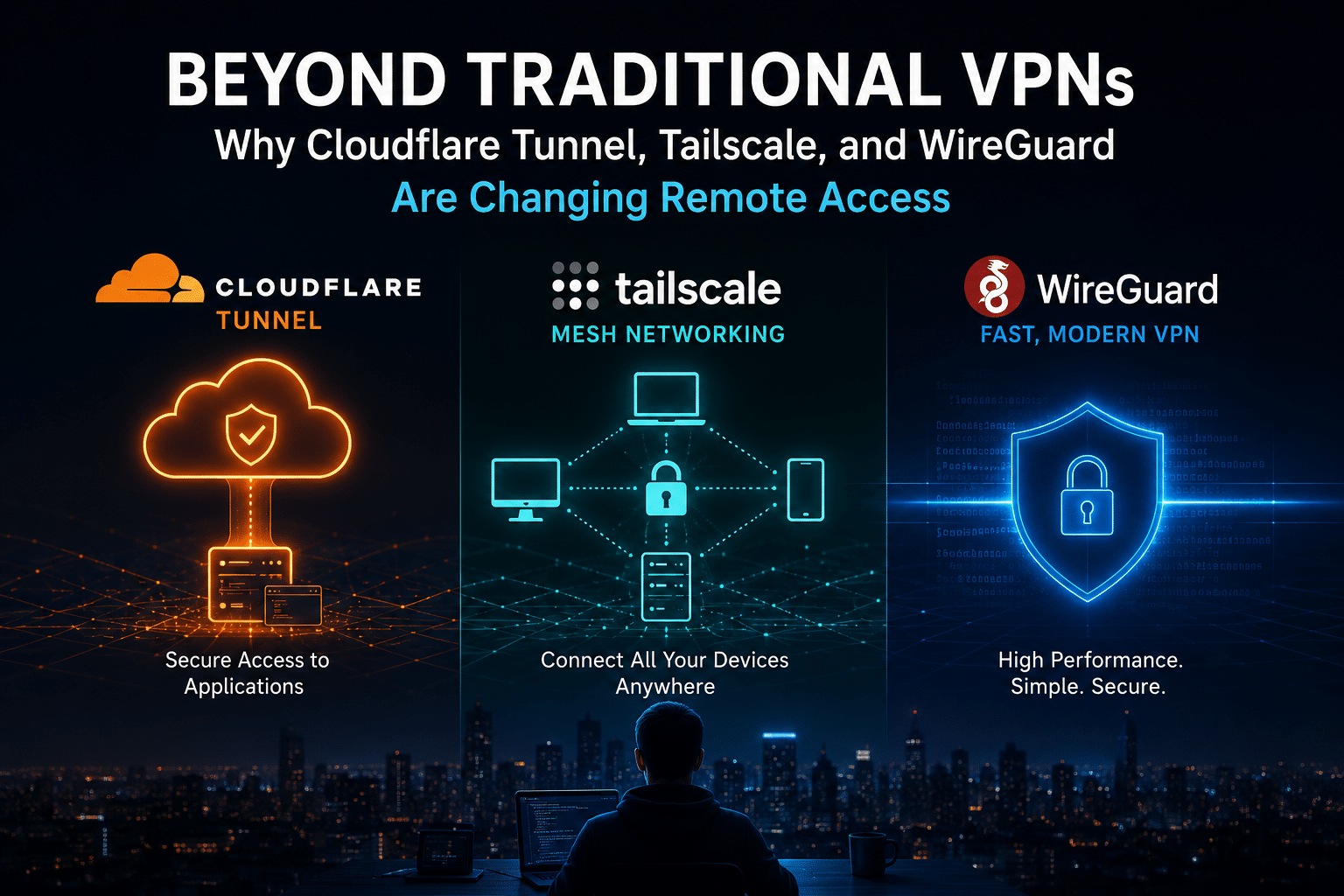
That is why technologies such as Cloudflare Tunnel, Tailscale, and WireGuard have become increasingly important. Each represents a different way of thinking about remote connectivity.
Cloudflare Tunnel focuses on securely connecting services without exposing traditional inbound ports. Tailscale simplifies private mesh networking across distributed devices. WireGuard provides a lightweight and highly efficient encrypted networking foundation that administrators can deploy and control themselves.
These technologies are not simply replacing old VPNs.
They are changing the architecture of remote access itself.
The future is moving away from one massive network perimeter and toward something more flexible:
identity-based access, encrypted peer-to-peer connectivity, outbound tunnels, and infrastructure that can exist anywhere.
For developers and organizations building this kind of architecture, the question is no longer simply:
Which VPN should I install?
The better question is:
What is the most efficient and secure way to connect the people, devices, services, and infrastructure I actually use?
Let’s explore why traditional VPNs are evolving—and why Cloudflare Tunnel, Tailscale, and WireGuard are helping define the next generation of remote access.
The Traditional VPN Model Is Showing Its Age
Traditional VPNs were designed around a relatively simple architecture.
Imagine a corporate network:
Remote Employee
       │
       │ VPN Connection
       ▼
  VPN Gateway
       │
       ▼
Corporate Network
       │
 ┌─────┼─────┐
 ▼     ▼     ▼
Apps  Files Database
The employee connects to a central gateway.
Once connected, the employee may receive access to a significant portion of the internal network.
This approach made sense when:
- Most applications lived inside one office
- Employees worked primarily from fixed locations
- Infrastructure existed inside centralized data centers
- Network boundaries were easy to define
But those assumptions no longer apply.
Today, infrastructure may exist across:
- AWS
- Google Cloud
- Azure
- Private VPS providers
- Home labs
- Edge devices
- Employee laptops
- SaaS platforms
A modern developer may need access to a private server in one country, a development environment hosted elsewhere, and a database running inside a home lab.
Routing everything through one central VPN gateway can create unnecessary complexity.
Traditional VPN architectures also introduce several operational challenges.
Network-level trust
Many traditional VPNs effectively treat network access as a major trust boundary.
Once users connect, they may gain broad visibility into internal infrastructure.
Modern security models increasingly prefer more granular access.
Instead of:
You are inside the network, so you can access everything.
The new approach is closer to:
You are authenticated, and your identity and policy determine exactly which resources you can access.
Complex firewall management
Traditional VPN deployments can require administrators to manage:
- Public IP addresses
- Open ports
- Firewall rules
- Routing tables
- NAT
- DNS
- VPN certificates
- User credentials
These tasks are manageable, but they create operational overhead.
Central bottlenecks
If all remote traffic travels through one VPN gateway, that gateway becomes an important infrastructure dependency.
Bandwidth limitations can affect performance.
Geographic distance can increase latency.
And scaling may require additional networking architecture.
Difficult NAT environments
The modern internet makes direct connectivity surprisingly complicated.
Many devices operate behind:
- Carrier-grade NAT
- Home routers
- Enterprise firewalls
- Cloud NAT gateways
- Hotel Wi-Fi
- Mobile networks
A traditional VPN often solves this by forcing every device to connect to a stable public endpoint.
That works—but newer technologies are exploring more flexible approaches.
The New Philosophy: Connect Resources, Not Just Networks
The biggest change in remote access is philosophical.
Traditional networking often asks:
How do I connect this user to the network?
Modern networking increasingly asks:
How do I securely connect this identity to the specific resource they need?
This shift has produced several important architectural patterns.
Zero inbound exposure
Instead of opening a port and waiting for connections, infrastructure initiates an outbound encrypted connection.
Peer-to-peer networking
Devices communicate directly whenever possible instead of routing all traffic through a central gateway.
Identity-aware access
Authentication and authorization become part of connectivity.
Software-defined networks
The network becomes an overlay that can connect devices regardless of their physical location.
Cloudflare Tunnel, Tailscale, and WireGuard each approach these ideas differently.
Cloudflare Tunnel: Rethinking How Services Reach the Internet
Cloudflare Tunnel challenges one of the oldest assumptions in networking:
Do you really need to expose a server directly to the internet?
Traditionally, publishing an application meant:
- Obtain a public IP address.
- Open ports 80 and 443.
- Configure firewall rules.
- Route DNS traffic to the server.
- Secure the exposed infrastructure.
Cloudflare Tunnel changes the connection direction.
Instead of waiting for inbound traffic, the server establishes an outbound connection to Cloudflare.
Cloudflare’s cloudflared connector creates persistent outbound connections to Cloudflare’s network, allowing services to be reached without requiring a publicly exposed origin IP. Cloudflare documents that tunnels can maintain multiple long-lived connections across data centers for redundancy.
The architecture looks like this:
Traditional Model

Internet
   │
   ▼
Public IP
   │
Open Firewall Port
   │
   ▼
Your Server


Cloudflare Tunnel Model

Your Server
   │
   │ Outbound Connection
   ▼
Cloudflare Network
   │
   ▼
Internet Users
This difference has significant implications.
The origin server does not need to expose a conventional public listening port for the tunnel itself.
That can simplify deployment, especially when infrastructure sits behind restrictive NAT or firewalls.
Cloudflare also supports mapping public hostnames to local services. For example, a hostname such as app.example.com can route through the tunnel to a service running on a private address or localhost.
Why Cloudflare Tunnel Is Different From a Traditional VPN
Cloudflare Tunnel is particularly powerful because it focuses on services.
Imagine you have a self-hosted application:
http://localhost:3000
Instead of opening your router and forwarding traffic from the internet to port 3000, you can create a secure tunnel.
The architecture becomes:
Internet User
      │
      ▼
app.example.com
      │
      ▼
Cloudflare
      │
Encrypted Tunnel
      │
      ▼
Local Application
The application can remain behind the local network.
This makes Cloudflare Tunnel particularly attractive for:
- Web applications
- APIs
- Development environments
- Internal dashboards
- SSH services
- Remote desktop services
- Private applications protected by access policies
Cloudflare’s documentation also positions Tunnel as a connectivity component for private networking and Zero Trust use cases, including access to internal applications and private networks without requiring a publicly routable origin address.
Where Cloudflare Tunnel Shines
Cloudflare Tunnel works exceptionally well when your primary goal is:
Securely exposing a service without exposing the infrastructure behind it.
For example:
- You want to publish a self-hosted application.
- Your ISP does not provide a static public IP.
- Your server sits behind NAT.
- You want to avoid inbound port forwarding.
- You want Cloudflare’s broader security ecosystem in front of your application.
It is especially useful for developers who frequently need to share temporary services.
A development server can move from:
“How do I configure my router?”
to:
“How do I securely route this application?”
That is a major usability improvement.
However, Cloudflare Tunnel is not automatically the best solution for every remote-access requirement.
If your goal is:
- Connecting ten devices
- Accessing private IP addresses
- Creating a persistent private mesh
- Making geographically distributed machines communicate directly
then another architecture may fit better.
That brings us to Tailscale.
Tailscale: Making Mesh Networking Feel Simple
Tailscale represents another major shift in how remote networking works.
At its core, Tailscale builds upon WireGuard encryption.
But it adds several layers that traditional WireGuard deployments do not provide by default.
According to Tailscale’s documentation, WireGuard provides encrypted tunnels between endpoints, while Tailscale adds capabilities such as device coordination, NAT traversal, authentication, access controls, and a mesh network topology.
This is an important distinction.
WireGuard is primarily a networking protocol.
Tailscale is a broader networking system built around WireGuard.
Imagine you own five devices:
Laptop
Desktop
Home Server
Cloud VPS
Phone
A traditional VPN architecture might look like:
Laptop ───┐
Phone ────┤
Desktop ──┼──── VPN Gateway
Server ───┤
Cloud VPS ┘
Everything may connect through a central server.
A mesh architecture looks different:
      Laptop
      /    \
     /      \
Desktop ---- Server
   \          /
    \        /
     Cloud VPS
         |
       Phone
The conceptual goal is to allow trusted devices to communicate efficiently without forcing every connection through one centralized gateway.
The Magic Behind Tailscale: NAT Traversal
The hardest part of peer-to-peer networking is that the internet was not originally designed to make direct device-to-device connectivity easy.
Most devices do not have publicly reachable IP addresses.
Instead, they sit behind NAT.
Tailscale uses NAT traversal techniques to attempt direct connections between devices.
Its connection model generally prefers direct UDP connectivity because direct connections typically provide lower latency and higher throughput. When a direct connection cannot be established, Tailscale can fall back to encrypted relay paths such as DERP or peer relays.
This architecture is important because it combines convenience with performance.
The ideal connection looks like:
Laptop ───────────── Server
       Direct P2P
No unnecessary central routing.
When that connection is impossible:
Laptop
   │
Encrypted Relay
   │
   ▼
Relay Server
   │
   ▼
Server
The traffic remains encrypted end-to-end using WireGuard-based encryption, even when relayed. Tailscale documents that relay servers forward encrypted packets and do not decrypt the underlying user traffic.
Why Tailscale Has Become So Popular
The biggest advantage is not necessarily the encryption.
WireGuard already provides excellent encrypted tunnels.
The biggest advantage is operational simplicity.
Tailscale reduces the amount of networking knowledge required to create a distributed private network.
Instead of manually configuring:
- Public keys
- Peer addresses
- Routing
- Firewall rules
- NAT traversal
- DNS
- Device discovery
users can install a client and authenticate.
For many environments, that dramatically reduces setup time.
Tailscale documentation notes that most deployments do not require manually opening firewall ports because NAT traversal handles connectivity in many common scenarios, although difficult network environments can cause connections to fall back to relays.
That makes Tailscale attractive for:
- Developers
- Remote workers
- Homelab users
- Small teams
- Distributed infrastructure
- Multi-cloud environments
But Tailscale Is Not Magic
Convenience always involves trade-offs.
Tailscale handles significant networking complexity for you.
That means the architecture includes components beyond basic WireGuard.
These include:
- Coordination
- Device discovery
- Identity
- Access policies
- NAT traversal
- Relay infrastructure
For many users, this is exactly what they want.
They do not want to become networking engineers.
They want their laptop to securely connect to their server.
However, infrastructure enthusiasts and organizations with specialized requirements may want more direct control.
That leads to the technology underneath many modern VPN architectures.
WireGuard.
WireGuard: The Lightweight Foundation Changing VPN Technology
WireGuard has become one of the most influential technologies in modern networking.
Its philosophy is straightforward:
Keep the protocol simple, efficient, and focused.
WireGuard creates encrypted tunnels between peers.
Unlike a fully managed mesh platform, WireGuard does not attempt to solve every infrastructure problem.
It gives administrators the cryptographic networking foundation.
Tailscale itself describes WireGuard as an open-source network tunneling protocol designed as a simpler and lighter-weight alternative to older VPN technologies, while noting that Tailscale adds higher-level capabilities around the WireGuard foundation.
A basic WireGuard architecture may look like:
Laptop
   │
Encrypted WireGuard Tunnel
   │
   ▼
Linux VPS
   │
   ▼
Private Network
The administrator controls:
- Keys
- Peers
- Endpoints
- Routes
- Allowed IP ranges
- Firewall configuration
This level of control makes WireGuard extremely attractive.
The WireGuard Advantage: Infrastructure Ownership
With a managed networking platform, someone else may operate important components of the architecture.
With WireGuard, you can deploy the entire VPN infrastructure yourself.
That means you can decide:
- Where the server runs
- Which operating system it uses
- Which data center hosts it
- How traffic routes
- Which firewall policies apply
- Which users have access
For developers who enjoy building infrastructure, that flexibility is valuable.
However, direct control comes with responsibility.
You must manage:
- Key rotation
- Peer configuration
- Monitoring
- Server updates
- Firewall security
- Backup strategies
WireGuard reduces protocol complexity.
It does not eliminate operational responsibility.
That is why many users choose different approaches depending on scale.
Cloudflare Tunnel vs. Tailscale vs. WireGuard
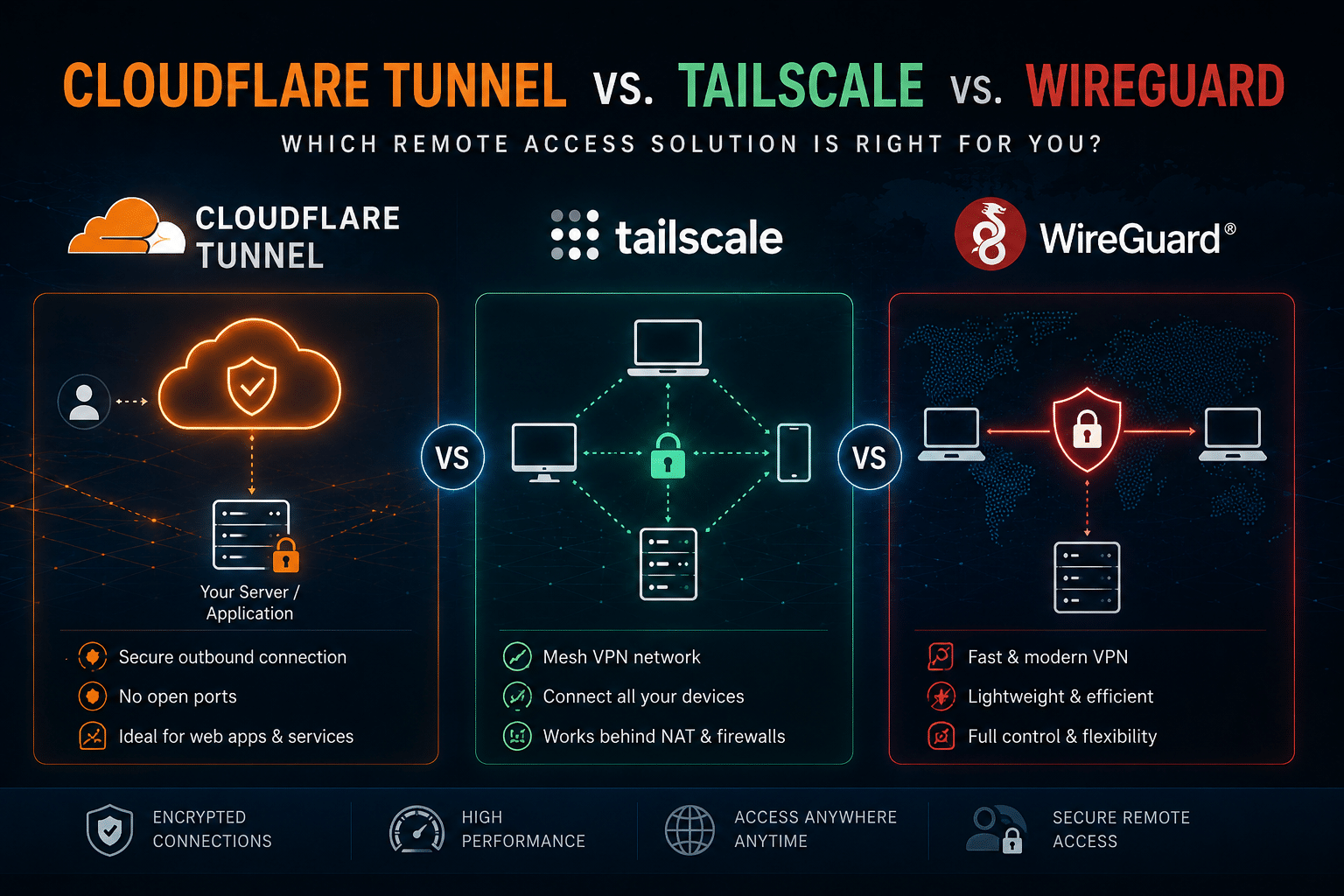
These technologies overlap, but they are not identical competitors.
The easiest way to understand them is to compare their primary purpose.
| Technology | Primary Focus | Best For |
|---|---|---|
| Cloudflare Tunnel | Service connectivity | Publishing and protecting applications |
| Tailscale | Managed mesh networking | Connecting multiple distributed devices |
| WireGuard | Self-managed encrypted networking | Maximum infrastructure control |
Let’s go deeper.
1. Setup Complexity
Cloudflare Tunnel
Cloudflare Tunnel can simplify service publishing.
You install the connector, establish the tunnel, and map hostnames to services.
Cloudflare documents a straightforward setup flow for creating tunnels and mapping routes to local applications.
Complexity: Low to Moderate
Tailscale
Tailscale is designed for simplicity.
Install the client.
Authenticate.
Add devices.
The platform handles much of the underlying complexity.
Complexity: Low
WireGuard
WireGuard gives you direct control.
But you configure more components yourself.
Complexity: Moderate to High
2. Performance Architecture
Performance depends heavily on the actual network path.
Tailscale prefers direct peer-to-peer connections whenever possible because direct connections generally provide lower latency and higher throughput than relayed connections. When direct connectivity fails, relays provide a connectivity fallback rather than leaving devices disconnected.
WireGuard can also deliver highly efficient networking because administrators can design direct peer relationships.
Cloudflare Tunnel routes traffic through Cloudflare’s network architecture, which can provide operational and security benefits but follows a different traffic model from direct peer-to-peer networking.
The key lesson is simple:
The technology alone does not determine performance. Network topology does.
3. Infrastructure Control
This category has a clear winner.
WireGuard
You can self-host the entire deployment.
Tailscale
You receive a managed experience, with more infrastructure components abstracted from the user.
Cloudflare Tunnel
You deploy the connector but integrate with Cloudflare’s global network.
None of these approaches is universally better.
Control increases responsibility.
Convenience reduces administrative workload.
Why the Best Remote Access Strategy May Combine All Three
One of the biggest mistakes infrastructure users make is trying to select a single technology for everything.
Modern infrastructure does not always need one universal networking tool.
You can combine technologies.
Consider this architecture.
Public applications
Use Cloudflare Tunnel.
Internet
   │
   ▼
Cloudflare Tunnel
   │
   ▼
Web Application
Private infrastructure
Use WireGuard or Tailscale.
Laptop ───── Private VPN ───── Server
Infrastructure coordination
Use a reliable Linux VPS.
Devices
   │
   ▼
Cloud Infrastructure
   │
   ├── VPN Gateway
   ├── Monitoring
   ├── DNS
   └── Private Services
This approach gives every technology a specific job.
Instead of forcing a single VPN to handle everything, you create layers.
The Importance of a Stable Infrastructure Anchor
Remote access software still needs infrastructure.
Even the most elegant mesh network eventually interacts with servers, gateways, relays, applications, and monitoring systems.
For self-hosted infrastructure, a Linux VPS can become an important networking anchor.
For example, you might use a VPS to host:
- WireGuard
- Reverse proxies
- Monitoring software
- DNS services
- Bastion hosts
- Development environments
- Automation platforms
- Self-hosted networking tools
This is where HOMERDP’s infrastructure becomes relevant.
HOMERDP’s Linux VPS provides a self-managed server environment with root access, dedicated VPS resources, SSD/NVMe storage options, and multiple plan sizes. The service can provide a practical foundation for developers who want to deploy networking tools directly rather than rely exclusively on managed infrastructure.
Instead of thinking of a VPS only as a website host, think of it as a programmable infrastructure location.
You can turn that server into:
Linux VPS
   │
   ├── WireGuard Gateway
   │
   ├── Monitoring Server
   │
   ├── Reverse Proxy
   │
   ├── Private DNS
   │
   └── Automation Platform
That flexibility is particularly valuable for developers and homelab users.
Using HOMERDP Linux VPS as a WireGuard Gateway
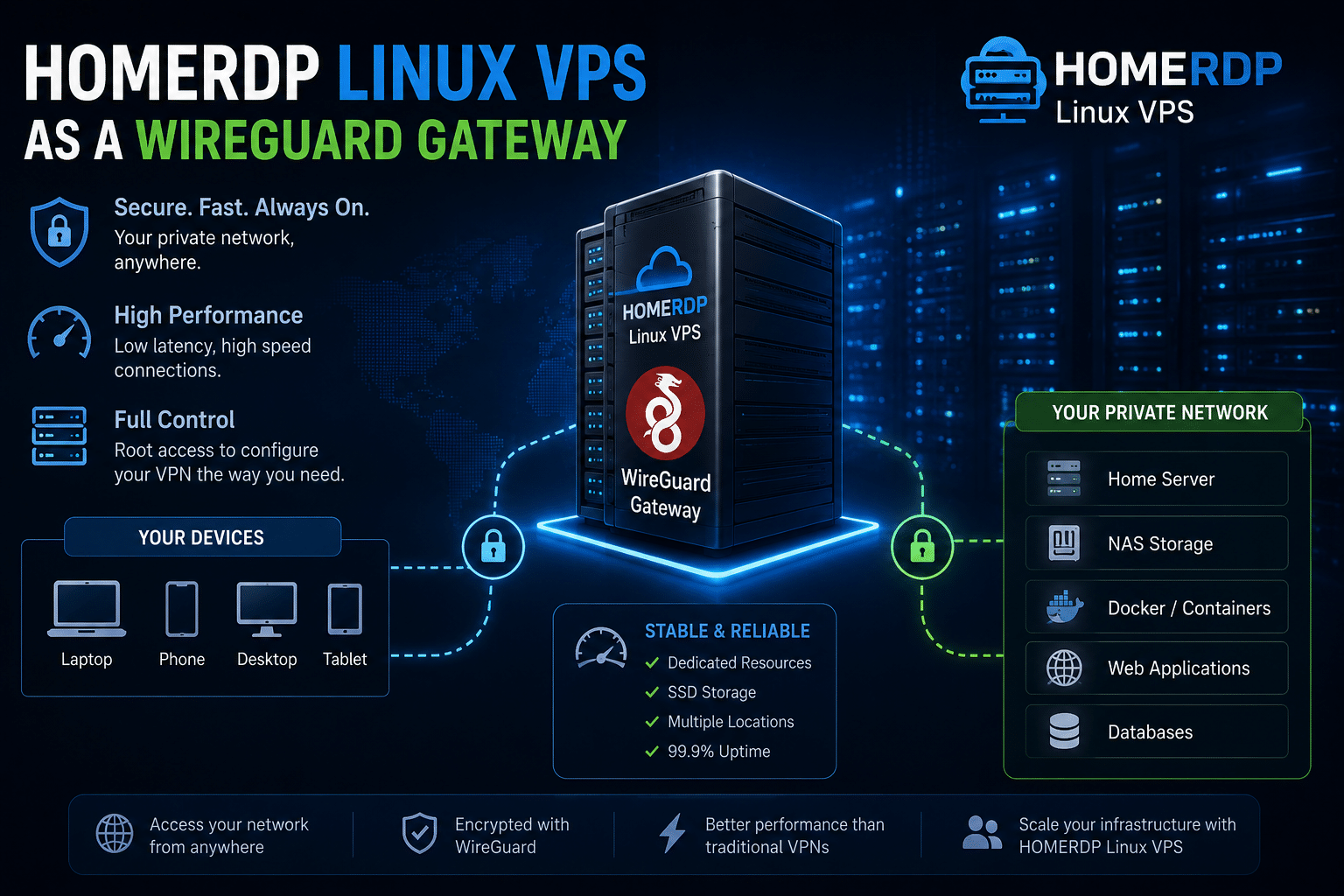
One practical architecture involves deploying WireGuard on a cloud VPS.
Imagine you have:
- A laptop
- A phone
- A home server
- A NAS
Your home connection might have:
- Dynamic IP addresses
- Carrier-grade NAT
- Limited port forwarding options
A VPS with a stable public network endpoint can simplify the architecture.
Laptop ───────┐
              │
Phone ────────┼──────► Linux VPS
              │        WireGuard
Home Server ──┘             │
                            ▼
                     Private Resources
The VPS becomes a stable network anchor.
HOMERDP’s Linux VPS plans advertise root access and dedicated virtual resources, allowing administrators to install and configure networking software according to their own requirements.
This approach is especially useful when you want control over:
- VPN software
- Routing
- Firewall configuration
- Linux distribution
- Network topology
The Economics of Self-Hosted Remote Access
One of the most overlooked factors in remote access is total operational cost.
People often compare subscription prices.
But infrastructure has multiple costs.
Software Cost
What does the platform cost?
Infrastructure Cost
Do you need servers?
Operational Cost
How much administrator time does the system require?
Complexity Cost
Can another person understand the architecture?
Security Cost
What happens when something is misconfigured?
A free VPN solution can become expensive if it requires hours of troubleshooting.
A managed solution can become expensive if infrastructure requirements scale significantly.
A self-hosted solution can offer excellent control but requires maintenance.
This is why the right answer depends on the user.
For a developer connecting five personal devices, Tailscale may save significant time.
For a networking professional managing custom infrastructure, WireGuard may provide the right level of control.
For a public application, Cloudflare Tunnel may eliminate unnecessary port exposure.
For users building their own networking infrastructure, a VPS such as a HOMERDP Linux VPS can provide the underlying compute environment for multiple services rather than dedicating separate servers to each workload. HOMERDP lists Linux VPS plans ranging from lightweight configurations upward, enabling users to select resources according to workload requirements.
Security Is No Longer Only About Firewalls
The traditional security model looked like this:
Internet
    │
Firewall
    │
Trusted Network
Modern infrastructure is more complicated.
What happens when:
- Employees work remotely?
- Applications run in the cloud?
- Developers use personal networks?
- Servers exist across regions?
- Services communicate machine-to-machine?
The perimeter becomes difficult to define.
This is why identity-based networking is becoming increasingly important.
Instead of trusting a device simply because it sits behind a firewall, modern systems can evaluate:
- Who is the user?
- Which device are they using?
- What resource are they requesting?
- Are they authorized?
- Should access expire?
Tailscale incorporates identity and access control into its networking model, while Cloudflare’s Zero Trust ecosystem focuses on controlling access to resources rather than relying exclusively on traditional network exposure.
WireGuard provides the encrypted transport layer, allowing administrators to build security policies around their own infrastructure.
The future is not simply:
Better VPN encryption.
The future is:
More intelligent access architecture.
When Should You Use Cloudflare Tunnel?
Choose Cloudflare Tunnel when your primary goal is service access.
It works particularly well for:
- Self-hosted applications
- Web dashboards
- APIs
- Development servers
- Internal applications
- Services that should not expose an origin IP
Cloudflare Tunnel uses outbound connections from the origin, allowing organizations to reduce the need for inbound firewall exposure while routing traffic through Cloudflare’s network.
Best mindset:
I want users to access this service.
When Should You Use Tailscale?
Choose Tailscale when your primary challenge is connecting distributed devices.
It works well for:
- Developers
- Remote teams
- Homelabs
- Multi-cloud environments
- Remote device management
- Private infrastructure access
Tailscale attempts direct peer-to-peer connectivity and uses encrypted relays as a fallback when difficult NAT or firewall environments prevent a direct path.
Best mindset:
I want my devices to securely find and connect to each other.
When Should You Use WireGuard?
Choose WireGuard when you want direct infrastructure ownership.
It works well for:
- Custom VPN deployments
- Site-to-site networking
- Cloud networking
- Advanced homelabs
- Self-hosted infrastructure
- Custom routing requirements
WireGuard provides the networking foundation, but administrators remain responsible for building the surrounding management architecture.
Best mindset:
I want to build and control the network myself.
The Hybrid Architecture: The Best of All Worlds
For many advanced users, the ideal architecture combines multiple technologies.
For example:
Cloudflare Tunnel
For public applications.
Tailscale
For easy device connectivity.
WireGuard
For specialized networking requirements.
Linux VPS
For infrastructure hosting.
The architecture might look like:
                         Internet
                            │
              ┌─────────────┴─────────────┐
              │                           │
              ▼                           ▼
      Cloudflare Tunnel              Private Network
              │                           │
              ▼                           ▼
        Public Apps                Tailscale/WireGuard
                                          │
                              ┌───────────┼───────────┐
                              │           │           │
                              ▼           ▼           ▼
                           Laptop      Home Lab    Linux VPS
This architecture separates concerns.
Public traffic does not automatically gain access to private infrastructure.
Private devices do not need to expose services publicly.
Infrastructure services can run on stable cloud resources.
That is a far more flexible model than routing everything through one traditional VPN server.
Building a Remote Access Stack on a Linux VPS
A Linux VPS can support several remote-access components simultaneously.
For example:
Layer 1: VPN
WireGuard provides encrypted networking.
Layer 2: Reverse Proxy
A reverse proxy manages application routing.
Layer 3: Monitoring
Monitoring software tracks infrastructure health.
Layer 4: Automation
Automation tools handle deployment and maintenance.
Layer 5: Backup
Backup systems protect important configurations.
HOMERDP’s Linux VPS service is relevant here because root-level server control allows administrators to customize the operating environment and deploy networking or infrastructure software according to their architecture.
The important point is not that everyone needs a VPS.
The important point is that modern remote access increasingly depends on flexible infrastructure.
And infrastructure ownership gives developers options.
The Future of Remote Access Is Not a Single Product
The biggest lesson from Cloudflare Tunnel, Tailscale, and WireGuard is that remote access is becoming more modular.
The future will likely involve multiple layers.
Connectivity layer
How devices communicate.
Examples:
- WireGuard
- QUIC-based tunnels
- Encrypted overlays
Identity layer
Who is allowed to connect.
Examples:
- SSO
- MFA
- Device authentication
Policy layer
What resources users can access.
Examples:
- Access control policies
- Network segmentation
- Zero Trust rules
Infrastructure layer
Where networking services run.
Examples:
- VPS
- Cloud instances
- Edge devices
- Private servers
The traditional VPN tried to solve most connectivity problems with one central tunnel.
Modern infrastructure separates these responsibilities.
That separation creates more flexibility.
The End of “Connect to the Network”
For decades, remote work often meant:
Connect to the office network.
But modern infrastructure increasingly follows a different principle:
Connect securely to the resource you need.
That subtle difference changes everything.
You may not need access to an entire corporate network.
You may only need:
- One database
- One application
- One server
- One development environment
Cloudflare Tunnel supports the service-oriented model.
Tailscale supports the identity-driven mesh model.
WireGuard supports the infrastructure ownership model.
Together, they demonstrate how networking is evolving.
Final Thoughts
Traditional VPNs are not disappearing.
They remain useful, reliable, and important.
But the way we think about remote connectivity is changing.
Cloudflare Tunnel demonstrates that services can be securely connected without exposing traditional inbound ports.
Tailscale demonstrates that distributed devices can form private networks without requiring users to manually manage every networking detail.
WireGuard demonstrates that modern encrypted networking can remain lightweight, fast, and highly controllable.
The most important change is architectural.
We are moving:
From centralized networks to distributed infrastructure.
From broad network trust to resource-specific access.
From inbound exposure to outbound connectivity.
From hardware-defined networks to software-defined overlays.
For developers, startups, infrastructure teams, and homelab enthusiasts, this creates exciting opportunities.
The right remote-access architecture might include a combination of:
- Cloudflare Tunnel for public applications
- Tailscale for seamless device connectivity
- WireGuard for self-managed networking
- A Linux VPS for hosting infrastructure services
Services such as HOMERDP’s Linux VPS can fit naturally into this model by providing a configurable server environment for users who want to host VPN gateways, networking tools, monitoring platforms, and other self-managed infrastructure components. With root access and scalable VPS configurations, the platform can serve as an infrastructure building block rather than simply another remote server.
The best solution is not necessarily the newest technology.
And it is not necessarily the one with the most features.
The best solution is the architecture that gives you the right balance between:
- Security
- Performance
- Simplicity
- Control
- Scalability
Cloudflare Tunnel, Tailscale, and WireGuard represent three different answers to the same fundamental problem.
How do we securely connect to infrastructure in a world where infrastructure is everywhere?
The answer is no longer simply:
Install a VPN.
The answer is becoming much more interesting.
Build connectivity around the way modern infrastructure actually works.
And that means thinking beyond traditional VPNs.
EXPLORE MORE ; Dominate Streaming: HOMERDP Music Streaming RDP

READ OUR BLOGS